
Last updated on September 4th, 2026 at 12:09 pm
See how Cyanite analyzes your music catalog. Try it for free.
Music catalogs grow by thousands of tracks every day. At that scale, listening to and tagging every track to keep a catalog organized becomes unrealistic. Teams increasingly rely on music analysis AI to keep up.
Most AI systems that analyze music are built using neural networks. These models learn patterns in audio and translate them into structured information about how a track sounds.
In this guide, we explain the four essential steps behind that process.
What are neural networks?
Neural networks are machine learning models designed to recognize patterns in data. They are inspired by the brain’s network of neurons, but in practice, they are mathematical systems that detect patterns in complex datasets.
In music analysis, this means the model learns from many examples of music and begins to recognize how certain sounds relate to attributes such as genre, mood, energy, or instrumentation.
This is the foundation of Cyanite’s audio analysis. The system listens to the sound itself and generates structured metadata that helps teams organize and search their catalogs.
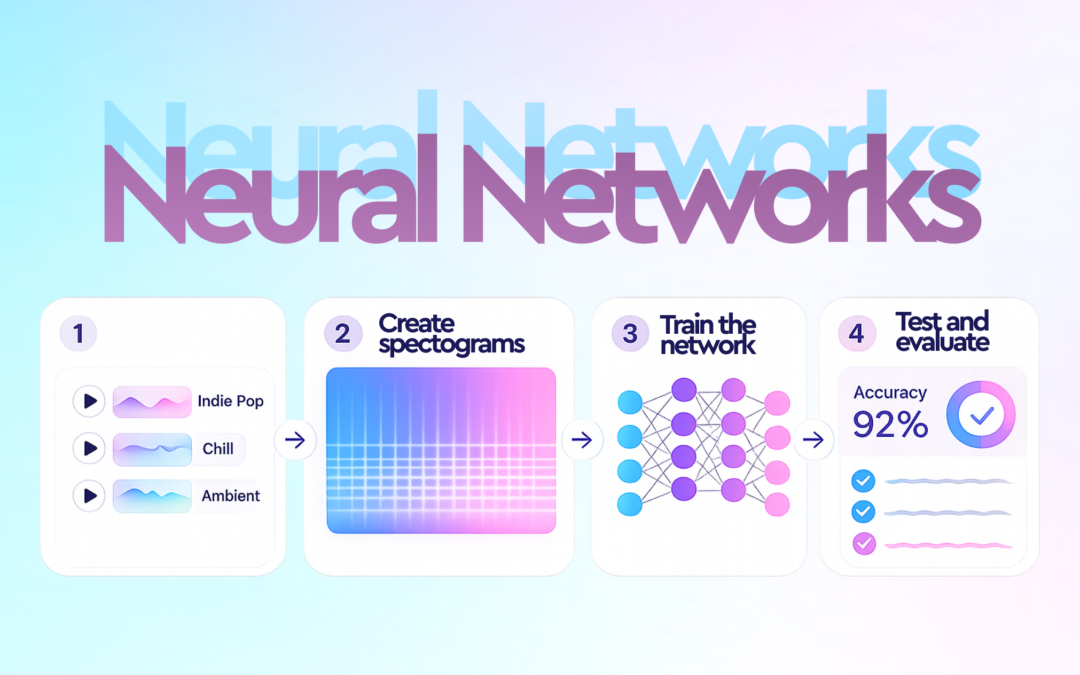
Analyzing music with neural networks follows a clear process that we can break down into four steps:
- Collecting and labeling the right data
- Turning audio into something a machine can see
- Training the neural network
- Testing and evaluating the network
What are neural networks?
Neural networks are machine learning models designed to recognize patterns in data. They are inspired by the brain’s network of neurons, but in practice, they are mathematical systems that detect patterns in complex datasets.
In music analysis, this means the model learns from many examples of music and begins to recognize how certain sounds relate to attributes such as genre, mood, energy, or instrumentation.
This is the foundation of Cyanite’s audio analysis. The system listens to the sound itself and generates structured metadata that helps teams organize and search their catalogs.
Analyzing music with neural networks follows a clear process that we can break down into four steps:
- Collecting and labeling the right data
- Turning audio into something a machine can see
- Training the neural network
- Testing and evaluating the network
Step 1: Collecting and labeling the right data
First, we build the labeled dataset the model will learn from. Neural networks can’t learn from audio alone, so they need training examples where the sound is paired with metadata that describes the music.
The metadata tells the model what it should learn from the audio. By analyzing many examples where the sound and the metadata appear together, the model begins to recognize how certain patterns in the music relate to specific attributes.
Take genre detection as an example. The model learns from many songs that already have the correct genre tag, so it can detect whether a song is pop, rock, or metal.
Bear in mind that if labels are inconsistent or incorrect, the model will learn the wrong patterns. So, the metadata must be reliable. Good training data needs accurate labels and music from many different styles.
This often leads to an important question from catalog owners and partners. If we upload music to Cyanite for analysis, does that train the AI or any commercial AI models?
It doesn’t. Music uploaded to Cyanite contains only the audio and is used solely to analyze that track and generate metadata for the catalog. Training the models requires both audio and labeled metadata together. Because client uploads contain only audio, they cannot be used as training data for any AI model.
The datasets we use to train our model are curated separately. They contain verified audio with validated labels prepared specifically for model development.
Important note: Cyanite only uses customer data for model improvement if a client explicitly opts in and provides both the audio and the associated metadata labels for that purpose.
With the training data ready, the next step is preparing the audio for analysis.
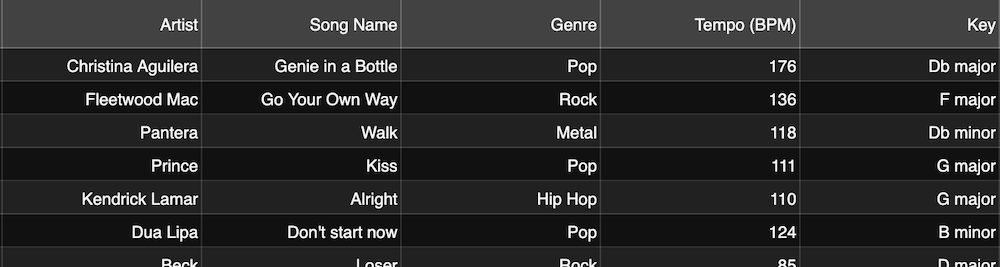
A screenshot from a data collection music database
Step 2: Turning audio into something a machine can see
There are many ways to process audio for neural networks. One of the most common is to convert the audio data into an image called a spectrogram.
Spectrograms are essentially data visualizations of sound. They allow us to convert raw audio into a format neural networks can analyze.
They show how the frequencies in an audio signal change over time. The horizontal axis represents time, the vertical axis represents frequency, and the color intensity shows the strength of each frequency at a given moment.
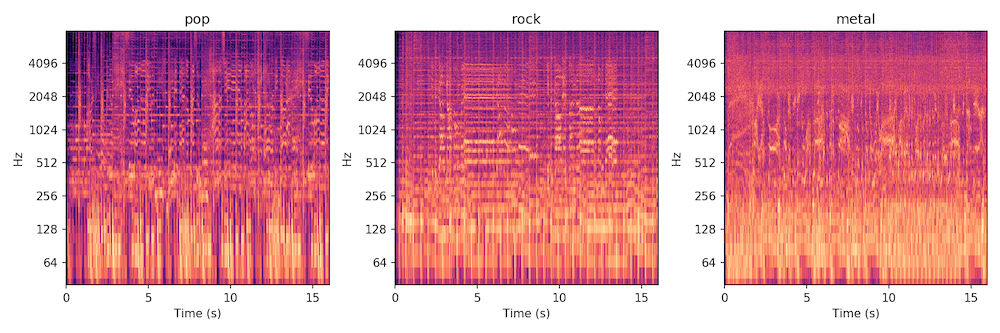
Spectrograms from left to right: Christina Aguilera, Fleetwood Mac, Pantera
Creating spectrograms is often the most computationally intensive step. Because neural networks are highly effective at recognizing patterns in images, spectrograms allow the same approach to be applied to music analysis.
Instead of listening to a song the way humans do, the neural network “looks” at the spectrogram and learns to recognize visual patterns in the sound. These patterns reveal characteristics such as instrumentation, energy levels, rhythmic density, and vocal presence.
In Cyanite, this analysis turns raw audio into searchable tags that describe how a track actually sounds.
Important note: In some workflows, customers can also submit spectrogram representations instead of raw audio files. Because spectrograms are visual representations of sound rather than playable audio, some rights holders consider this approach an additional layer of copyright protection during analysis.
Step 3: Training the neural network
Now that we have converted the songs in our database into spectrograms, it’s time for our neural network to learn how to tell different genres apart.
This learning process is called “training.” In simple terms, the model learns by comparing its predictions with the correct labels in the dataset.
During training, the dataset is typically divided into two parts: a training dataset and a test dataset. The neural network learns from the training dataset, while the test dataset is kept separate to evaluate how well the model performs later on.
To analyze spectrograms, many music analysis systems use a type of neural network called a convolutional neural network (CNN). CNNs recognize patterns in images, so they are well-suited for spectrogram analysis.

Example architecture of how a CNN can look like
During training, the model receives a labeled spectrogram, meaning a spectrogram that already has the correct answer attached to it, for example the genre tag "Pop." The model analyzes the visual patterns in the spectrogram and produces a classification: its best guess at what the label should be. At first these guesses are often wrong. The model might classify a Pop track as Metal. Because the correct label is known, the model can compare its guess with the correct answer and adjust itself accordingly.
Repeating this process across thousands of examples helps the network learn which patterns in the spectrogram correspond to musical characteristics. This method is called “supervised learning.”
In Cyanite’s case, training focuses on learning patterns in audio that describe how music actually sounds. This allows the system to recognize those patterns in new tracks for Auto-Tagging.
Step 4: Testing and evaluating the model
Finally, we evaluate how well the neural network performs on real-world data. This is why we previously split our dataset into a training dataset and a test dataset.
The network needs to perform the classification task on data it has never seen before. That’s how we get a meaningful evaluation. In this case, that data is the test dataset. This allows us to understand how well the network performs beyond the examples it learned during training.
It’s important to remember that some aspects of music are easier to evaluate than others. Objective characteristics, such as tempo and instrumentation, are often easier for a model to identify than more subjective attributes, like genre and mood.
For this reason, evaluating music analysis models is an ongoing process. At Cyanite, models are continuously tested and improved. This is to ensure that the tags generated for each track remain reliable across large and diverse music catalogs, while keeping the analysis transparent and interpretable for the teams that rely on it.
Why Cyanite’s approach is different
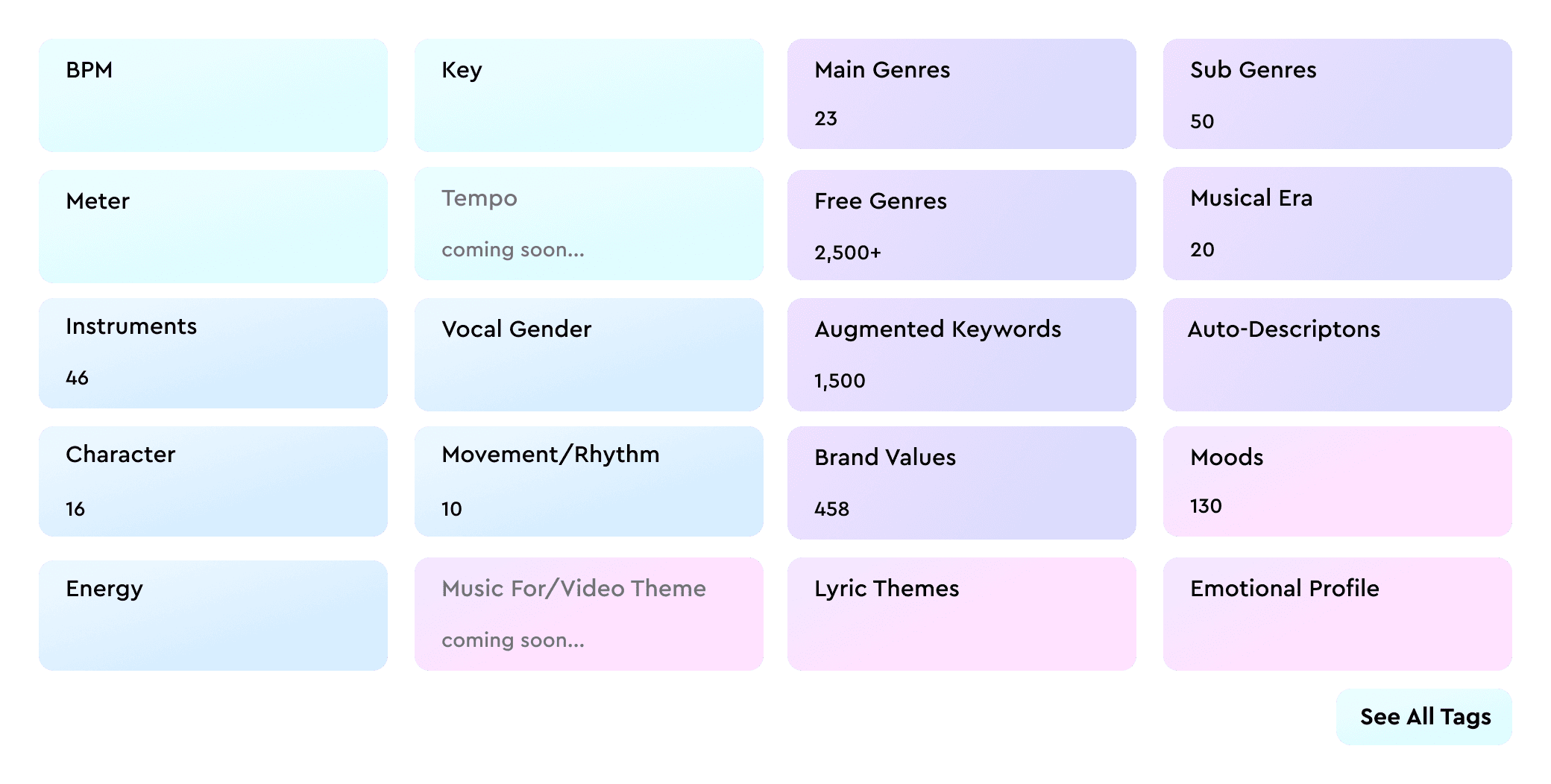
Cyanite analyzes music through sound itself. Instead of relying on metadata or listening behavior, it interprets the audio and generates structured descriptions of how a track sounds.
Because this analysis works directly with audio, trust becomes essential. Cyanite is designed with privacy-first workflows, so audio uploaded for analysis is used only to generate metadata for that track. Training datasets are curated separately, allowing teams to analyze their catalogs without losing control of their audio.
It’s also worth noting that all Cyanite’s analysis happens within our own infrastructure hosted in the EU and operates under GDPR standards. It’s important to us to ensure that customer audio remains within secure and compliant systems.
We also focus on keeping results interpretable. Tags reflect audible characteristics in the music, so teams can understand why tracks appear in search results.
This analysis powers Auto-Tagging, which generates structured metadata for each track, and Cyanite’s sound-based discovery tools for music search and recommendations, including Similarity Search, Free Text Search, and Advanced Search.

Cyanite aligns with our philosophy because it doesn’t use AI to generate content; it uses AI to uncover it. It solves a genuine pain point for our users: the time-consuming nature of music search.
From AI analysis to better music discovery
Neural networks have made it possible to analyze music on a scale that manual workflows simply cannot match. Because these systems learn patterns directly from audio, they can translate sound into structured metadata that helps teams organize, search, and understand their catalogs.
Cyanite applies this approach to real-world music workflows. Through audio analysis, tracks can be automatically tagged and compared by sound, making large catalogs easier to explore and manage.
If you want to see how this works in practice, you can explore the integration case study on the BPM Supreme music library and our interview video with MySphera, where their team discusses how they integrated Cyanite’s API to support music discovery workflows.
Ready to try it yourself?
See what Cyanite’s AI finds in your catalog.
Sign up for the free web app and analyze your first tracks.
FAQs
Q: What is a spectrogram in music AI?
A spectrogram is a visual representation of sound that shows how frequencies change over time. In music analysis AI, it helps neural networks detect patterns related to genre, mood, energy, instrumentation, and other musical attributes.
Q: What are neural networks?
A: Neural networks are machine learning models that learn patterns from examples. In music analysis, they learn how certain audio features relate to labels such as genre, mood, and instrumentation.
Q: How do neural networks work in music analysis?
Neural networks learn from labeled examples where audio is paired with metadata. After training, they can analyze new tracks and predict tags based on patterns in the sound.
Q: How does Cyanite tag music automatically?
A: Cyanite analyzes a track’s complete audio and returns structured metadata, such as genre, mood, energy, instrumentation, and Auto-Descriptions. The resulting metadata can be used in the web app, accessed through the API, or exported for catalog workflows.
Q: Does Cyanite use my music to train its AI?
A: No. Music uploaded to Cyanite is used only to analyze that specific track and generate metadata like tags or descriptions. Training datasets are curated separately and require both audio and labeled metadata. Customer data is only used for model improvement when a client explicitly opts in.
Q: What data does AI need to learn music genres?
A: To learn music genres, AI needs examples where audio is labelled correctly (for example, with genre metadata). The quality and consistency of those labels strongly affect the quality of the model.
Q: What is the difference between AI and neural networks?
A: AI is the broader field. Neural networks are one type of machine learning model used within AI. In music analysis, neural networks are one of the main methods used to turn raw audio into useful metadata.