PR: Anghami partners with Cyanite | Music discovery with AI-powered metadata across 2.5 million songs

PR: Anghami partners with Cyanite | Music discovery with AI-powered metadata across 2.5 million songs

PRESS RELEASE

Berlin 24.03.2026 -Anghami, the leading music and entertainment streaming platform in the MENA region with over 120 million registered users, has partnered with Cyanite to enrich 2.5 million songs using AI-generated music metadata.

By integrating Cyanite’s auto-tagging API, Anghami has enhanced its catalog with detailed audio-based metadata across mood, genre, energy, instrumentation, and more. This structured data layer feeds directly into Anghami’s internal recommendation systems, enabling more precise and scalable music discovery.

At a catalog scale of millions of tracks, metadata quality becomes a strategic driver of personalisation. Structured and consistent tagging enables streaming platforms to better match songs with listeners, surface long-tail content, and improve personalization across diverse repertoires.

For Anghami, the partnership also underscores its commitment to accurately representing the richness of Arabic music. A significant share of its catalog consists of regional content that is often underrepresented in Western-centric AI systems.

Because Cyanite analyses audio directly, rather than relying on behavioural signals or language-based metadata, its models operate consistently across musical cultures and languages.

Anghami operates one of the most culturally diverse music catalogs in the world. Ensuring that Arabic repertoire is tagged with the same precision as Western music is not trivial. We’re proud that our audio-based AI can support music discovery at this scale and across such a rich regional landscape.

Markus Schwarzer

CEO & Founder, Cyanite

Arabic music carries immense depth, emotion and cultural nuance. Through our partnership with Cyanite, we’re ensuring that this richness is understood at a data level, allowing us to power more accurate personalisation and elevate discovery for millions of listeners.

Elias El Khoury

VP Information & Content Systems, Anghami

About Anghami Inc. (NASDAQ: ANGH):

Anghami is the leading multi-media technology streaming platform in the Middle East and North Africa (“MENA”) region, offering a comprehensive ecosystem of exclusive premium video, music, podcasts, live entertainment, audio services and more. Since its launch in 2012, Anghami has led the way as the first music streaming platform to digitize MENA’s music catalog, reshaping the region’s entertainment landscape.

In a strategic move in April 2024, Anghami joined forces with OSN+, a leading video streaming platform, forming a digital entertainment powerhouse. This pivotal transaction strengthened Anghami’s position as a go-to destination, boasting an extensive library of over 18,000 hours of premium video, including exclusive HBO content, alongside 100+ million Arabic and International songs and podcasts.

With a user base exceeding 120 million registered users and 2.5 million paid subscribers, Anghami has partnered with 47 telcos across MENA, facilitating customer acquisition and subscription payment, in addition to establishing relationships with major film studios, entertainment giants, and music labels, both regional and international.

Headquartered in Abu Dhabi, UAE, Anghami operates in 16 countries across MENA, with offices in Beirut, Dubai, Cairo, and Riyadh.

To learn more about Anghami, please visit: https://anghami.com

For media inquiries, please contact:
Umar Gulamnabi – Associate, Integrated Media, Current Global
osncg@currentglobal.com
+971 56 827 1966

About Cyanite

Cyanite is an AI music intelligence platform that helps streaming services, publishers, and music platforms enrich and organize their catalogs. Its auto-tagging API analyzes audio directly to generate structured metadata across genre, mood, energy, instrumentation, and more. Cyanite has tagged over 40 million songs and is trusted by more than 200 companies worldwide, including Warner Chappell, BMG, Epidemic Sound, and APM Music.

Media contact
Jakob Höflich
CMO at Cyanite
jakob@cyanite.ai

For interview requests or additional data, please contact: jakob@cyanite.ai

How To Prompt: The Guide to Using Cyanite’s Free Text Search

How To Prompt: The Guide to Using Cyanite’s Free Text Search

Ready to search your catalog in natural language? Try Free Text Search.

Do you have trouble translating your vision for music into precise keywords? If so, this guide on how to prompt using Cyanite’s Free Text Search is for you.

It’s a more natural way to search your music catalog and discover tracks. You can use complete sentences to describe soundscapes, film scenes, daily situations, activities, or environments. Prompts can be written in different languages and can include cultural references, so you’re not forced to reduce your idea to a fixed set of tags.

Before you explore what Free Text Search can do, keep in mind that prompt-based search works best when your input is specific. The clearer you are, the easier it is to find what you’re looking for. 

Read more: What is music prompt search?

Why music catalogs struggle with discovery

Most large catalogs contain inconsistent metadata. Many were built before modern tagging standards, then expanded over time through different workflows. New music arrives faster than metadata teams can standardize it, especially with the volume from UGC and AI-generated releases, while older tracks remain described in ways that don’t always support how music is searched for today.

Traditional search relies on tags and keyword logic. This approach can be effective for many searches, but it has limits when ideas are already highly specific, like with a detailed creative brief or a particular scene description. Translating concrete, nuanced needs into tags often loses critical details and context.

That’s where natural language search makes a difference. Instead of defining a specific vision in terms of available tags, you can describe what you need directly or even paste a brief into the search bar. The system interprets intent, mood, and context in ways that complement tag-based discovery.

This helps sync and licensing teams work faster with detailed requests, and gives catalog teams another tool to surface relevant music, especially from underused parts of the catalog.

Read more: How to use AI music search for your music catalog

How Free Text Search amplifies music discovery

Free Text Search lets you look for music in the way you would naturally describe it. Write detailed prompts in full sentences, and Cyanite’s AI interprets the meaning behind your words to match intent with how tracks actually sound in your catalog.

This type of search is designed for situations where intent doesn’t translate cleanly into keywords. Tag-based searches work well when attributes are fixed and clearly defined, and Similarity Search is useful when you already have a reference track and want to find music that sounds close to it. Teams often get good results when they search in their own words first, then move into other search modes to refine the selection.

How to use Free Text Search effectively

In real-life workflows, searches rarely begin from the same place. Sometimes you’ll start with sound, sometimes with a scene, and sometimes with context. 

Not every idea can be reduced to tags or tied to a specific track. Choosing music is a creative process, so the way people search is often creative too. Free Text Search meets users where they are, allowing them to describe intent in natural language and shape discovery around how they think. 

1. Describing sound

With Free Text Search, you can add context and even cultural references to your search, making it possible to find the perfect soundtrack for your project and get the most out of your music catalog. 

This approach is commonly used when responding to sync briefs that describe musical detail and tone.

Sound-focused prompts should name what musical elements are present, then add how those elements are played or arranged. An extra cue about character or attitude can be included when it helps clarify intent.

[Instruments or sound sources] + [how they are played or arranged] + [optional: character or stylistic cue]

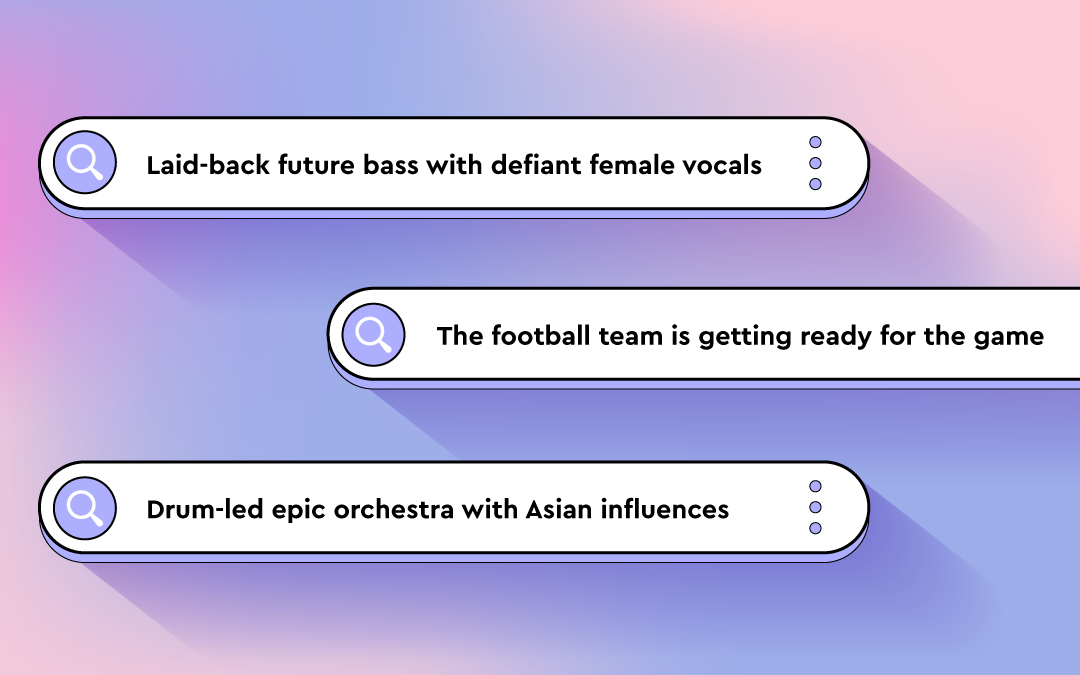
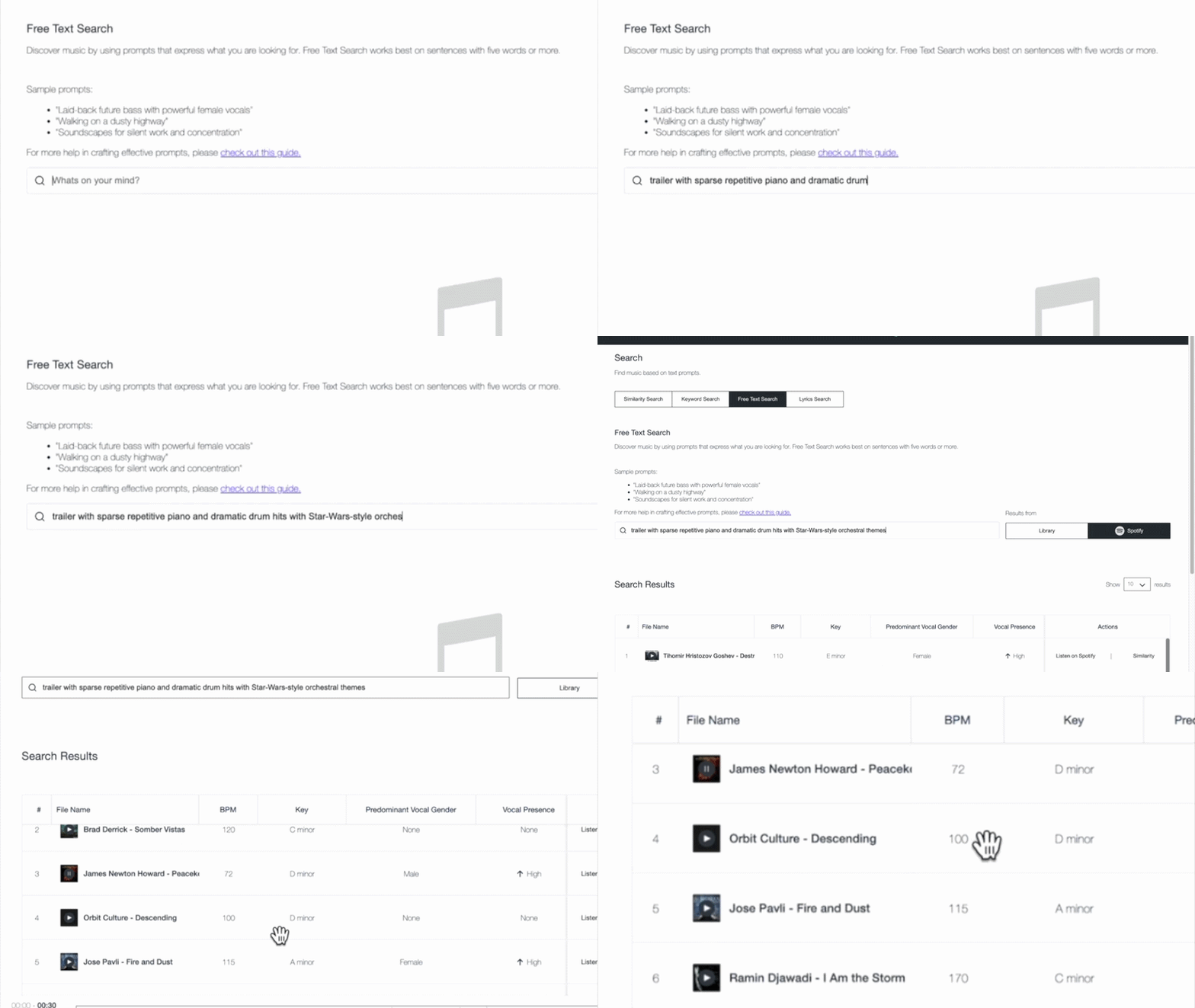
  • “Trailer with sparse repetitive piano and dramatic drum hits with Star-Wars-style orchestra themes”
  • “Laid-back future bass with defiant female vocal”
  • “Staccato strings with a piano playing only single notes”
  • “Solo double bass played dramatically with a bow”

These prompts work because they are specific, but not rigid. That level of detail helps surface relevant tracks faster and reduces reliance on perfectly maintained tags, which is especially valuable in large or uneven catalogs.

Common mistakes to avoid

  • Staying too abstract: Words like “cinematic” or “emotional” on their own don’t give enough information to form a clear sound.
  • Listing elements without context: Naming instruments or genres without describing how they are played or arranged often leads to broad results.
  • Overloading the prompt: Packing too many ideas into one sentence can blur intent and pull results in different directions.
  • Writing like a tag list: Free Text Search works best when the prompt reads like a description, not a stack of keywords.

Read more: AI search tool for music publishing: best 3 ways

2. Describing film scenes

Film scenes can evoke a wide range of emotions and visuals. When using Free Text Search for this purpose, consider whether your prompt captures objective elements of the scene or your own interpretation of it.

Publishers often use scene-based prompts to explore deeper parts of their catalog and surface music suited to narrative use cases beyond obvious genre labels.

You can reference popular movies or shows like Pirates of the Caribbean or Stranger Things in your search prompts.

It helps to think like a director. Focus on the action or moment in the scene and what the viewer is experiencing. The clearer the image you describe, the easier it is for the search to interpret what kind of music belongs there, without needing a list of musical traits.

[Action or moment] + [optional: setting or situation] + [optional: stylistic cue]

  • “Riding a bike through Paris”
  • “Thriller score with Stranger-Things-style synths “
  • “Tailing the suspect through a Middle Eastern bazaar”
  • “The football team is getting ready for the game”

An example result for the prompt: “Riding a bike through Paris”

These prompts work because they describe a cinematic moment rather than a list of musical characteristics. A scene like “riding a bike through Paris” suggests a certain musical style and progression, which helps frame how the music should unfold. That context gives Free Text Search a clearer sense of what the track needs to communicate.

To fine-tune your search, add different keywords, like “orchestral,” “industrial rock,” or “hip-hop,” to steer it in the direction you want.

Common mistakes to avoid

  • Writing scenes that only make sense to you personally: Prompts should be interpretable without extra explanation.
  • Dropping the visual context: Turning a scene into a genre description removes what makes this approach effective.
  • Using obscure references: If the reference is not widely known, it may not clarify the scene.

3. Describing activities, situations, and moods

Free Text Search empowers you to be as specific as your project demands. You can describe when and where music will be heard, and what it should communicate. Combining activity, situation, and mood helps direct discovery toward abstract or niche ideas that don’t translate cleanly into tags, making it easier to surface music that fits its intended use.

When writing the prompts, focus on how the music will be used and what it needs to communicate in that situation. Providing clear usage context helps the search narrow results without requiring detailed musical instruction.

[Style or sound] + [intended use or context] + [optional: tone or functional role]

  • “Latin trap for fitness streaming catalog”
  • “Mellow California rock for sports highlight content”
  • “Colorful pop music for lifestyle brand campaign”
  • “Subtle ambient textures for background use”

Example result for the prompt: Mellow California rock for a road trip”

Common mistakes to avoid

  • Leaving out the use case: Mood alone often leads to broad results without direction.
  • Mixing conflicting contexts: Background use and high-impact language can work against each other.
  • Lack of clarity: When the prompt doesn’t include enough context, results stay generic.

Free Text Search is available in the Cyanite web app. You can test prompts, explore results, and refine searches in minutes.

Using prompts to improve discovery

With Free Text Search, you can explore your music catalog using detailed descriptions. This lets you search based on how music is described in real projects, making it easier to find tracks that fit a specific brief, scene, or use case.

Whether you’re pitching music for sync, artists, or labels, looking to underscore a film scene, or setting the mood for an activity, Free Text Search empowers you to explore music in a whole new way.

As you craft your prompts, try to be specific and objective, as this will return better results. Use concrete details like instruments, playing styles, and specific scenes or activities. 

You already have the resources in your catalog. Free Text Search helps you access them more effectively.

How to smoothly migrate from Musiio to Cyanite (Search Edition)

How to smoothly migrate from Musiio to Cyanite (Search Edition)

With Musiio closing its API service soon, many music platforms are facing a time-sensitive challenge: keeping their search and discovery workflows operational without disruption.

If your product, internal tools, or customer-facing experience rely on similarity search, replacing your search provider is more than a backend adjustment. Search directly impacts user trust, discovery quality, and product performance.

This guide outlines a practical way to migrate similarity workflows from Musiio to Cyanite; and how to use this transition as a product upgrade. 

Don’t miss out the first part we did on this – focussing on the migration from Musiio’s to Cyanite’s Auto Tagging. Check it out below.

What changes when switching a music search provider?

Replacing a similarity search provider is not just a technical endpoint swap. Even if two systems both offer similarity search, ranking behavior, reference handling, and filtering capabilities can differ.

A smooth migration therefore focuses on:

  • replacing the API endpoints
  • validating search results internally
  • ensuring the product experience remains consistent

Cyanite Search in one paragraph

Cyanite provides audio-based search via API for music libraries, streaming services, sync platforms, and music-tech companies.

Search workflows can be built using:

Similarity can be performed using:

  • Your own track IDs
  • MP3 uploads
  • Spotify links
  • YouTube links
  • any of the above combined (Advanced Search only)

Step-by-step migration plan

Step 1: Start testing immediately (Spotify-based evaluation or test environment)

Before replacing your production similarity workflows, the first step is to test Cyanite’s search capabilities in isolation.

You can begin immediately by testing similarity search against Cyanite’s Spotify-based showcase database. This allows your team to:

  • evaluate similarity quality
  • compare ranking behavior
  • test reference workflows (track IDs, Spotify links, etc.)

No full catalog setup is required for this initial evaluation.

If you want to test similarity search against your own full catalog, we can set up a dedicated test environment together. 

To get started, create an API integration here:
https://api-docs.cyanite.ai/docs/create-integration/

Similarity Search documentation:
https://api-docs.cyanite.ai/docs/similarity-search

You can then:

  • run similarity searches using track IDs
  • test Spotify and YouTube links
  • explore multi-track similarity
  • combine similarity with filters via Advanced Search (per request)

If you would like to test Advanced Search (multi-track similarity, similarity scores, and metadata filtering), simply contact us at business@cyanite.ai and we’ll enable it for your evaluation.

Step 2: Identify your similarity search inputs

Most Musiio customers use similarity search in one of these ways:

  • Searching similar tracks using a track ID from their own catalog
  • Searching similar tracks using an external MP3 upload
  • Searching similar tracks using a YouTube link

Cyanite supports all of these workflows and additionally supports Spotify links.

Your first step is to map your existing Musiio workflow to one of these Cyanite input types:

  • Track ID (fastest and most stable)
  • Audio upload (MP3)
  • External links (Spotify or YouTube)

Step 3: Replace similarity workflows (real-time vs external references)

Track ID-based similarity (instant results – recommended for real-time use cases)

Using your own track IDs is the most stable and fastest approach.

This is ideal for:

  • “Show similar” features
  • user-facing discovery modules
  • recommendation systems
  • internal sync tools

With track IDs, similarity search operates in real time.
Cyanite supports up to 10 search requests per second, making it suitable for production-grade discovery experiences.

External reference workflows (results after analysis – MP3, Spotify, YouTube)

External references are useful for:

  • searching your catalog using a client reference track
  • brief matching
  • creative mood board discovery

Cyanite supports similarity search using:

Track ID-based searches return results in real time. External references typically require a few seconds up to around a minute for analysis before results are returned.

Before switching production endpoints, we recommend validating ranking quality and relevance with a representative sample of your catalog.

Step 4: Upgrade with Advanced Search (instant results – multi-track similarity + filtering)

Once single-track similarity is stable, many teams extend their setup using Advanced Search, which acts as an add-on to Similarity Search.

Advanced Search extends similarity from a simple reference match to a controllable discovery layer:

  • Multi-track similarity (up to 50 reference tracks)
  • Similarity scores, quantifying how close results are in percentage terms
  • Most Relevant Segments
  • Custom Metadata Filters
  • Up to 500 search results

Multi-track similarity is particularly powerful for:

  • playlist generation
  • “Discover Weekly” style workflows
  • brief-based search where multiple references define a sound

Importantly, Advanced Search also allows you to combine similarity with your own metadata.

You can:

  • search for tracks similar to a reference
  • while filtering by internal tags
  • or by metadata such as release date, territory, clearance status, new releases, or priority tracks (anything that you attach as a custom tag to your tracks)

This enables highly controlled discovery workflows that go beyond simple similarity replacement.

    Step 5: Add Free Text Search (instant results – optional but high-impact upgrade)

    While Musiio did not offer Free Text Search, Cyanite offers this feature, complementing Similarity Search.

    Free Text Search allows users to search using natural language queries such as:

    • “uplifting acoustic pop with female vocals”
    • “dark cinematic tension build”
    • “minimal piano with emotional atmosphere”
    • “lofi beats for studying”

    For music libraries and sync platforms, this can significantly improve:

    • discovery speed
    • usability for non-expert users
    • onboarding experience
    • catalog accessibility

    Many teams migrate similarity first, then introduce Free Text Search as a second-phase upgrade.

    Example migration timeline

    Day 1:
    Create an integration and test similarity with track IDs.

    Day 2–3:
    Replace similarity endpoints in staging and review results.

    Week 1:
    Go live with single-track similarity replacement.

    Week 2+:
    Add Advanced Search and optionally introduce Free Text Search as a product upgrade.

    A note on migration

    Although both Musiio and Cyanite offer similarity search via API, the underlying concepts and implementation details differ.

    This means migration is not just a technical endpoint replacement. It requires a short evaluation phase to ensure alignment with your existing product logic and user experience.

    In practice, most teams complete this evaluation within days, but it should not be skipped.

    Final thought: replace or improve

    Many teams use this moment to:

    • strengthen their discovery experience
    • introduce multi-track similarity
    • enable Free Text Search
    • modernize search workflows without building a large data science team

    If your team is affected by Musiio’s shutdown, we’re happy to support you with migration guidance.

    Get migration support

    If you want support migrating from Musiio to Cyanite, you can:

    FAQs

    Q: Which similarity search API can replace Musiio?

    A: Cyanite offers audio-based Similarity Search via API for track IDs, MP3 uploads, Spotify links, and YouTube links. Advanced Search and Free Text Search provide additional capabilities beyond Musiio’s feature set.

    Q: Can I migrate similarity search from Musiio quickly?

    A: Yes. Many teams begin by replacing track-ID-based similarity workflows first, as this allows real-time continuity with minimal product disruption.

    Q: Does Cyanite support multi-track similarity search?

    A: Yes. Multi-track similarity (up to 50 reference tracks) is available via Advanced Search. This is especially useful for playlist generation, brief-based search, and recommendation workflows.

    Q: How can I test Advanced Search?

    A: Advanced Search can be enabled for evaluation upon request. Simply contact business@cyanite.ai and we’ll activate it for your integration, typically within one business day.

    Q: Can I filter similarity results using my own metadata?

    A: Yes. Advanced Search allows you to combine similarity with filters based on your internal metadata, such as release date, territory, clearance status, or anything you attach as custom tags.

    Q: Does Cyanite offer a Prompt-based Search?

    A: Yes. Cyanite supports natural language search, enabling users to search for music using descriptive queries. Musiio does not offer Free Text Search.

    Q: What are Cyanite’s rate limits for similarity search?

    A: Cyanite supports up to 10 search requests per second by default, enabling real-time similarity workflows for user-facing discovery features.

    Q: How is Cyanite priced for teams migrating from Musiio?

    A: API access typically includes a base fee. Search usage and advanced features are volume-based. For larger volumes and enterprise use cases, bulk discounts are available.

    Q: Is retagging my full catalog required?

    A: No. You can migrate incrementally by tagging only new uploads. However, if tagging is central to your search and discovery experience, retagging the full catalog provides a cleaner and more consistent metadata foundation.

    Q: Will migrating affect my search and recommendation systems?

    A: Tagging changes can affect any downstream system that relies on metadata, including search filters, playlists, and recommendation logic. That’s why we recommend testing with a representative batch and reviewing dependencies before switching fully.

    Q: Is retagging my full catalog required?

    A: No. You can migrate incrementally by tagging only new uploads. However, if tagging is central to your search and discovery experience, retagging the full catalog provides a cleaner and more consistent metadata foundation.

    Q: How is Cyanite priced for teams migrating from Musiio?

    A: Cyanite’s pricing model will feel familiar to many Musiio customers. API access is structured with a base fee, while tagging is usage-based. For catalog processing, teams can either pay as they go or purchase credits in advance. Bulk discounts are available for larger volumes and back-catalog migrations.

    Q: How do I get support for migration?

    A: You can book a migration call via our Typeform or contact us directly at business@cyanite.ai. Our team can support integration guidance, taxonomy alignment, and back catalog processing.
    How to smoothly migrate from Musiio to Cyanite (Tagging Edition)

    How to smoothly migrate from Musiio to Cyanite (Tagging Edition)

    With Musiio announcing the shutdown of its API service by the end of February, many music platforms and libraries are currently facing a time-sensitive challenge: ensuring continuity in their tagging workflows without breaking downstream systems.

    If your team relies on automated tagging to power discovery, search filters, recommendations, or internal music workflows, switching providers is not just a technical change. It’s also a conceptual one.

    This guide outlines a practical, low-risk way to migrate from Musiio to Cyanite’s tagging infrastructure. The goal is simple: keep your systems running, avoid surprises, and improve your metadata foundation over time.

    Why switching tagging providers is not a simple “API swap”

    When a tagging provider changes, most teams underestimate how many things depend on the output. Tagging sits at the base layer of many product experiences, including:

    • search and filtering
    • playlisting and discovery
    • internal recommendation systems
    • catalog curation workflows
    • editorial tooling
    • analytics and reporting

    Even if two providers both offer “mood”, “genre”, or “energy”, they often differ in:

    • taxonomy structure and granularity
    • multi-label behavior (how many tags are returned)
    • naming conventions
    • tag distributions across your catalog

    A smooth migration means planning for both:

    1. the technical integration
    2. the conceptual differences in metadata

    Cyanite tagging in one paragraph

    Cyanite provides scalable, audio-based music tagging via API, designed for enterprise catalogs and production-grade workflows. Instead of relying on user behavior, tags are generated directly from the sound of each track, creating a consistent and reusable metadata layer that can support search, discovery, recommendations, and catalog intelligence.

    For teams that want to go deeper, Cyanite’s full API documentation is publicly available: https://api-docs.cyanite.ai/

    The two migration paths (choose your strategy first)

    Before touching code, your team should make one key decision:

    Do you want a fast continuity migration, or a clean long-term metadata foundation?

    Option A: Fast continuity (quickest path to stay operational)

    This approach is ideal if you need to migrate quickly and avoid any immediate impact on your product.

    You will:

    • integrate Cyanite tagging for all new uploads going forward
    • keep existing Musiio tags for your back catalog (for now)
    • avoid a large back-catalog processing project
    • gradually transition systems to Cyanite taxonomy over time

    This is typically the fastest way to stay operational. However, it’s important to note that new tracks will be tagged using a different taxonomy, which may require adjustments in downstream systems (e.g. filters, dashboards, or recommendation logic).

    Option B: Clean long-term foundation (recommended for search and discovery)

    This approach is ideal if tagging plays a central role in your product and you want a consistent metadata layer across your full catalog.

    You will:

    • re-tag your full back catalog with Cyanite
    • unify your taxonomy across all tracks
    • avoid mixing metadata systems long-term
    • improve consistency for search, recommendations, and analytics

    This path requires more work upfront but typically results in better long-term product quality.

    Step-by-step migration plan

    Step 1: Set up a quick test integration (free evaluation)

    Before migrating production workflows, we recommend starting with a small, representative test batch. This allows your team to validate both the tagging output and the end-to-end workflow (upload → tagging → results) before switching anything in production.

    A good test batch includes:

    • different genres and regions
    • older and newer tracks
    • high-performing tracks and long-tail tracks
    • tracks with vocals and instrumentals
    • if relevant: Arabic, Turkish, and other regional repertoires

    You can create a Cyanite API integration and run your first tests for free:

    • By default, testing can be done with 5 songs
    • For teams that need a slightly larger evaluation, we can unlock up to 100 free credits

    Cyanite provides a step-by-step guide to creating an integration here:
    https://api-docs.cyanite.ai/docs/create-integration

    To speed up your first tests, our query builder helps you quickly generate and validate API requests:
    https://api-docs.cyanite.ai/docs/library-track-query-builder

    Once your integration is set up, you can:

    • upload tracks via API
    • request tagging results
    • store the output in your system

    Approach 1: Keep your existing tags and migrate incrementally

    If you choose the fast continuity path, you can start tagging all new uploads with Cyanite while keeping your back catalog unchanged.

    This approach works well if:

    • you need to migrate quickly
    • your product relies on existing tags
    • you want to avoid a full catalog reprocessing project initially

    Over time, you can gradually transition downstream systems to Cyanite’s taxonomy.

    Approach 2: Retag for consistency (recommended)

    If your platform relies heavily on search, filtering, or discovery, a clean long-term foundation is usually worth it.

    Retagging your catalog with Cyanite gives you:

    • a consistent metadata layer across the full catalog
    • simpler downstream logic
    • better analytics and reporting
    • improved search and recommendation quality

    Cyanite’s full tagging taxonomy can be reviewed in detail here:

    Step 5: Review and go live

    Once your integration is complete, you can switch your tagging workflow to Cyanite for new uploads and, if applicable, begin your back-catalog migration.

    Many teams choose to review a representative sample of tagged tracks internally before going fully live, especially if tagging feeds directly into search, filtering, or recommendation features.

    The exact validation process depends on your product setup and internal workflows.

    Common migration pitfalls (and how to avoid them)

    Pitfall 1: Treating it like a simple API swap

    Tagging sits at the base layer of many systems. Plan for downstream dependencies early.

    Pitfall 2: Trying to force a perfect 1:1 taxonomy mapping

    Most teams waste time trying to recreate their old tag system exactly. We highly recommend to adopt a consistent taxonomy and update downstream logic accordingly.

    Pitfall 3: Mixing two tag systems in the UI for too long

    If you run two taxonomies in parallel, set a clear timeline for consolidation. Otherwise, editorial teams and users can get confused.

    Pitfall 4: Migrating without a clear back catalog strategy

    If you retag your full catalog, consider a phased rollout:

    • start with the most used tracks
    • then cover the long tail

    Example migration timeline (realistic and low-risk)

    A typical migration can look like this:

    Day 1:
    Create an integration and run a test batch (5 to 100 songs).

    Day 2 to 3:
    Integrate Cyanite tagging in parallel and store results separately.

    Week 1:
    Switch tagging for all new uploads.

    Week 2+:
    Optional back catalog retagging via S3 ingestion.

    This approach ensures continuity while giving your team time to validate quality and adjust downstream systems.

    Final thoughts: a migration can be an upgrade

    A forced migration is never ideal. But it can also be an opportunity to improve your metadata foundation.

    Many teams use this moment to:

    • modernize their tagging workflows
    • improve consistency across catalogs
    • strengthen search and discovery experiences
    • reduce dependency on behavior-driven signals

    If your team is impacted by Musiio’s API shutdown, we’re happy to support you with a smooth transition, taxonomy alignment, and optional back-catalog retagging.

    Looking to migrate search workflows as well? We’re currently preparing a Search Edition of this guide.

    Get migration support

    If you want support migrating from Musiio to Cyanite, you can:

    FAQs

    Q: How do I migrate from Musiio’s tagging API to Cyanite?

    A: Migrating from Musiio to Cyanite typically involves three steps:

    1. Create a Cyanite API integration and test with a representative batch

    2. Run Cyanite in parallel with your current system

    3. Decide whether to tag only new uploads or retag your full catalog

    Many teams complete initial integration within days, depending on system complexity.

    Q: Can I test Cyanite before fully replacing Musiio?

    A: Yes. You can test Cyanite’s tagging API with up to 5 songs for free. Up to 100 credits can be unlocked for evaluation, allowing you to validate tagging output, taxonomy structure, and system compatibility before switching production workflows.

    Q: Do I need to retag my entire catalog when switching from Musiio?

    A: No. You can migrate incrementally by tagging only new uploads with Cyanite while keeping existing Musiio tags for legacy tracks. However, if tagging plays a central role in search, filtering, or recommendations, many teams choose to retag their full catalog for long-term consistency.

    Q: How does Cyanite handle large catalog migrations compared to Musiio?

    A: For ongoing uploads, Cyanite processes up to 10 songs per minute via API. For large back catalogs, Cyanite provides an S3 bucket ingestion workflow. Full catalog processing is typically completed within 5 to 10 working days, depending on volume.

    Q: Will replacing Musiio affect my search and recommendation systems?

    A: Tagging changes can impact any system relying on metadata, including search filters and recommendation logic. That’s why we recommend testing with a representative batch and reviewing downstream dependencies before fully switching providers.

    Q: Is Cyanite’s taxonomy identical to Musiio’s taxonomy?

    A: No tagging taxonomies are identical. While both providers offer categories like mood, genre, energy, and instrumentation, structure and granularity may differ. Teams can either map existing tags temporarily or use migration as an opportunity to consolidate on a single, consistent taxonomy. Review Cyanite’s taxonomy here.

    Q: Can I run Musiio and Cyanite in parallel during migration?

    A: Yes. Running both systems in parallel for a short validation period is a common and low-risk migration strategy. This allows your team to compare outputs and adjust downstream systems before completing the switch.

    Q: Will migrating affect my search and recommendation systems?

    A: Tagging changes can affect any downstream system that relies on metadata, including search filters, playlists, and recommendation logic. That’s why we recommend testing with a representative batch and reviewing dependencies before switching fully.

    Q: Is retagging my full catalog required?

    A: No. You can migrate incrementally by tagging only new uploads. However, if tagging is central to your search and discovery experience, retagging the full catalog provides a cleaner and more consistent metadata foundation.

    Q: Will migrating affect my search and recommendation systems?

    A: Tagging changes can affect any downstream system that relies on metadata, including search filters, playlists, and recommendation logic. That’s why we recommend testing with a representative batch and reviewing dependencies before switching fully.

    Q: Is retagging my full catalog required?

    A: No. You can migrate incrementally by tagging only new uploads. However, if tagging is central to your search and discovery experience, retagging the full catalog provides a cleaner and more consistent metadata foundation.

    Q: How is Cyanite priced for teams migrating from Musiio?

    A: Cyanite’s pricing model will feel familiar to many Musiio customers. API access is structured with a base fee, while tagging is usage-based. For catalog processing, teams can either pay as they go or purchase credits in advance. Bulk discounts are available for larger volumes and back-catalog migrations.

    Q: How do I get support for migration?

    A: You can book a migration call via our Typeform or contact us directly at business@cyanite.ai. Our team can support integration guidance, taxonomy alignment, and back catalog processing.

    Everything you’ve ever wanted to know about Cyanite (answering your FAQs)

    Everything you’ve ever wanted to know about Cyanite (answering your FAQs)

    Ready to explore your catalog? Sign up for Cyanite.

    As music catalogs grow, finding the right track gets harder. Metadata doesn’t always keep up, but teams are still expected to deliver fast, reliable results.

    Libraries, publishers, sync teams, and the technical leads supporting them need systems that make large catalogs easier to understand and search. Cyanite is designed to support that work.

    This guide provides a clear, high-level introduction to how Cyanite works and how it’s used in practice, giving teams a simple starting point before diving deeper into specific topics.

    Learn more: Explore our FAQs to dig deeper into how Cyanite works.

    The problem of scaling modern music catalogs

    Once a catalog reaches a certain size, searching it becomes an inconsistent process. Music is described through tags and metadata that were added by different people, at different times, often for different needs. As the catalog grows, those descriptions stop lining up, which makes tracks harder to compare and surface reliably.

    Over time, the same song can become discoverable in one context and invisible in another. Familiar tracks tend to show up first, while large parts of the catalog stay beneath the surface simply because their sound isn’t clearly represented in the data.

    Scaling a modern music catalog means creating a shared, consistent way to describe sound, so music can be worked with confidently across teams and workflows, no matter how large the catalog becomes.

    What Cyanite is (and what it is not)

    Cyanite is an intelligent music system that works directly with sound. It analyzes each track and translates what can be heard into structured information that stays consistent across the catalog. That information is used both to tag music automatically and support sound-based search.

    Teams can use Cyanite through the web app, integrate it into their own systems via an API, or access it directly within supported music CMS environments.

    Cyanite is not a replacement for listening or creative judgment. It doesn’t decide what should be used, pitched, or licensed. It provides a consistent, sound-based foundation that helps teams work with music at scale while keeping human decision-making at the center.

    How Cyanite analyzes music

    Cyanite analyzes music through sound, not user behavior. Instead of relying on plays, clicks, or listening history, it focuses on the audio itself and produces a consistent, reliable sound description. This means each piece of music enters the system under the same logic, regardless of when it was added or who uploaded it.

    Read more: How do music recommendation systems work?

    Core capabilities

    At its core, Cyanite helps teams organize and work with large music catalogs through music tagging and search. The same audio-based logic applied to every track creates consistent descriptions and keeps music easy to find, compare, and explore, even as catalogs grow.

    A table showing Cyanite's AI-Tagging Taxonomy

    To make large catalogs easier to work with, Cyanite applies consistent labeling based on each track’s full audio.

    • Auto-Tagging analyzes the audio to generate metadata like genre, mood, and tempo.
    • Auto-Descriptions generate concise, neutral descriptions that highlight how a track sounds and give teams quick context without having to listen first.

    Sound-based search: Similarity, Free Text, and Advanced Search

    To help teams find music, Cyanite offers multiple ways to search a catalog. 

    • Similarity Search finds tracks with a similar sound to a reference song, whether it’s from your catalog, an uploaded file, or a YouTube preview. It’s often a good fit when a brief starts with a musical reference rather than a written description.
    • Free Text Search allows teams to describe music in natural language, including full sentences and prompts in different languages. It then matches that intent to sound in the catalog.
    • Advanced Search, available through the API as an add-on for Similarity and Free Text Search, adds more control as searches become more specific. It enables filters and visibility into why tracks appear in the results, making it easier to refine and compare matches.

    Privacy-first, IP-safe audio analysis

    Cyanite is built for professional music catalogs, with all data processed and stored on servers in the EU in line with GDPR. Audio files are stored securely, can be deleted at any time on request, and are not shared with third parties. All analysis and search algorithms are developed in-house. For additional protection, Cyanite also supports spectrogram-based uploads, allowing audio to be analyzed without being reconstructable into playable sound.

    How teams combine AI and human expertise

    Cyanite is used for organizing, pitching, searching, and curating a catalog. Automation applies a consistent, sound-based foundation across every track, while teams add context, intent, and custom metadata where it matters. 

    Because there are clear limits to what can be inferred from audio alone, most teams adopt a hybrid approach to their work. They use Cyanite to keep catalogs structured and searchable at scale, while human input shapes how the music is ultimately used.

    How Cyanite fits into existing catalog systems

    Cyanite is used at the point where teams need to explore a catalog for a pitch, brief, or curation task. It applies a consistent, sound-based foundation across all tracks, so decisions can be informed by reliable discovery results. With technology supporting the process, teams can confidently listen, compare, and narrow options, applying human judgment to make the selection.

    Where to go deeper

    Now that we’ve covered the basics, you can explore specific parts of Cyanite in more detail in the following articles:

    Getting started with Cyanite

    To evaluate Cyanite, the simplest starting point is a track sample analysis. Many teams begin with a small set of tracks to review tagging results and search behavior before deciding whether to scale further. This makes it easy to validate fit without committing a full catalog upfront.

    For teams building products or integrating search into their own tools, integrating our API is a hands-on way to explore analysis, tagging, and similarity search in a live environment. You can create an API integration for free after registering via the web app.

    When preparing for a larger evaluation, a bit of structure helps. Audio should be provided in MP3 and grouped into clear folders or batches that reflect how the catalog is organized. Most teams start with a representative subset and expand in phases once results and timelines are clear. If you are not able to deliver your music as MP3 files, reach out to support@cyanite.ai