
Last updated on January 23rd, 2026 at 09:34 am
Ready to level up your search workflows? Try AI-powered music search in Cyanite.
Even the most carefully organized catalog reaches a point where text metadata can no longer support effective search on its own. Genres blur, moods can overlap, and large libraries hold thousands of tracks that look similar on paper but sound different when you listen. When you’re working on a brief, your search method needs to reflect the sound itself—not just the words attached to it.
AI music search enables your catalog to reveal more. By working with audio alongside the metadata, it returns search results that match the intent behind a brief rather than the exact words used in a query. You get a shortlist faster and surface strong tracks that would otherwise stay buried.
We see this need showing up across the catalogs we serve, so we put together this guide to outline how AI music search works in Cyanite and how it supports faster, more intuitive discovery in real-world workflows.
Learn more: See how AI music tagging works in Cyanite and how it supports large catalogs.
What is AI music search?
Traditional catalog search depends heavily on how consistently tracks are described. It works well when metadata is uniform and when everyone searches in the same way. But this is rarely the case in practice. Different people use different language, and many musical qualities are easier to hear than to articulate precisely.
AI music search approaches the problem by analysing the sound itself. This allows the system to understand rhythm, harmony, instrumentation, intensity, and voice presence. These sonic attributes are then used alongside existing metadata to guide search results.
Instead of matching exact keywords, the system focuses on musical similarity and intent. That means you can start a search from a reference track or a descriptive sentence without losing nuance along the way.
AI music search does not replace structured tagging. Instead, it builds on it as an additional way to explore a catalog when sound, context, or creative intent are easier to hear than describe.
At the same time, well-structured tagging remains the baseline to navigate a catalog in many day-to-day scenarios. AI-driven search becomes most valuable when teams need to move beyond fixed labels or explore music from a different angle.
How different types of AI music search work together
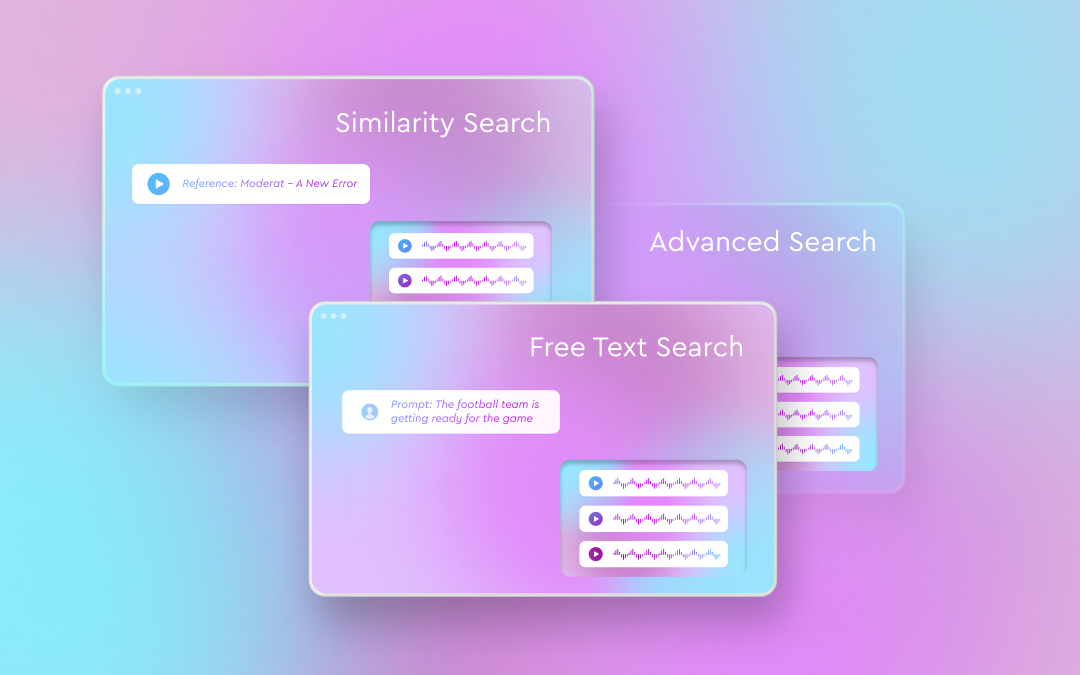
In practice, AI music search is most effective when it supports multiple ways of thinking about music. These are three ways we enable catalog music search in Cyanite:
- Audio-based search
- Prompt-based search
- Customizable advanced search features
These tools are designed to work together. Audio gives a clear view of how a track moves, text helps describe what you’re looking for, and advanced filters narrow the field to traits that matter for the request. Using them together keeps the catalog flexible and reduces the chance of great tracks being missed.
Exploring your catalog through Similarity Search
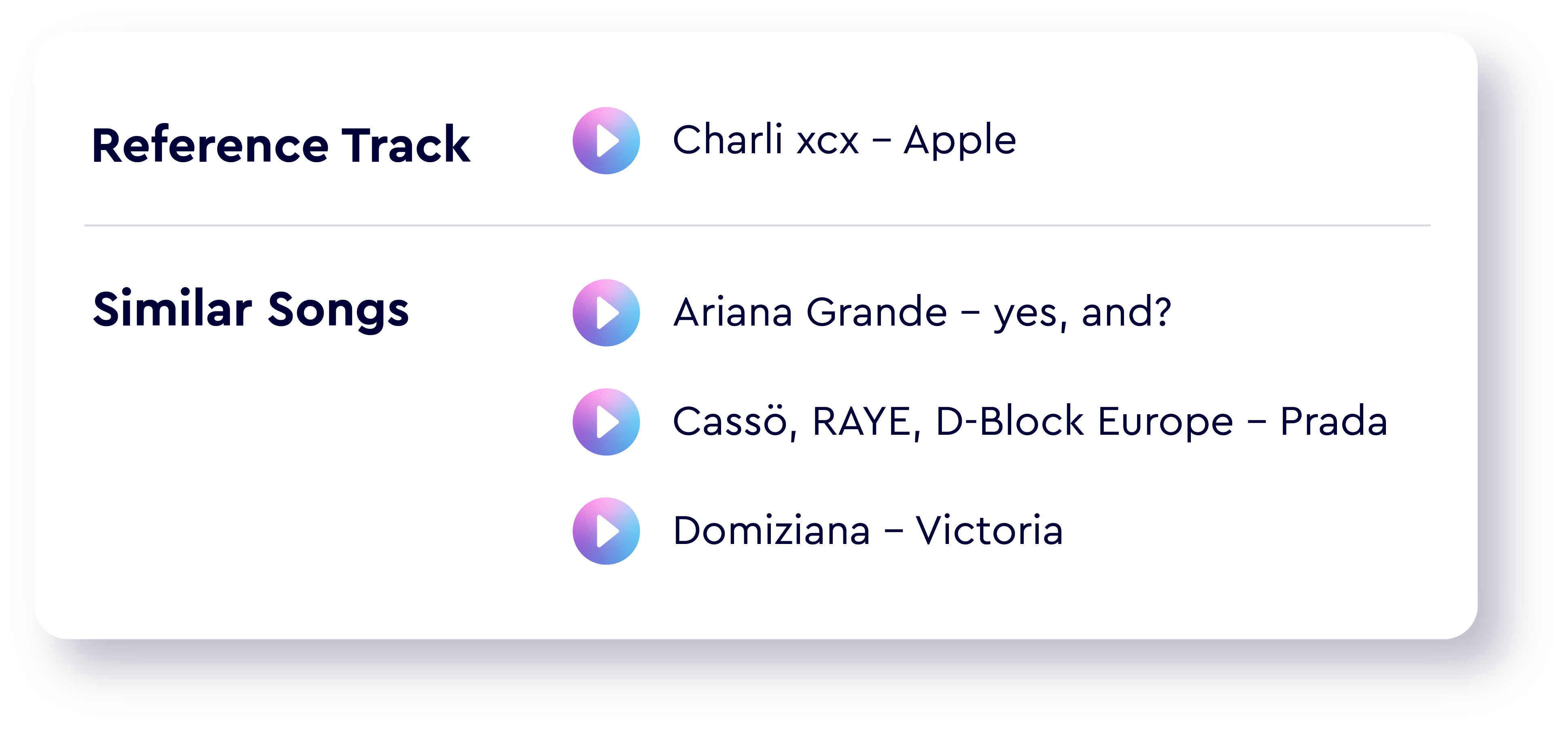
Similarity Search starts from sound. Cyanite analyzes a reference track’s audio and compares it with the rest of your catalog, returning tracks with a similar shape or mood.
The reference can come from within your library or from an external source, such as Spotify, YouTube, or an uploaded audio file. You can also choose which part of the reference track to use, such as the chorus, the intro, or a specific section that best represents the desired direction.
This approach is especially useful when a brief comes with a musical example rather than a written description. Instead of translating sound into words and back again, you can search directly from what you hear. If you work with multiple reference tracks or an entire playlist, the Advanced Search features below are here to help.
Read more: Similar song finder AI for catalogs: Use Cyanite to search your library by sound
Searching with language using Free Text Search
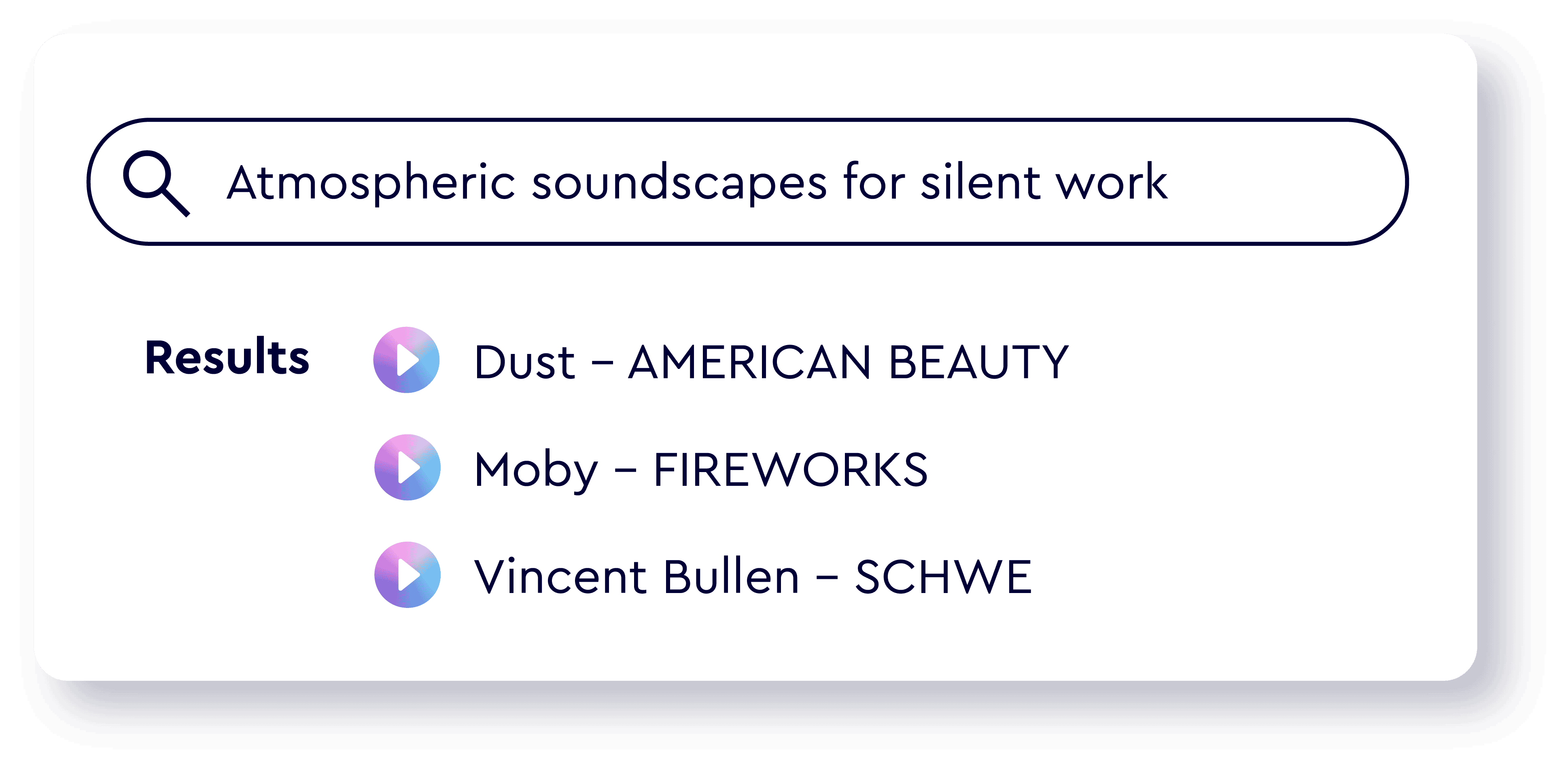
Not every search starts with a reference track. Free Text Search allows users to describe music in natural language, using full sentences rather than rigid keywords.
Prompts can reference mood, pacing, instrumentation, scene context, or use case. They can also include cultural references and be written in different languages. The system interprets the prompt’s meaning and matches it against the audio-based understanding of the catalog, without relying on external language models.
This makes search accessible to a wider range of users, including those who may not be familiar with a catalog’s internal tagging conventions.
Read more: How to prompt: the guide to using Cyanite’s Free Text Search
Advanced Search
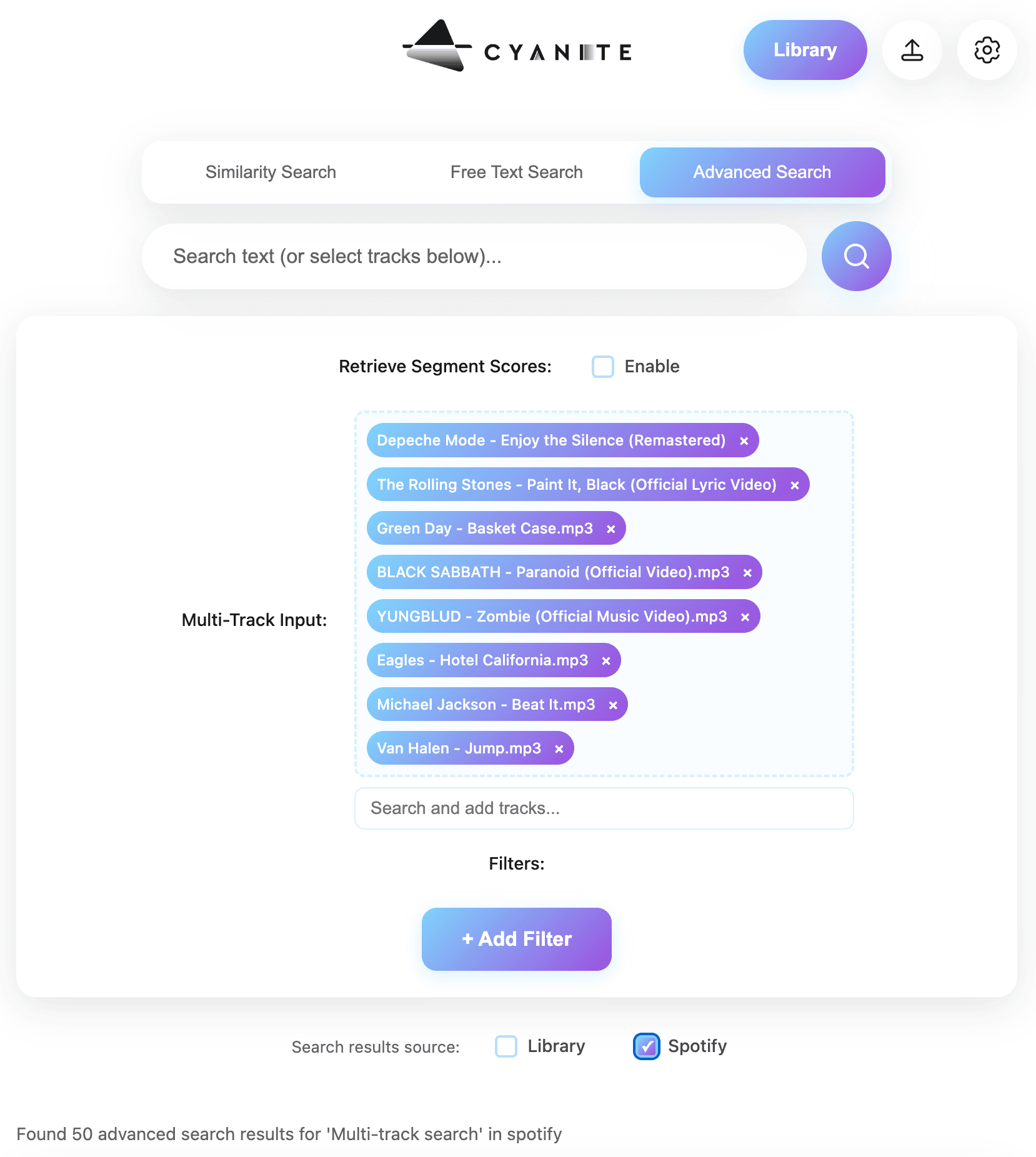
For more specific searches, you often need additional control. Advanced Search builds on Similarity and Free Text Search by adding structured filters and deeper insight into why tracks appear in the results.
This mode allows teams to:
- View similarity scores that show how closely results align with a reference or prompt
- Run similarity searches using up to 50 reference tracks at once
- Upload custom metadata and use it as additional filters
- Identify the most similar segments within each track
“Testing Advanced Search free for a month gave us the confidence we needed to update our search and tagging systems. The integration was smooth, and we were able to ship several exciting features right away—but we’ve only scratched the surface of its full capabilities!” Jack Whitis, CEO at Wavmaker
Read more: How to level up your AI search with Advanced Search features
AI music search: build vs buy
Organizations considering AI search often decide based on whether they want to build internally or integrate an existing solution. It typically depends on the time, cost, and ongoing work you can take on.
Building an in-house system can make sense for teams with significant machine-learning expertise and long-term resources. It typically requires a dedicated engineering team, a large and well-structured training dataset, and ongoing investment to maintain and improve model quality as catalogs and user needs evolve.
However, for most catalogs, integrating a tested system is the more practical path. Cyanite offers AI music search through a web app, an API, and integrations with major catalog management systems. Teams can adopt advanced search capabilities without taking on the long-term cost and complexity of maintaining their own models.
Smaller teams can start with the web app and scale usage over time. Larger organizations can integrate search directly into their own platforms, with pricing that aligns more predictably with catalog size.
Cyanite’s approach to AI music search
Cyanite is built to help teams understand their catalog through sound. We bring audio, language, and filters into one place so you can move through briefs without switching tools.
Audio-first analysis
Cyanite listens to the full track from beginning to end and captures how it develops in instrumentation, energy, and mood. This audio-first approach drives Similarity Search, Free Text Search, and Advanced Search. Because the focus stays on the audio rather than popularity and text-only metadata, you reach tracks that often get overlooked.
Data security and model ownership
Your audio remains within Cyanite’s environment.
- Audio analysis and search models are built and maintained in-house.
- No files are sent to external AI providers.
- All processing meets GDPR requirements.
Teams with specific copyright needs can use upload workflows specifically designed for internal and client-facing work.
Built for catalog scale
Full tracks are analysed in depth, with thousands of sonic details compared. This means large libraries can be processed quickly without search performance slowing as the catalog grows. Search performance remains steady at high volume, which makes it easier to bring new material into the library without disrupting ongoing work.
Search that adapts to the workflow
Similarity Search, Free Text Search, and Advanced Search all draw from the same audio analysis, which makes it easy to move between a reference track, a written prompt, or a set of filters in a single workflow. Advanced Search adds scoring and segment highlights when you need more context, while the other modes help you move quickly through creative requests. Together, these tools support different working styles and keep results consistent across teams and briefs.
Try AI music recognition with your own tracks
AI music search helps catalogs stay workable as they grow. By reading the audio and supporting both reference-based and prompt-based queries, it reduces search time and brings more of the catalog into play.
Want to see how this works with your own tracks? You can test Similarity Search and Free Text Search in the web app, or explore Advanced Search through the API.
FAQs – API Integration
Q: How does AI music recognition work in a catalog?
A: AI music recognition interprets patterns in the audio and compares them across the catalog. This reduces reliance on metadata wording and supports searches that begin with a reference track or a natural-language prompt.
Q: Is Cyanite the same as an AI music finder or consumer music search engine?
A: No. Consumer-facing music search and recommendation systems are typically driven by listening behavior and user interaction data. Cyanite focuses on sound-based analysis and metadata, making it suitable for professional catalog search, editorial workflows, and internal systems.
Streaming platforms use Cyanite to complement behavioral data with objective audio understanding, especially for catalog organization, discovery, and editorial use cases.
Q: Can Cyanite be used in my CMS for music?
Cyanite is fully integrated with SourceAudio, Cadenzabox, Harvest Media, Music Master, Reprtoir, Synchtank, and TuneBud. DISCO users can also import Cyanite’s Auto-Tagging and Auto-Descriptions into their libraries. These integrations support a wide range of Cyanite use cases across catalog management systems.
Q: Who uses Cyanite?
A: Music publishers, production libraries, sync teams, audio branding agencies, and music-tech platforms use Cyanite for tagging, search, playlist building, onboarding, and catalog analysis. Artists and producers use the web app for fast tagging and discovery.
Q: Can I integrate AI search into my own platform?
A: Yes. The API supports Similarity Search, Free Text Search, Advanced Search, and audio analysis, making it possible to add AI-powered discovery directly into your product.