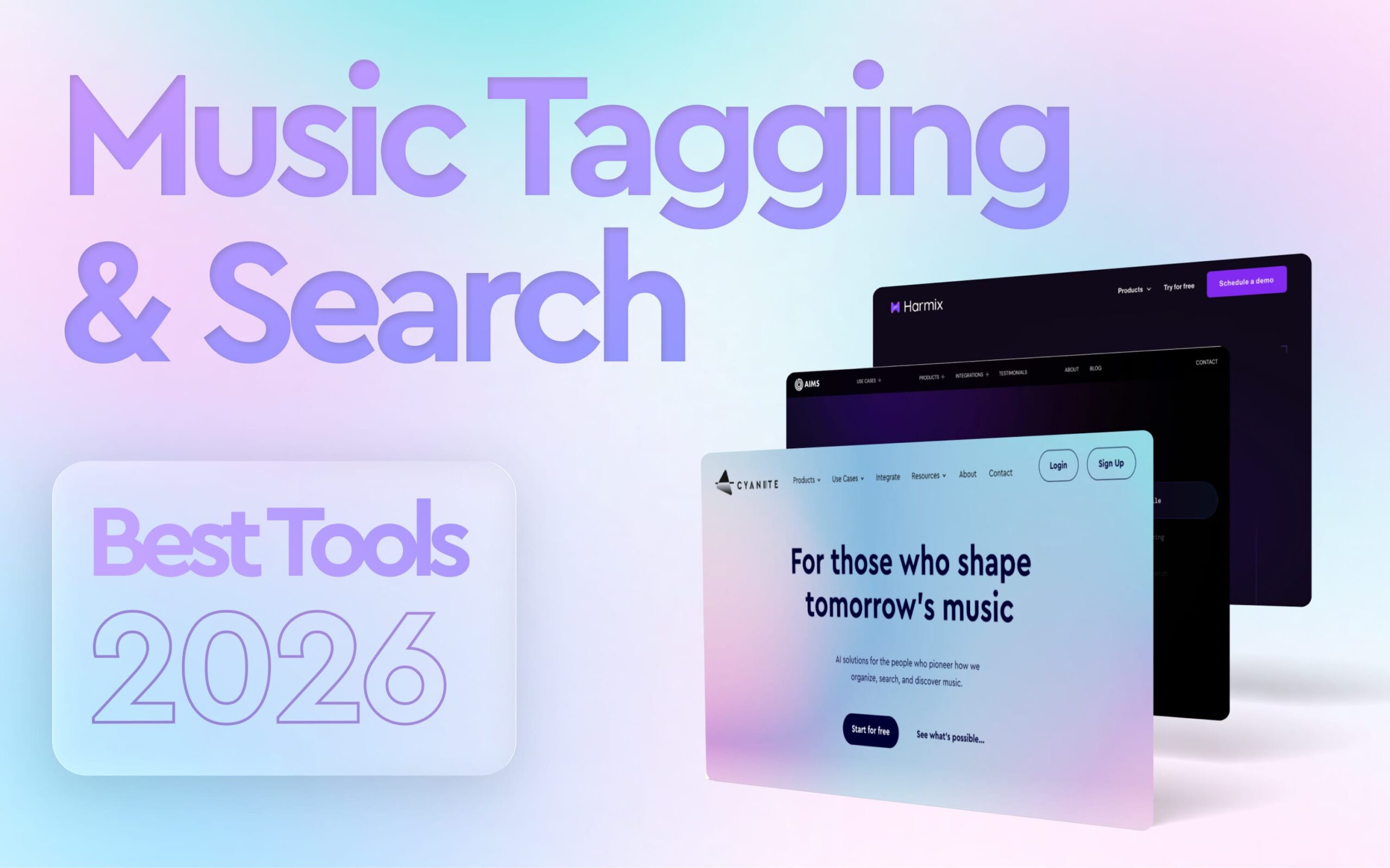
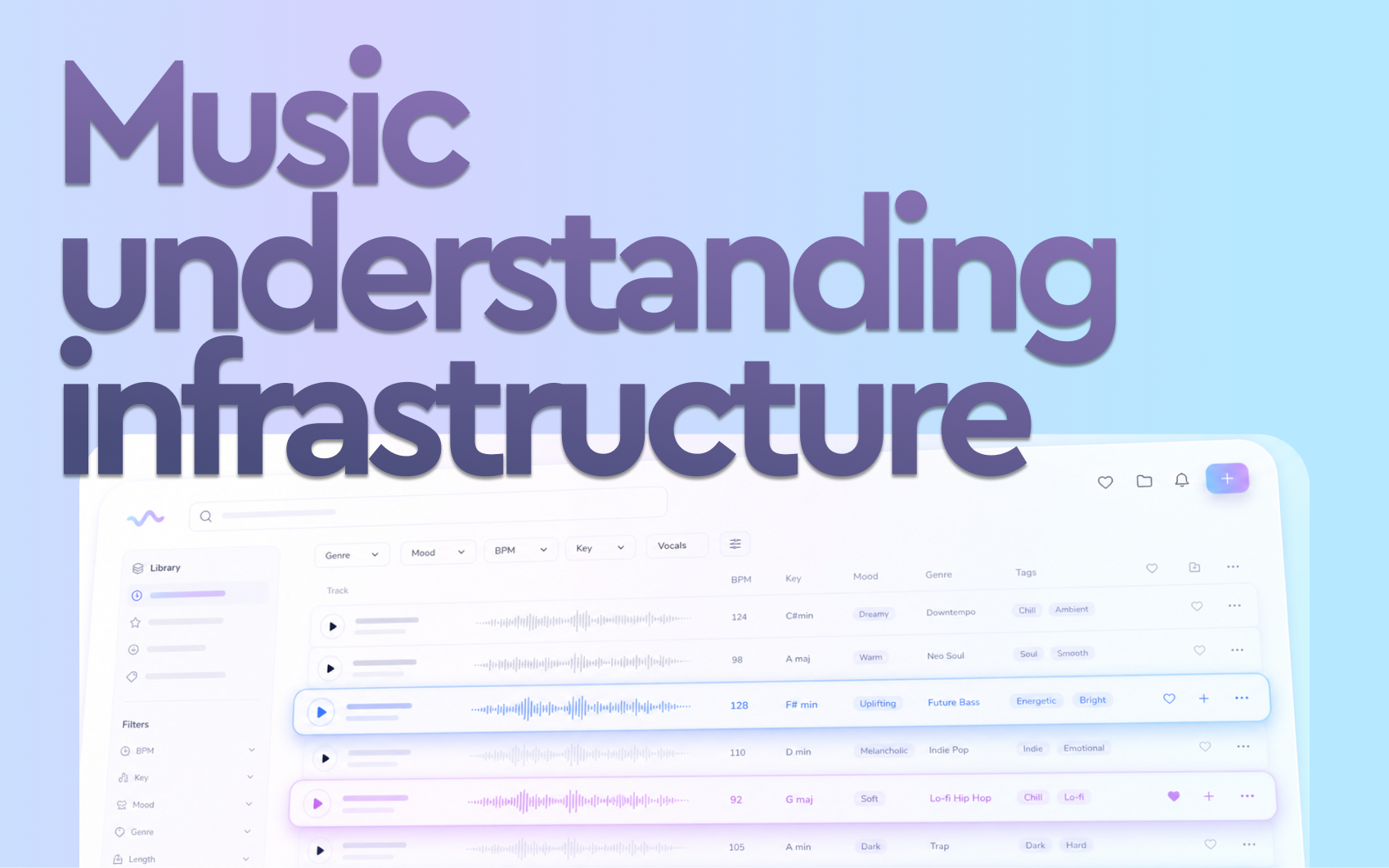
Best AI tools for music tagging and search infrastructure (2026)
Best AI tools for music tagging and search infrastructure (2026)

See how Cyanite performs on your own catalog. Try it free for 14 days.

Many music catalogs are growing faster than manual workflows can handle. What used to be manageable with spreadsheets and human tagging now requires infrastructure that can make tens of thousands of tracks discoverable.

“AI tools for music” is one of the most searched terms in this space, but also one of the most misleading. Metadata generation, file management, distribution workflows, and search infrastructure each require different solutions. Choosing the wrong category is the most common reason implementations fail.

This guide focuses specifically on AI tagging and search infrastructure, so you can evaluate your options based on how these systems actually work.

What to look for in AI tagging and search infrastructure

Not all AI music tools are designed for the same purpose. Before evaluating specific tools, it helps to understand what separates infrastructure-grade systems from standalone tools.

  • Audio-based vs. metadata-based analysis: Does the system analyze the audio signal directly, or rely on existing metadata and text inputs? Audio-based systems produce more consistent results, particularly for large or legacy catalogs where existing metadata is incomplete or unreliable.
  • Tagging quality and consistency: Consistency matters more than coverage. A system that tags reliably at scale is more operationally valuable than one that only produces detailed results for some tracks.
  • Search capabilities: Look for similarity search based on a reference song, the ability to use multiple tracks as a reference, and free-text search that understands natural language prompts rather than requiring exact keyword matches.
  • Control over discovery: Good infrastructure lets you filter by tags or custom metadata, combine similarity search with business logic, and adjust ranking behavior based on your use case.
  • API flexibility and integration depth: A system that cannot integrate cleanly into your existing pipelines doesn’t function as infrastructure. It’s a standalone tool.
  • Catalog scale and processing performance: Evaluate processing speed per track, batch handling capacity, and how smoothly the system onboards a large or legacy catalog.
  • Data security and ownership: Consider the following questions: Is your audio processed locally or on third-party servers? Is your data used to train external AI models? How does the system handle unreleased content? Is it GDPR-compliant?

AI software for analyzing music at a glance

Before we dive into the leading AI tagging and search tools, here’s a quick feature overview.

Tool-by-tool breakdown

Cyanite

Cyanite serves over 200 music companies and 200,000 artists worldwide. It’s the only tool in this group that combines auto-tagging and search in a single end-to-end workflow, with audio that’s processed exclusively on EU-based servers and never used to train external AI models

How you can get started with Cyanite:

  • Via API integration into proprietary platforms
  • Through the Cyanite web app, with no development required
  • Via a Tagging Export, delivered as a CSV or Google Spreadsheet, for teams that need tagged metadata without building a full integration

We also integrate natively with major catalog management systems, including:

  • SourceAudio
  • Synchtank
  • Reprtoir
  • Harvest Media
  • Cadenzabox
  • Soundminer
  • MusicMaster

Cyanite’s Key features:

  • Auto-Tagging: Analyzes the full audio of each track and generates structured metadata across 23 output categories, including genre and sub-genre, mood, character, movement, energy level, emotional dynamics, instrumentation, voice presence, BPM, key, meter, valence, arousal, musical era, and brand values, among others. Tags are applied consistently across the entire catalog, making legacy material and new releases equally searchable.

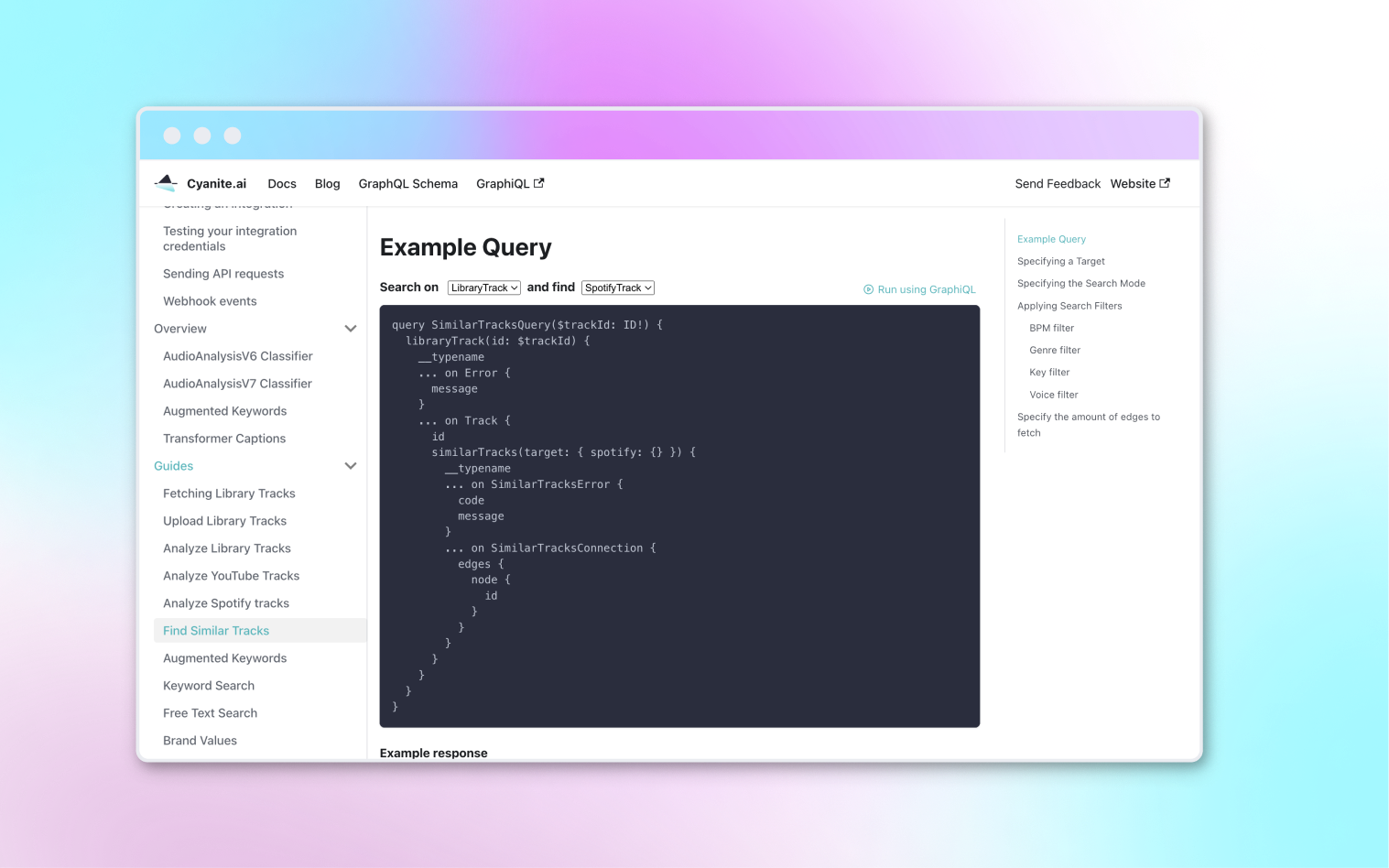
  • Similarity Search: Finds tracks in your catalog that are sonically similar to a reference. References can be a track from your library, a YouTube link, or a Spotify preview. Library and YouTube tracks are analyzed in full. Similarity Search can be filtered by genre, key, BPM, and voice presence, and supports segment-based search so teams can match specific moments within a reference track rather than the full recording.

  • Free Text Search: Allows teams to search for songs using natural language prompts, including full sentences, sync briefs, scene descriptions, or creative directions in any language. The system interprets semantic meaning and matches intent to sound.

  • Advanced Search: An API-only add-on that extends both Similarity and Free Text Search with:
    • Multi-track similarity using up to 50 reference tracks simultaneously
    • Similarity scores per track and segment
    • Custom metadata filters
    • Most relevant segment
    • Up to 500 results per query

  •  Auto-Descriptions: Generates concise, neutral summaries of how each track sounds. These are derived entirely from audio analysis without relying on external language models, giving teams immediate context without having to listen first.

  • Visualizations: Displays analyzed metadata as interactive graphs per track, covering genre, mood, energy, instrument presence, and voice presence. Available in the web app and buildable via the API.
    • AI Music Detection: Analyzes audio and delivers a probability score estimating the likelihood of AI generation by systems such as Suno, Udio, or ElevenLabs. Available via a new REST API.

    Read more: From upload to output: how Cyanite turns audio into reliable metadata at scale

    Cyanite is best suited for…

    A broad range of catalog-intensive organizations that need tagging and search connected in a single scalable workflow. 

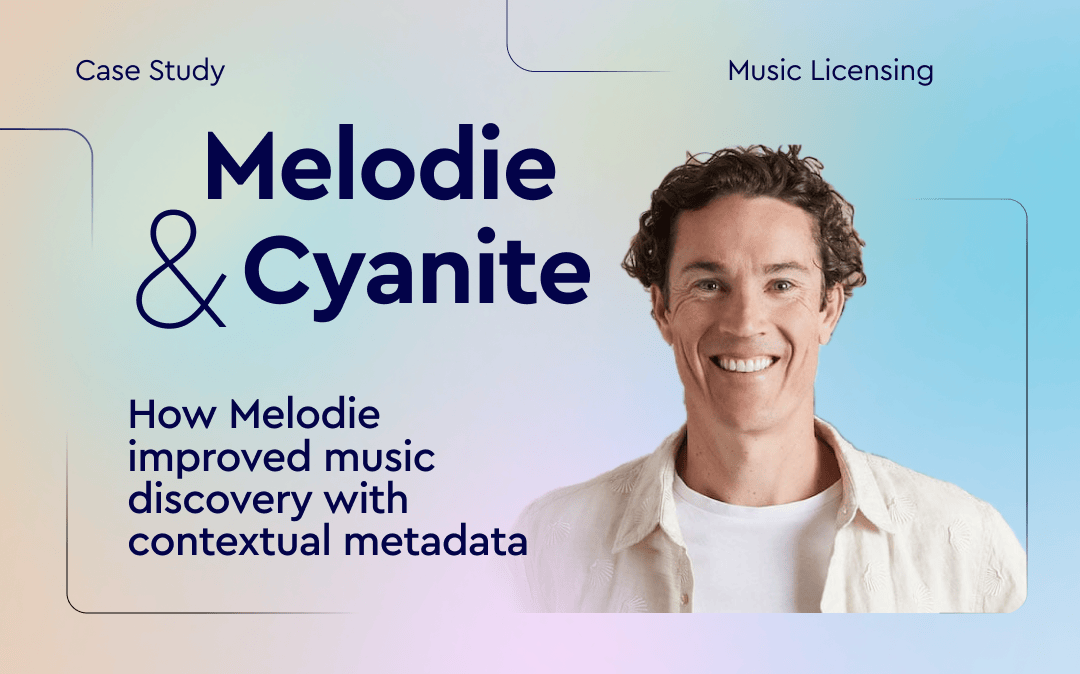
    • Music licensing platforms that need to tag large catalogs, enable faster brief responses, and surface relevant tracks from across their repertoire. For example, Melodie Music uses Cyanite to combine sound-based search with contextual metadata, helping teams find suitable tracks quickly while prioritizing local artists.

    • Music libraries that want to embed Similarity Search and Free Text Search directly into their own platforms via API. For instance, Marmoset uses Cyanite to power sound-based search within its platform, improving how tracks are indexed and discovered as new content is ingested.

    • Distributors and record labels that need consistent metadata applied to high-volume incoming tracks.

    • Audio branding agencies that use mood, character, and brand value tags to align music with brand identity.

    Teams without developer resources can start with the web app or a Tagging Export, while those building products or embedding search into their own platforms integrate via API.

    Learn more: Find all the API documentation here.

    Cyanite’s Limitations:

    • Advanced Search requires developer resources. Teams without technical capacity cannot access Advanced Search features through the web app.
    • Spotify references use 30-second previews only. Spotify only gives a 30-second snippet, so when you use a Spotify track as a similarity reference, only those 30 seconds are analyzed.
    • Video search is not available. We don’t currently support video-to-music matching as a search input.
    • Highly specific taxonomies still require human input. Context-driven tags such as film-specific categories, usage intent, or campaign labels cannot be generated reliably from audio alone and are better handled manually. We recommend a hybrid approach for these cases.

    • Spotify Audio Features are not replicated. We don’t offer equivalents of Spotify-style attributes such as danceability or acousticness. Our taxonomy is built around audible musical characteristics rather than behavioral or platform-derived signals.

    Pricing model:

    Our pricing is structured around catalog size rather than query volume, which is a meaningful distinction for teams evaluating long-term infrastructure costs.

    Tagging is billed as a one-time fee per track. Search is billed as a recurring subscription per track. Both use volume-based tiers, meaning the cost per track decreases as catalog size grows. Search queries are unlimited for both Similarity Search and Free Text Search, so costs don’t increase with usage.

    Auto-Tagging and search can also be purchased independently. For example, many teams start with search alone and add tagging later.

    This model provides cost predictability at scale, which helps teams evaluating infrastructure rather than a point solution. Usage-based pricing, where costs grow with query volume, can be harder to forecast as teams and catalogs expand.

    To get an estimate based on your catalog size, take a look at our pricing calculator.

    2. AIMS API

    AIMS is an AI-powered music search platform built around audio-based technology.

    Unlike systems that rely primarily on metadata, AIMS analyzes the audio signal directly to generate embeddings. These capture musical traits like rhythm, melody, and style. Search results are derived from those embeddings rather than from tags or text labels assigned to tracks.

    AIMS is available in three ways:

    1. Via API integration into proprietary platforms
    2. As a plugin on existing catalog management platforms, including Synchtank, DISCO, Cadenzabox, and Harvest Media
    3. As a standalone web app for teams that want to get started without any development work

    AIMS’ Key features:

    • Prompt Search: Natural language search that accepts sync briefs, scene descriptions, mood references, and cultural or pop culture references. Searches cover the full catalog, including alternate versions and submixes.
    • Similarity Search: Finds tracks based on audio similarity to a reference. Accepts YouTube, Spotify, Apple Music, and TikTok links, uploaded audio files, or tracks from within the catalog. Includes segment search, BPM prioritization, vocal ignore, and highlight markers that show where in a result the similarity is strongest.
    • Smart Projects and Dynamic Playlists: Uses multiple reference tracks to establish a playlist theme and generates an ongoing stream of on-theme tracks that automatically updates as new music is added to the catalog.
    • Lyrics Search: Finds music based on the meaning and sentiment of lyrics rather than exact word matches. For catalogs without existing lyric data, AIMS offers AudioShake’s transcription technology to generate lyrics automatically.
    • Video Search: Matches music to a video clip that’s up to one minute long, analyzing visual tone, pace, and emotion.

    • Tagging: Audio-based auto-tagging with support for custom tags, multiple languages, and export to DSPs and UGC platforms. Available as a standalone product or connected to the Similarity Search API via webhook.

    AIMS API is best suited for…

    The standalone AIMS Platform is particularly well-suited to sync teams wanting immediate access to all search features without development resources. But, they need to be comfortable working within the AIMS interface. 

    Teams that want to surface AIMS capabilities through their own platform or client-facing website will need developer capacity to integrate via API.

    AIMS’ Limitations:

    • Tagging is a secondary capability. AIMS’ core technology is audio similarity rather than tagging. The two operate as separate APIs that AIMS needs to connect on the backend.
    • No similarity score is exposed via the API. Results are ranked by relevance but no numerical confidence value is returned, which limits developer control over how results are weighted or displayed in custom interfaces.
    • Teams integrating via API must build their own front-end interface from scratch. AIMS provides no UI component library for this purpose, though the demo application and code samples are available as reference.
    • Ranking behavior is fixed. Results are always sorted by descending similarity. It’s not possible to inject business logic, such as prioritizing new releases or boosting specific tracks in results.
    • File format and size constraints apply to audio uploads. Supported formats are MP3, WAV, and AIF(F), with a 120 MB file size limit. Segment search is capped at 60 seconds.

    • AI music detection is not available. AIMS does not offer technology to flag AI-generated music in your catalog or new submissions.

    Pricing model:

    Not publicly available. Pricing is available upon request directly from AIMS.

    3. Harmix

    Harmix is an AI music search platform built for production music companies, TV and movie productions, record labels, and publishers. Its core focus is search: helping teams find the right track from their catalog using natural language, audio references, video input, or lyric-based queries. A standalone auto-tagging product is not offered.

    Harmix is available in two ways:

    1. Via API integration into proprietary platforms
    2. As a web platform that connects to your library without any coding required

      Key features:

      • Prompt Search: Natural language search based on the sonic characteristics of the music you need. Accepts descriptions of instrumentation, mood, tempo, and context, as well as sync briefs and reference artists.
      • Similarity Search: Finds tracks based on audio similarity to one or more reference tracks. Accepts audio links and uploaded files, with segment selection to narrow the reference to a specific part of a track.
      • Lyrics Story Search: Finds music based on the thematic meaning and narrative of lyrics rather than sonic qualities. Accepts keywords or a description of the story or emotional arc the song should convey.

      • Video Search: Analyzes a video or image input and finds music that matches the mood and visuals.

        Harmix is best suited for…

        The web platform suits internal sync teams and music supervisors who want immediate access to AI search without development resources.

        Teams wanting to surface capabilities through their own platform or client-facing website will need developer capacity to integrate Harmix via API.

          Limitations:

          • No auto-tagging or AI music detection product. Harmix doesn’t offer standalone tagging or AI music detection infrastructure. Teams that need to generate or enrich metadata at scale require a separate solution for that workflow.
          • Metadata does not affect search results. According to the API documentation, metadata fields are used only for filtering, not for influencing search relevance.
          • File format and size constraints apply to audio uploads. Supported formats are MP3, WAV, and M4A, with a 120 MB file size limit.

          • The “Highlights” feature requires manual activation. It shows which segment of a result is most similar to the reference, but it’s not enabled by default. Teams need to contact Harmix support to activate.

            Pricing model:

            Not publicly available but can be requested via a scheduled demo. Teams that want to test the product before committing can use a free trial. Harmix also runs a referral program for existing customers and partners, offering 100% of a referred client’s first-month fee as cash or account credit.

              4. Music.AI

              Music.AI is an audio intelligence platform covering stem separation, chord recognition, beat detection, and lyrics transcription. Cyanite integrates with Music.AI as a third-party addition, making AI tagging accessible directly within Music.AI workflows without a separate integration.

                AI infrastructure vs music CMS systems

                A common source of confusion when evaluating music AI tools is the difference between AI tagging and search infrastructure vs. music content management systems. They solve different problems, and understanding that distinction helps clarify which category you actually need.

                  Bridge.audio is a good example of why this distinction matters. It’s a music workflow platform that combines catalog management, AI-assisted tagging, sync discovery, and file sharing in one place. Cyanite is different, since it focuses exclusively on the analysis and search layer, going deeper on tagging, sound-based search, and API-level infrastructure for embedding discovery into other products.

                  Cyanite is not a CMS, nor is it designed to replace one. It’s directly integrated into and supports many of the major CMS platforms used across the industry.

                  For teams using DISCO, for example, Cyanite’s tags can be exported as a CSV and re-imported into the platform. For most organizations, the two categories work in combination: the CMS handles operations, and AI like Cyanite handles the intelligence layer that makes the catalog searchable.

                  Read more: Music CMS solutions compatible with Cyanite


                  So, which tool is right for you?

                  The right system depends on what your core workflow actually requires.

                  If your catalog is hard to search, the issue is rarely search itself, but the metadata powering it. Search quality is downstream of metadata quality, so the first step is to identify where your discovery workflow actually breaks.

                  See what Cyanite can do for your catalog

                  The best way to evaluate Cyanite is to try it on your own music. Sign up for free, upload a set of tracks, and see how the tagging and search perform before making any commitment.

                  FAQs

                  Q: What software do music publishers use for metadata generation?

                  A: Most publishers use AI-based auto-tagging that analyzes audio directly rather than relying on manually entered data. Cyanite is widely used across the industry, with clients like BMG and APM Music.

                  Q: Can AI understand a sync brief and find matching tracks?

                  A: Yes. Free text search systems can interpret natural language briefs, including scene descriptions and mood references, and match them to tracks in your catalog. Cyanite’s Free Text Search works in any language and understands semantic meaning rather than requiring exact keyword matches.

                  Q: How do I clean up inconsistent music tagging across a large catalog?

                  Audio-based auto-tagging applies the same analysis logic to every track regardless of when it was added or who tagged it. This is the most reliable way to bring consistency to legacy catalogs with uneven or incomplete metadata.

                  Q: Is there software that lets me search my music catalog with prompts?

                  A: Yes. Cyanite, AIMS, and Harmix all support natural language search. Cyanite’s Free Text Search accepts full sentences, sync briefs, and scene descriptions in any language.

                  Q: What’s the best AI for analyzing music mood and genre?

                  A: Cyanite’s taxonomy covers 13 simple moods, 131 advanced moods, 23 main genres, 58 sub-genres, and over 5,000 free genre tags, all generated from audio analysis rather than user behavior or existing metadata.

                  Q: What’s the most accurate software for finding similar songs in a music library?

                  A: Accuracy depends on how deeply a system analyzes audio. Cyanite compares tracks across multiple acoustic dimensions simultaneously. It also supports segment-based search and multi-track references, filtering for genre, key, BPM, and voice presence to refine results further.

                  How to smoothly migrate from Musiio to Cyanite (search edition)
                  How to smoothly migrate from Musiio to Cyanite (search edition)

                  With Musiio closing its API service soon, many music platforms are facing a time-sensitive challenge: keeping their search and discovery workflows operational without disruption.

                  If your product, internal tools, or customer-facing experience rely on similarity search, replacing your search provider is more than a backend adjustment. Search directly impacts user trust, discovery quality, and product performance.

                  This guide outlines a practical way to migrate similarity workflows from Musiio to Cyanite; and how to use this transition as a product upgrade. 

                  Don’t miss out the first part we did on this – focussing on the migration from Musiio’s to Cyanite’s Auto Tagging. Check it out below.

                  What changes when switching a music search provider?

                  Replacing a similarity search provider is not just a technical endpoint swap. Even if two systems both offer similarity search, ranking behavior, reference handling, and filtering capabilities can differ.

                  A smooth migration therefore focuses on:

                  • replacing the API endpoints
                  • validating search results internally
                  • ensuring the product experience remains consistent

                  Cyanite Search in one paragraph

                  Cyanite provides audio-based search via API for music libraries, streaming services, sync platforms, and music-tech companies.

                  Search workflows can be built using:

                  Similarity can be performed using:

                  • Your own track IDs
                  • MP3 uploads
                  • Spotify links
                  • YouTube links
                  • any of the above combined (Advanced Search only)

                  Step-by-step migration plan

                  Step 1: Start testing immediately (Spotify-based evaluation or test environment)

                  Before replacing your production similarity workflows, the first step is to test Cyanite’s search capabilities in isolation.

                  You can begin immediately by testing similarity search against Cyanite’s Spotify-based showcase database. This allows your team to:

                  • evaluate similarity quality
                  • compare ranking behavior
                  • test reference workflows (track IDs, Spotify links, etc.)

                  No full catalog setup is required for this initial evaluation.

                  If you want to test similarity search against your own full catalog, we can set up a dedicated test environment together. 

                  To get started, create an API integration here:
                  https://api-docs.cyanite.ai/docs/create-integration/

                  Similarity Search documentation:
                  https://api-docs.cyanite.ai/docs/similarity-search

                  You can then:

                  • run similarity searches using track IDs
                  • test Spotify and YouTube links
                  • explore multi-track similarity
                  • combine similarity with filters via Advanced Search (per request)

                  If you would like to test Advanced Search (multi-track similarity, similarity scores, and metadata filtering), simply contact us at business@cyanite.ai and we’ll enable it for your evaluation.

                  Step 2: Identify your similarity search inputs

                  Most Musiio customers use similarity search in one of these ways:

                  • Searching similar tracks using a track ID from their own catalog
                  • Searching similar tracks using an external MP3 upload
                  • Searching similar tracks using a YouTube link

                  Cyanite supports all of these workflows and additionally supports Spotify links.

                  Your first step is to map your existing Musiio workflow to one of these Cyanite input types:

                  • Track ID (fastest and most stable)
                  • Audio upload (MP3)
                  • External links (Spotify or YouTube)

                  Step 3: Replace similarity workflows (real-time vs external references)

                  Track ID-based similarity (instant results – recommended for real-time use cases)

                  Using your own track IDs is the most stable and fastest approach.

                  This is ideal for:

                  • “Show similar” features
                  • user-facing discovery modules
                  • recommendation systems
                  • internal sync tools

                  With track IDs, similarity search operates in real time.
                  Cyanite supports up to 10 search requests per second, making it suitable for production-grade discovery experiences.

                  External reference workflows (results after analysis – MP3, Spotify, YouTube)

                  External references are useful for:

                  • searching your catalog using a client reference track
                  • brief matching
                  • creative mood board discovery

                  Cyanite supports similarity search using:

                  Track ID-based searches return results in real time. External references typically require a few seconds up to around a minute for analysis before results are returned.

                  Before switching production endpoints, we recommend validating ranking quality and relevance with a representative sample of your catalog.

                  Step 4: Upgrade with Advanced Search (instant results – multi-track similarity + filtering)

                  Once single-track similarity is stable, many teams extend their setup using Advanced Search, which acts as an add-on to Similarity Search.

                  Advanced Search extends similarity from a simple reference match to a controllable discovery layer:

                  • Multi-track similarity (up to 50 reference tracks)
                  • Similarity scores, quantifying how close results are in percentage terms
                  • Most Relevant Segments
                  • Custom Metadata Filters
                  • Up to 500 search results

                  Multi-track similarity is particularly powerful for:

                  • playlist generation
                  • “Discover Weekly” style workflows
                  • brief-based search where multiple references define a sound

                  Importantly, Advanced Search also allows you to combine similarity with your own metadata.

                  You can:

                  • search for tracks similar to a reference
                  • while filtering by internal tags
                  • or by metadata such as release date, territory, clearance status, new releases, or priority tracks (anything that you attach as a custom tag to your tracks)

                  This enables highly controlled discovery workflows that go beyond simple similarity replacement.

                    Step 5: Add Free Text Search (instant results – optional but high-impact upgrade)

                    While Musiio did not offer Free Text Search, Cyanite offers this feature, complementing Similarity Search.

                    Free Text Search allows users to search using natural language queries such as:

                    • “uplifting acoustic pop with female vocals”
                    • “dark cinematic tension build”
                    • “minimal piano with emotional atmosphere”
                    • “lofi beats for studying”

                    For music libraries and sync platforms, this can significantly improve:

                    • discovery speed
                    • usability for non-expert users
                    • onboarding experience
                    • catalog accessibility

                    Many teams migrate similarity first, then introduce Free Text Search as a second-phase upgrade.

                    Example migration timeline

                    Day 1:
                    Create an integration and test similarity with track IDs.

                    Day 2–3:
                    Replace similarity endpoints in staging and review results.

                    Week 1:
                    Go live with single-track similarity replacement.

                    Week 2+:
                    Add Advanced Search and optionally introduce Free Text Search as a product upgrade.

                    A note on migration

                    Although both Musiio and Cyanite offer similarity search via API, the underlying concepts and implementation details differ.

                    This means migration is not just a technical endpoint replacement. It requires a short evaluation phase to ensure alignment with your existing product logic and user experience.

                    In practice, most teams complete this evaluation within days, but it should not be skipped.

                    Final thought: replace or improve

                    Many teams use this moment to:

                    • strengthen their discovery experience
                    • introduce multi-track similarity
                    • enable Free Text Search
                    • modernize search workflows without building a large data science team

                    If your team is affected by Musiio’s shutdown, we’re happy to support you with migration guidance.

                    Get migration support

                    If you want support migrating from Musiio to Cyanite, you can:

                    FAQs

                    Q: Which similarity search API can replace Musiio?

                    A: Cyanite offers audio-based Similarity Search via API for track IDs, MP3 uploads, Spotify links, and YouTube links. Advanced Search and Free Text Search provide additional capabilities beyond Musiio’s feature set.

                    Q: Can I migrate similarity search from Musiio quickly?

                    A: Yes. Many teams begin by replacing track-ID-based similarity workflows first, as this allows real-time continuity with minimal product disruption.

                    Q: Does Cyanite support multi-track similarity search?

                    A: Yes. Multi-track similarity (up to 50 reference tracks) is available via Advanced Search. This is especially useful for playlist generation, brief-based search, and recommendation workflows.

                    Q: How can I test Advanced Search?

                    A: Advanced Search can be enabled for evaluation upon request. Simply contact business@cyanite.ai and we’ll activate it for your integration, typically within one business day.

                    Q: Can I filter similarity results using my own metadata?

                    A: Yes. Advanced Search allows you to combine similarity with filters based on your internal metadata, such as release date, territory, clearance status, or anything you attach as custom tags.

                    Q: Does Cyanite offer a Prompt-based Search?

                    A: Yes. Cyanite supports natural language search, enabling users to search for music using descriptive queries. Musiio does not offer Free Text Search.

                    Q: What are Cyanite’s rate limits for similarity search?

                    A: Cyanite supports up to 10 search requests per second by default, enabling real-time similarity workflows for user-facing discovery features.

                    Q: How is Cyanite priced for teams migrating from Musiio?

                    A: API access typically includes a base fee. Search usage and advanced features are volume-based. For larger volumes and enterprise use cases, bulk discounts are available.

                    Q: Is retagging my full catalog required?

                    A: No. You can migrate incrementally by tagging only new uploads. However, if tagging is central to your search and discovery experience, retagging the full catalog provides a cleaner and more consistent metadata foundation.

                    Q: Will migrating affect my search and recommendation systems?

                    A: Tagging changes can affect any downstream system that relies on metadata, including search filters, playlists, and recommendation logic. That’s why we recommend testing with a representative batch and reviewing dependencies before switching fully.

                    Q: Is retagging my full catalog required?

                    A: No. You can migrate incrementally by tagging only new uploads. However, if tagging is central to your search and discovery experience, retagging the full catalog provides a cleaner and more consistent metadata foundation.

                    Q: How is Cyanite priced for teams migrating from Musiio?

                    A: Cyanite’s pricing model will feel familiar to many Musiio customers. API access is structured with a base fee, while tagging is usage-based. For catalog processing, teams can either pay as they go or purchase credits in advance. Bulk discounts are available for larger volumes and back-catalog migrations.

                    Q: How do I get support for migration?

                    A: You can book a migration call via our Typeform or contact us directly at business@cyanite.ai. Our team can support integration guidance, taxonomy alignment, and back catalog processing.
                    How to smoothly migrate from Musiio to Cyanite (tagging edition)
                    How to smoothly migrate from Musiio to Cyanite (tagging edition)

                    With Musiio announcing the shutdown of its API service by the end of February, many music platforms and libraries are currently facing a time-sensitive challenge: ensuring continuity in their tagging workflows without breaking downstream systems.

                    If your team relies on automated tagging to power discovery, search filters, recommendations, or internal music workflows, switching providers is not just a technical change. It’s also a conceptual one.

                    This guide outlines a practical, low-risk way to migrate from Musiio to Cyanite’s tagging infrastructure. The goal is simple: keep your systems running, avoid surprises, and improve your metadata foundation over time.

                    Why switching tagging providers is not a simple “API swap”

                    When a tagging provider changes, most teams underestimate how many things depend on the output. Tagging sits at the base layer of many product experiences, including:

                    • search and filtering
                    • playlisting and discovery
                    • internal recommendation systems
                    • catalog curation workflows
                    • editorial tooling
                    • analytics and reporting

                    Even if two providers both offer “mood”, “genre”, or “energy”, they often differ in:

                    • taxonomy structure and granularity
                    • multi-label behavior (how many tags are returned)
                    • naming conventions
                    • tag distributions across your catalog

                    A smooth migration means planning for both:

                    1. the technical integration
                    2. the conceptual differences in metadata

                    Cyanite tagging in one paragraph

                    Cyanite provides scalable, audio-based music tagging via API, designed for enterprise catalogs and production-grade workflows. Instead of relying on user behavior, tags are generated directly from the sound of each track, creating a consistent and reusable metadata layer that can support search, discovery, recommendations, and catalog intelligence.

                    For teams that want to go deeper, Cyanite’s full API documentation is publicly available: https://api-docs.cyanite.ai/

                    The two migration paths (choose your strategy first)

                    Before touching code, your team should make one key decision:

                    Do you want a fast continuity migration, or a clean long-term metadata foundation?

                    Option A: Fast continuity (quickest path to stay operational)

                    This approach is ideal if you need to migrate quickly and avoid any immediate impact on your product.

                    You will:

                    • integrate Cyanite tagging for all new uploads going forward
                    • keep existing Musiio tags for your back catalog (for now)
                    • avoid a large back-catalog processing project
                    • gradually transition systems to Cyanite taxonomy over time

                    This is typically the fastest way to stay operational. However, it’s important to note that new tracks will be tagged using a different taxonomy, which may require adjustments in downstream systems (e.g. filters, dashboards, or recommendation logic).

                    Option B: Clean long-term foundation (recommended for search and discovery)

                    This approach is ideal if tagging plays a central role in your product and you want a consistent metadata layer across your full catalog.

                    You will:

                    • re-tag your full back catalog with Cyanite
                    • unify your taxonomy across all tracks
                    • avoid mixing metadata systems long-term
                    • improve consistency for search, recommendations, and analytics

                    This path requires more work upfront but typically results in better long-term product quality.

                    Step-by-step migration plan

                    Step 1: Set up a quick test integration (free evaluation)

                    Before migrating production workflows, we recommend starting with a small, representative test batch. This allows your team to validate both the tagging output and the end-to-end workflow (upload → tagging → results) before switching anything in production.

                    A good test batch includes:

                    • different genres and regions
                    • older and newer tracks
                    • high-performing tracks and long-tail tracks
                    • tracks with vocals and instrumentals
                    • if relevant: Arabic, Turkish, and other regional repertoires

                    You can create a Cyanite API integration and run your first tests for free:

                    • By default, testing can be done with 5 songs
                    • For teams that need a slightly larger evaluation, we can unlock up to 100 free credits

                    Cyanite provides a step-by-step guide to creating an integration here:
                    https://api-docs.cyanite.ai/docs/create-integration

                    To speed up your first tests, our query builder helps you quickly generate and validate API requests:
                    https://api-docs.cyanite.ai/docs/library-track-query-builder

                    Once your integration is set up, you can:

                    • upload tracks via API
                    • request tagging results
                    • store the output in your system

                    Approach 1: Keep your existing tags and migrate incrementally

                    If you choose the fast continuity path, you can start tagging all new uploads with Cyanite while keeping your back catalog unchanged.

                    This approach works well if:

                    • you need to migrate quickly
                    • your product relies on existing tags
                    • you want to avoid a full catalog reprocessing project initially

                    Over time, you can gradually transition downstream systems to Cyanite’s taxonomy.

                    Approach 2: Retag for consistency (recommended)

                    If your platform relies heavily on search, filtering, or discovery, a clean long-term foundation is usually worth it.

                    Retagging your catalog with Cyanite gives you:

                    • a consistent metadata layer across the full catalog
                    • simpler downstream logic
                    • better analytics and reporting
                    • improved search and recommendation quality

                    Cyanite’s full tagging taxonomy can be reviewed in detail here:

                    Step 5: Review and go live

                    Once your integration is complete, you can switch your tagging workflow to Cyanite for new uploads and, if applicable, begin your back-catalog migration.

                    Many teams choose to review a representative sample of tagged tracks internally before going fully live, especially if tagging feeds directly into search, filtering, or recommendation features.

                    The exact validation process depends on your product setup and internal workflows.

                    Common migration pitfalls (and how to avoid them)

                    Pitfall 1: Treating it like a simple API swap

                    Tagging sits at the base layer of many systems. Plan for downstream dependencies early.

                    Pitfall 2: Trying to force a perfect 1:1 taxonomy mapping

                    Most teams waste time trying to recreate their old tag system exactly. We highly recommend to adopt a consistent taxonomy and update downstream logic accordingly.

                    Pitfall 3: Mixing two tag systems in the UI for too long

                    If you run two taxonomies in parallel, set a clear timeline for consolidation. Otherwise, editorial teams and users can get confused.

                    Pitfall 4: Migrating without a clear back catalog strategy

                    If you retag your full catalog, consider a phased rollout:

                    • start with the most used tracks
                    • then cover the long tail

                    Example migration timeline (realistic and low-risk)

                    A typical migration can look like this:

                    Day 1:
                    Create an integration and run a test batch (5 to 100 songs).

                    Day 2 to 3:
                    Integrate Cyanite tagging in parallel and store results separately.

                    Week 1:
                    Switch tagging for all new uploads.

                    Week 2+:
                    Optional back catalog retagging via S3 ingestion.

                    This approach ensures continuity while giving your team time to validate quality and adjust downstream systems.

                    Final thoughts: a migration can be an upgrade

                    A forced migration is never ideal. But it can also be an opportunity to improve your metadata foundation.

                    Many teams use this moment to:

                    • modernize their tagging workflows
                    • improve consistency across catalogs
                    • strengthen search and discovery experiences
                    • reduce dependency on behavior-driven signals

                    If your team is impacted by Musiio’s API shutdown, we’re happy to support you with a smooth transition, taxonomy alignment, and optional back-catalog retagging.

                    Looking to migrate search workflows as well? We’re currently preparing a Search Edition of this guide.

                    Get migration support

                    If you want support migrating from Musiio to Cyanite, you can:

                    FAQs

                    Q: How do I migrate from Musiio’s tagging API to Cyanite?

                    A: Migrating from Musiio to Cyanite typically involves three steps:

                    1. Create a Cyanite API integration and test with a representative batch

                    2. Run Cyanite in parallel with your current system

                    3. Decide whether to tag only new uploads or retag your full catalog

                    Many teams complete initial integration within days, depending on system complexity.

                    Q: Can I test Cyanite before fully replacing Musiio?

                    A: Yes. You can test Cyanite’s tagging API with up to 5 songs for free. Up to 100 credits can be unlocked for evaluation, allowing you to validate tagging output, taxonomy structure, and system compatibility before switching production workflows.

                    Q: Do I need to retag my entire catalog when switching from Musiio?

                    A: No. You can migrate incrementally by tagging only new uploads with Cyanite while keeping existing Musiio tags for legacy tracks. However, if tagging plays a central role in search, filtering, or recommendations, many teams choose to retag their full catalog for long-term consistency.

                    Q: How does Cyanite handle large catalog migrations compared to Musiio?

                    A: For ongoing uploads, Cyanite processes up to 10 songs per minute via API. For large back catalogs, Cyanite provides an S3 bucket ingestion workflow. Full catalog processing is typically completed within 5 to 10 working days, depending on volume.

                    Q: Will replacing Musiio affect my search and recommendation systems?

                    A: Tagging changes can impact any system relying on metadata, including search filters and recommendation logic. That’s why we recommend testing with a representative batch and reviewing downstream dependencies before fully switching providers.

                    Q: Is Cyanite’s taxonomy identical to Musiio’s taxonomy?

                    A: No tagging taxonomies are identical. While both providers offer categories like mood, genre, energy, and instrumentation, structure and granularity may differ. Teams can either map existing tags temporarily or use migration as an opportunity to consolidate on a single, consistent taxonomy. Review Cyanite’s taxonomy here.

                    Q: Can I run Musiio and Cyanite in parallel during migration?

                    A: Yes. Running both systems in parallel for a short validation period is a common and low-risk migration strategy. This allows your team to compare outputs and adjust downstream systems before completing the switch.

                    Q: Will migrating affect my search and recommendation systems?

                    A: Tagging changes can affect any downstream system that relies on metadata, including search filters, playlists, and recommendation logic. That’s why we recommend testing with a representative batch and reviewing dependencies before switching fully.

                    Q: Is retagging my full catalog required?

                    A: No. You can migrate incrementally by tagging only new uploads. However, if tagging is central to your search and discovery experience, retagging the full catalog provides a cleaner and more consistent metadata foundation.

                    Q: Will migrating affect my search and recommendation systems?

                    A: Tagging changes can affect any downstream system that relies on metadata, including search filters, playlists, and recommendation logic. That’s why we recommend testing with a representative batch and reviewing dependencies before switching fully.

                    Q: Is retagging my full catalog required?

                    A: No. You can migrate incrementally by tagging only new uploads. However, if tagging is central to your search and discovery experience, retagging the full catalog provides a cleaner and more consistent metadata foundation.

                    Q: How is Cyanite priced for teams migrating from Musiio?

                    A: Cyanite’s pricing model will feel familiar to many Musiio customers. API access is structured with a base fee, while tagging is usage-based. For catalog processing, teams can either pay as they go or purchase credits in advance. Bulk discounts are available for larger volumes and back-catalog migrations.

                    Q: How do I get support for migration?

                    A: You can book a migration call via our Typeform or contact us directly at business@cyanite.ai. Our team can support integration guidance, taxonomy alignment, and back catalog processing.

                    How Melodie Music combines sound-based AI search and contextual metadata to spotlight original Australian artists
                    How Melodie Music combines sound-based AI search and contextual metadata to spotlight original Australian artists

                    Ready to improve your music discovery workflows? Try Similarity Search in Cyanite.

                    Cyanite aligns with our philosophy because it doesn’t use AI to generate content; it uses AI to uncover it. It solves a genuine pain point for our users: the time-consuming nature of music search. We immediately saw that Cyanite could amplify our existing search system rather than overwrite it. It wasn’t a case of ‘AI versus humans’; it was AI empowering humans to find better music, faster.

                    Evan Buist

                    Managing Director , Melodie Music

                    Melodie is a music licensing platform that provides pre-cleared music for film, TV, advertising, and content creation. All artists and tracks on the platform are carefully curated and hand-selected for quality, originality, and emotional resonance. Ethics are at the core of Melodie’s company philosophy. It operates under a 50/50 revenue and royalty split, meaning Melodie doesn’t earn money on downloads until the artist does.

                    To make it easier to discover artists at scale, Melodie continues to refine how users navigate its catalog. AI helps users explore more quickly—but it doesn’t replace the human element behind editorial curation.

                    The rising tension between depth and speed

                    As Melodie’s catalog grew, a familiar tradeoff emerged: depth versus speed.

                    Despite thoughtful editorial tagging, the reality was that users often struggled to translate nuanced creative briefs into static keywords. “Describing music is inherently subjective; what sounds ‘uplifting’ to one person might sound ‘intense’ to another. As the saying goes, talking about music is like dancing about architecture,” explains Evan.

                    By relying solely on tags, users often found themselves in an experimental searching-listening-refining-repeating loop—a time-consuming effort that most editors and producers simply don’t have the bandwidth for.

                    Melodie recognized this problem early on and set out to improve the user experience in their library. As Evan puts it, “bridging the gap between ‘hearing it in your head’ and ‘finding it on the screen’ is the holy grail of music licensing.”

                    AI as an enabler, not a generator

                    Human curation is central to how Melodie operates. Tracks are not scraped or auto-generated. Over time, it became clear that tags on their own couldn’t support the kind of discovery users needed, so AI was added to help surface music intuitively and improve navigation.

                    Cyanite aligned naturally with that philosophy.

                    Rather than positioning AI as a substitute for curation, Cyanite’s AI search treats sound as data that can be understood, compared, and explored. What clicked for Melodie in their search for AI music analysis software was Cyanite’s approach: “The technology felt musical rather than just mathematical. The analysis is intuitive and forgiving, respecting the nuances of the tracks,” says Evan.

                    Thanks to this shared understanding, Cyanite became part of Melodie’s day-to-day music discovery process.

                    How Cyanite fits into Melodie’s workflow

                    Today, Melodie users move fluidly between different music discovery pathways depending on their working process.

                    Sound-based Similarity Search

                    Users can use Cyanite’s Similarity Search to analyze a reference song and instantly explore tracks with a comparable emotional arc, energy, and sonic character. The reference can come from Spotify, YouTube, or a temporary edit.

                    This closes the gap between intuition and results in seconds.

                    A gif showing the similarity search interface of melodie music

                    Prompt-based Free Text Search

                    Some users prefer to express what they are looking for in their own words. Prompt-based search allows them to describe mood, pacing, or instrumentation, even with spelling errors or mixed languages. Evan believes natural language search has done for music libraries what Google did for information in the late 90s: democratized access.

                    Regardless of how a user describes music, AI provides a laser-accurate shortlist in seconds. It turns discovery into exploration, allowing users to combine the speed of AI with Melodie’s human-tagged editorial filters to find the perfect track.

                    Evan Buist

                    Managing Director , Melodie Music

                    A gif showing the similarity search interface of melodie music
                    A screenrecording showing a music similartiy search and highlighting music tags

                    Cyanite has become a vital part of our ecosystem, helping us prove that technology can support culture, not replace it.

                    Evan Buist

                    Managing Director , Melodie Music

                    AI music discovery: A case study with Marmoset

                    AI music discovery: A case study with Marmoset

                    Founded in 2010, Marmoset is a full-service music licensing agency representing hundreds of independent artists and labels. At the heart of it, their core experience involves browsing for music. They offer music discovery for any moving visual media. From sync (movies...

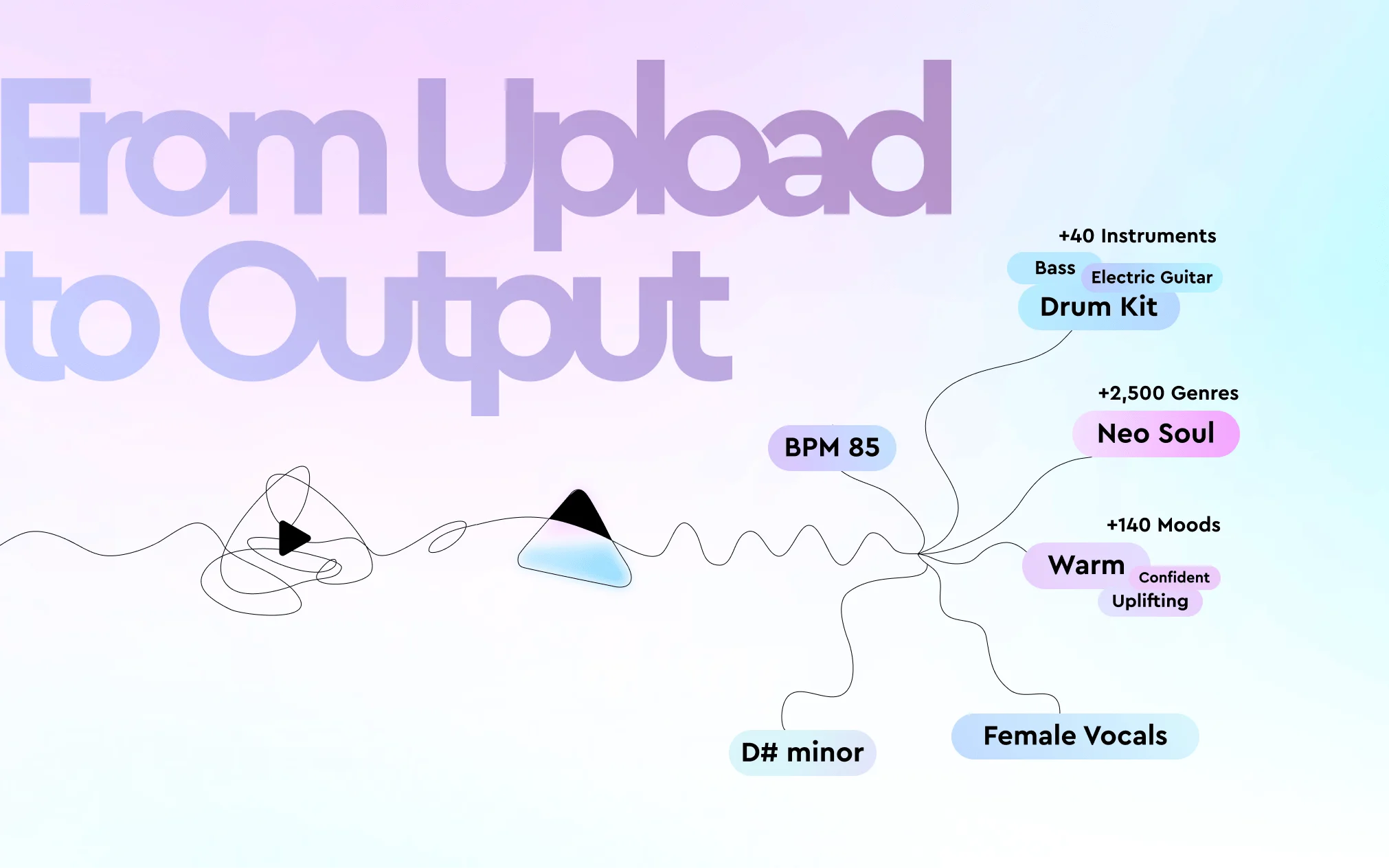
                    From upload to output: how Cyanite turns audio into reliable metadata at scale

                    From upload to output: how Cyanite turns audio into reliable metadata at scale

                    Explore how Cyanite turns sound into structured metadata: Just upload a couple of songs to our web app.

                    Managing a music catalog involves more than just storing files. As catalogs grow, teams start running into a different kind of challenge: music becomes harder to find, metadata becomes inconsistent, and strong tracks remain invisible simply because they are described differently than newer material.

                    Many teams still rely on manual tagging or have inherited metadata systems that were never designed for scale. Over time, this leads to uneven descriptions, slower search, and workflows that depend more on individual knowledge than on shared systems. Creative teams spend valuable time navigating the catalog instead of working with the music itself.

                    Cyanite’s end-to-end tagging workflow was built to address this challenge. It gives teams a stable, shared foundation they can build on, supporting human judgement—not replacing it. It complements subjective, manual labeling with a consistent, audio-based process that works the same way for every track, whether you’re onboarding new releases or making a legacy catalog more organized.

                    This article walks through how that workflow functions in practice—from the moment audio enters the system to the point where structured metadata becomes usable across teams and tools.

                    Why tagging workflows tend to break down as catalogs grow

                    Most tagging workflows start with care and intention. A small team listens closely, applies descriptive terms, and builds a shared understanding of the catalog. But as volume increases and more people get involved, the system begins to stretch.

                    As catalogs scale, the same patterns tend to appear across organizations:

                    • Different editors describe the same sound in different ways.
                    • Older metadata no longer aligns with newer releases.
                    • Genre and mood definitions shift over time.
                    • Search results reflect wording more than sound.

                    When this happens, teams increasingly rely on memory instead of the systems in place. This leads to strong tracks getting overlooked, response times increasing, and trust in the metadata eroding.

                    Cyanite’s workflow addresses this fragility by grounding metadata in the audio itself and applying the same logic across the entire catalog.

                    Preparing your catalog for audio-based tagging

                    Teams can adopt Cyanite very quickly, as there’s very little preparation involved. The system doesn’t require existing metadata, spreadsheets, or reference information. It listens to the audio file and derives all tags from the sound alone.

                    Getting started requires very little setup:

                    • MP3 files up to 15 minutes in length
                    • No pre-existing metadata
                    • No manual pre-labeling
                    • No changes to your current file structure

                    Even 128 kbit/s MP3s are usually sufficient, which means older archive files can be analyzed as they are—no need for additional audio preparation. Teams can then choose how they want to bring audio into Cyanite based on volume and workflow. Once that’s decided, tagging can begin immediately.

                    If you’re unsure about uploading copyrighted audio to Cyanite, you can explore our security standards and privacy-first workflows, including options to process audio in a copyright-safe way using encrypted or abstracted data.

                    Bringing audio into Cyanite in a way that fits your workflow

                    Different organizations manage music in different ways, so Cyanite supports several ingestion paths that all lead to the same analysis results.

                    Teams working with smaller batches often start in the web app. This is common for sync teams reviewing submissions, catalog managers auditing older libraries, or teams testing Cyanite before deeper integration. Audio can be uploaded directly, selected from disk, or referenced via a YouTube link, with analysis starting automatically once the file is added.

                    Platforms and larger catalogs usually integrate via the API. In this setup, tagging runs inside the organization’s own systems. Audio is uploaded programmatically, and results are delivered automatically via webhook as structured JSON as soon as processing is complete. This approach supports continuous ingestion without manual steps and fits naturally into existing pipelines.

                    For very large catalogs, Cyanite can also provide a dedicated S3 bucket with CLI credentials. This allows high-throughput ingestion without relying on browser-based uploads. It’s often used during initial onboarding of catalogs containing thousands of tracks.

                    Some teams prefer not to upload files themselves at all. In those cases, audio can be shared via common transfer tools before the material is processed and delivered in the agreed format.

                    What happens once the analysis is complete?

                    Cyanite produces a structured, consistent description of how each track sounds, independent of who uploaded it or when it entered the catalog.

                    Metadata becomes available either in the web app library or directly inside your system via the API. We can also deliver an additional CSV and Google Spreadsheet export on request.

                    Each track receives a stable set of static tags and values, including:

                    • Genres and free-genre descriptors
                    • Moods and emotional dynamics
                    • Energy and movement
                    • Instrumentation and instrument presence
                    • Valence–arousal values
                    • The most representative part of the track
                    • An Auto-Description summarizing key characteristics

                    All tags are generated through audio-only analysis, which ensures that legacy tracks and new releases follow the same logic. Over time, this consistency becomes the foundation for faster search, clearer filtering, and more reliable collaboration across teams.

                    The full tagging taxonomy is available for teams that want deeper insight into how attributes are defined and structured. Explore Cyanite’s tagging taxonomy here.

                    Curious how the Google Spreadsheet export looks? Check out this sample.

                    How long tagging takes at different catalog sizes?

                    Cyanite processes audio quickly. A typical analysis time is around 10 seconds per track. Because processing runs in parallel, turnaround time depends more on workflow setup than on catalog size.

                    In practice, teams can expect:

                    • Small batches to be ready almost instantly
                    • Medium-sized libraries to complete within hours
                    • Enterprise-scale catalogs to be onboarded within 5–10 business days, regardless of size

                    For day-to-day use via the API, results arrive in near real time via webhook as soon as processing finishes. This makes the workflow suitable both for large one-time onboarding projects and continuous ingestion as new music arrives.

                    Understanding scores, tags, and why both matter

                    Cyanite’s models produce two complementary layers of information.

                    Numerical scores describe how strongly an attribute is present, both across the full track and within time-based segments. These values range from zero to one, with 0.5 representing a meaningful threshold.

                    Cyanite creates final tags by using an additional decision layer that considers how different attributes relate to one another. It doesn’t just apply a simple cutoff. This approach helps resolve ambiguities, stabilize hybrid sounds, and produce tags that make musical sense in context.

                    This means you get metadata that remains robust even for tracks that blend genres, moods, or production styles—a common challenge in modern catalogs.

                    Exporting metadata into your existing systems

                    Once tags are available, your team can export them in the format that best fits your workflow.

                    API users typically work with structured JSON, delivered automatically via webhook and accessible through authenticated requests. Cyanite’s Query Builder allows teams to explore available fields and preview real outputs before integration.

                    For one-time projects or larger deliveries, metadata can also be provided as CSV files. Web app users can request CSV export through Cyanite’s internal tools, which is especially useful during catalog cleanups or migrations.

                    Because the structure remains consistent across formats, metadata can be reused across systems without rework.

                    Learn how to quickly build your queries for the Cyanite API with our Query Builder.

                    How teams use tagged metadata in practice

                    Once audio-based tagging is in place, teams tend to notice changes quickly. Search becomes faster and more predictable. Creative teams can filter by sound instead of guessing keywords. Catalog managers spend less time fixing metadata and more time shaping the catalog strategically.

                    In practice, tagged metadata supports workflows such as:

                    • Catalog management and cleanup
                    • Creative search and curation
                    • Ingestion pipelines
                    • Licensing and rights
                    • Sync briefs and pitching
                    • Internal discovery tools
                    • Audits and reporting

                    Over time, consistent metadata reduces friction between departments and makes catalog operations more resilient as libraries continue to grow.

                    Best practices from real-world usage

                    Teams see the smoothest results when they work with clean audio sources, batch large uploads, manage API credentials carefully, and switch to S3-based ingestion as catalogs become larger. Thinking about export formats early also helps avoid rework during onboarding projects.

                    None of this changes the outcome of the analysis itself, but it does make the overall process more predictable and easier to manage at scale.

                    With Cyanite, we have a partner whose technology truly matches the scale and diversity of our catalog. Their tagging is fast and reliable, and Similarity Search unlocks a whole new way to discover music, not just through filters, but through feeling. It’s a huge step forward in how we help creators connect with the right tracks.

                    Stan McLeod

                    Head of Product, Lickd

                    Final thoughts

                    Cyanite’s tagging workflow is designed to scale with your catalog without making your day-to-day work more complex. Whether you upload a handful of tracks through the web app or process tens of thousands via the API, the result will be the same: structured, consistent metadata that reflects how your music actually sounds.

                    If you’re ready to move away from manual tagging and toward a more stable foundation for search and discovery, explore the different ways to work with Cyanite and choose the setup that fits your workflow.

                    Want to work with Cyanite? Explore your options, and get in touch with our business team, who can provide guidance if you’re unsure how to start.

                    FAQs

                    Q: Do I need to send existing metadata to use Cyanite’s tagging workflow?

                    A: No. Cyanite analyzes the audio itself. It doesn’t rely on existing tags or descriptions.

                    Q: Can Cyanite handle both legacy catalogs and new releases?

                    A: Yes, it can. The same analysis logic applies to all tracks, which helps unify older and newer material under a single metadata structure.

                    Q: How are results delivered when using the API?

                    A: Results are sent automatically via webhook as structured JSON as soon as processing is complete.

                    Q: Is the tagging output consistent across export formats?

                    A: Yes. JSON and CSV exports use the same underlying structure and values.

                    Q: Who typically uses this workflow?

                    A: Music publishers, production libraries, sync teams, music-tech platforms, and catalog managers use Cyanite’s tagging workflow to support search, licensing, onboarding, and catalog maintenance.

                    Q: How long will it take to tag my music?

                    A: Small batches are tagged almost immediately. For larger catalogs, we usually need 5–10 business days for the complete setup.