

Why AI labels and metadata now matter in licensing

Why AI labels and metadata now matter in licensing

A new industry report from Cyanite, MediaTracks, and Marmoset reveals how professionals are navigating the rise of AI-generated music. Read here.

AI’s move to the mainstream has changed what people expect from music catalogs. Licensing teams now look for clearer data about the music they review. They want to know whether it’s human-made or AI-generated, and they also look for details that help place the music in the right creative or cultural setting. Many check these cues first, then move on to mood or tone.

At Cyanite, we partnered with MediaTracks and Marmoset to understand the level of transparency and cultural context music licensing professionals expect when reviewing AI-generated music. MediaTracks and Marmoset surveyed 144 people across their professional communities—including music supervisors, filmmakers, advertisers, and producers—and we worked with them to interpret the findings and publish this report.

The responses revealed that most people want clear labeling when AI is involved. Yet, despite this shared desire for transparency, only about half of the respondents said they would only work with human-made music.

The full study goes deeper into these findings and shows how they play out in real licensing work.

Why we ran this study

We wanted a clear view of how people make decisions when AI enters the picture. The conversation around AI in music moves fast, and many teams now ask for context that helps them explain their selections to clients. This study aimed to find out which parts of the metadata give them that confidence.

It also looked at how origin details and creator context guide searches and reviews. We wanted to see where metadata supports the day-to-day licensing process and where there are gaps.

Transparency is now a baseline expectation

97% of respondents said they want AI-generated music to be clearly labeled, and 37% used the word “transparency” in their written responses. They want a straightforward read on what they’re listening to. Some tied this to copyright worries. One person put it simply: 

“I’m concerned that if it were AI-generated, where did the AI take the themes or phrases from? Possible copyright infringement issues.”

Transparency doesn’t just apply to the AI label. We found that respondents also see context as part of that clarity—knowing who made the music and where it comes from. This information helps them assess whether the music is a good fit for the project. They use it during searches to filter for cultural background or anything else that’s relevant to the brief.

What these findings mean for the industry

These findings show how much clarity now shapes day-to-day work in music catalogs. People expect AI music to be labeled accordingly, and they lean on context to move through searches and briefs without second-guessing their choices. Human-made music is still highly valued. The real change has been in how teams use origin details to feel sure about their selection.

This sets a new bar for how catalogs present their music. Teams want dependable information, including context that helps them avoid missteps in projects that depend on cultural accuracy or narrative alignment.

This finding ties into how Cyanite supports catalogs today. Our audio-first analysis gives people a clear read of the music itself, which sits alongside the cultural or creative context they already rely on. It helps teams search with more clarity and meet the expectations that are now shaping the industry.

How Cyanite’s advanced search fits in

The study showed how important cultural background and creator context are when people review music. Teams often keep their own notes and metadata for this reason. Cyanite’s Advanced Search supports that need by letting catalogs add and use their own custom information in the search.

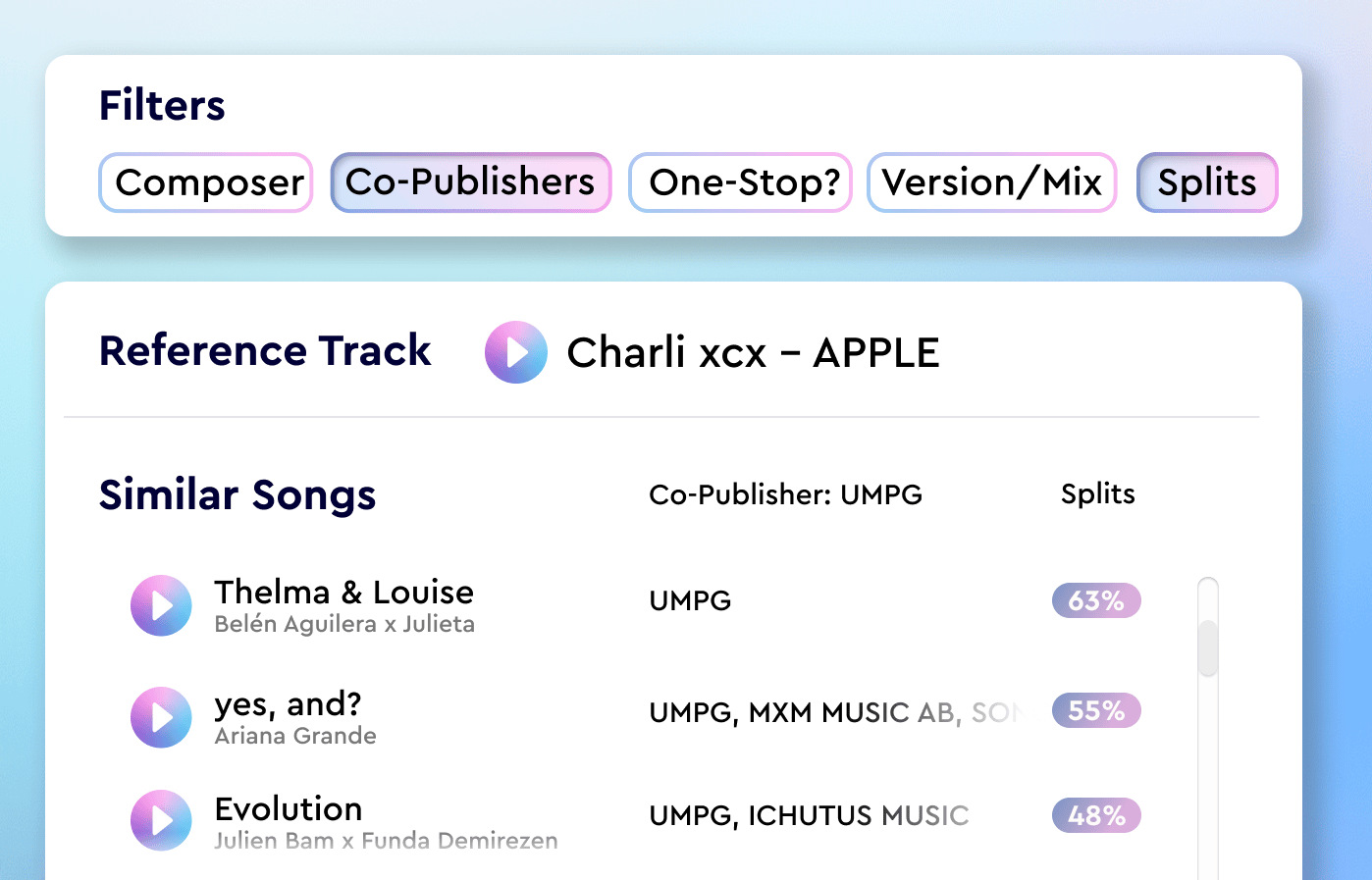
Custom Metadata Upload – one of many features of our new Advanced Search, lets you upload your own tags – such as cultural or contextual details that don’t come from the audio analysis – and use them as filters. You can set your own metadata criteria first, and the system will search only within the tracks that match those inputs.

When you then run a Similarity- or Free Text Search, the model evaluates musical similarity inside that filtered subset. As a result, search and discovery reflects both the sound of a track and the context around it.

You can search your catalog for “upbeat indie rock” but you can also search for “upbeat indie rock, human-produced, female-led, one-stop cleared, independent.

Read the full report

The survey drew responses from people who license music often as part of their work and feel the impact of unclear metadata. Their answers show how they think about AI involvement, creator background, and the context they need when they search.

The full report brings these findings together with information about the study—who took part, how often they search, the questions they answered, and how responses differed by role. It also includes partner insights from MediaTracks and Marmoset, along with charts and quotes that show how transparency and context shape real choices in licensing.

You can read the full study here.

What is Music Prompt Search? ChatGPT for music?

What is Music Prompt Search? ChatGPT for music?

Last updated on March 6th, 2025 at 02:14 pm

How Music Prompt Search Works & Why It’s Only Part of the Puzzle

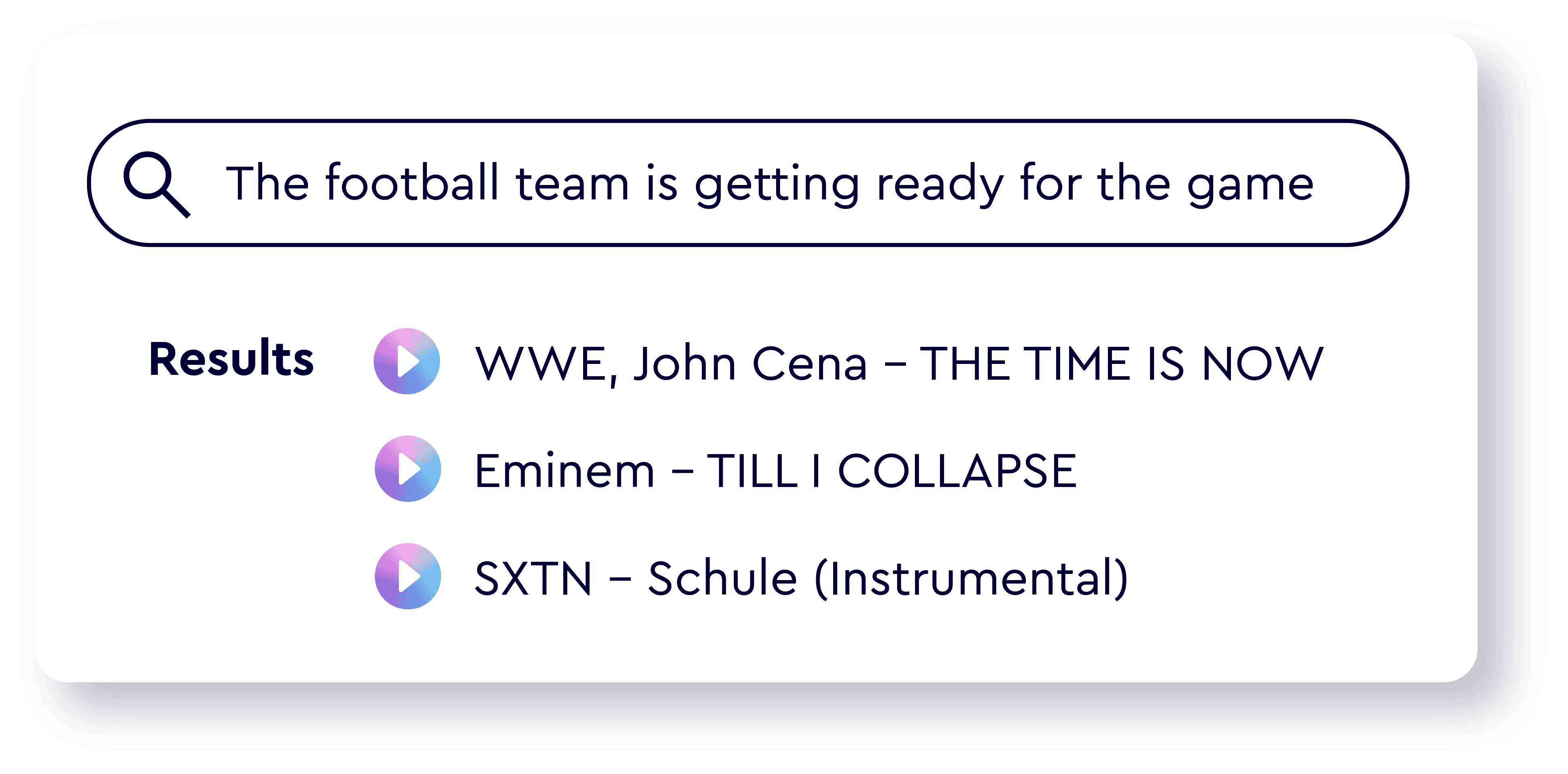
Alongside our Similarity Search, which recommends songs that are similar to one or many reference tracks, we’ve built an alternative to traditional keyword searches. We call it Free Text Search – our prompt-based music search. 

Imagine describing a song before you’ve even heard it:

Dreamy, with soft piano, a subtle build-up, and a bittersweet undertone. Think rainy day reflection.

This is the kind of prompt that Cyanite can turn into music suggestions – not based on genre or mood tags, but on the actual sound of the music. 

Music Prompt Search Example with Cyanite’s Free Text Search

What Is Music Prompt Search?

Prompt search allows you to enter a natural language description (e.g. uplifting indie with driving percussion and a nostalgic feel) and get back music that matches that idea sonically. 

We developed this idea in 2021 and were the first ones to launch a music search that was based on pure text input in 2022. Since then we’ve been improving and refining this kind of AI-powered search so that it can accurately translate text into sound. That way, you will get the closest result to the prompt that your catalog allows for. 

We are not searching for certain keywords that appear in a search. We directly map text to music. We make the system understand which text description fits a song. This is what we call Free Text Search.

Roman Gebhardt

CAIO & Founder, Cyanite

Built with ChatGPT? Not All Prompts Are Created Equal

More recently, different companies have entered the field of prompt-based music search, using large language models like ChatGPT as a foundation. These models are strong at interpreting natural language, but can not understand music the way we do. 

They generate tags based on text input and then search those tags. So in reality, these algorithms work like a traditional keyword search, and only decipher natural language prompts into keywords. 

When Prompt Search Shines

Prompt search is a game-changer when:

  • You have a specific scene or mood in mind
  • You’re working with briefs from film, games, or advertising
  • You want to match the energy or emotional arc of a moment

This is ideal for music supervisors, marketers, and creative producers.

Note: Our Free Text Search just got better!

With our latest update, Free Text Search is now:

✅ Multilingual – use prompts in nearly any language

✅ Culturally aware – understand references like “Harry Potter” or “Mario Kart”

✅ Significantly more accurate and intuitive

It’s available free for all API users on V7 and for all web app accounts created after March 15. Older accounts can request access via email.

Why We Build Our Own Models

We chose to develop every model in-house 

Not only for data security and IP protection, but because music deserves a dedicated algorithm. 

Few things are as complex and deep as the world of music. General-purpose AI doesn’t understand the nuance of tempo shifts, the subtle timbre of analog synths, or the emotional trajectory of a song.

Our models are trained on the sound itself. That means:

    • More precise results
    • Higher musical integrity
    • More confidence when recommending or licensing tracks

If you wanna learn more on how our models are working – check out this blog article and interview with our CAIO Roman Gebhardt.

10 000 Users of Our Free Web App – Announcement

10 000 Users of Our Free Web App – Announcement

Our free web app has reached 10 000 users! ???? We spent $0 on ads and grew organically with the help of an amazing community and their ideas. To celebrate this milestone, we are sharing insights from the recent user survey. These survey results provide novel insights...

Want to try our Free Text Search on your own music catalog?

Sync Music Matching with AI-powered Metadata | A Case Study with SyncMyMusic

Sync Music Matching with AI-powered Metadata | A Case Study with SyncMyMusic

The Problem

The sync licensing industry faces a fundamental information asymmetry problem. With hundreds of production music libraries operating globally, producers struggle to identify which companies are actively placing their style of music. Jesse Josefsson, veteran of 10,000+ sync placements, identified this gap as a core market inefficiency.

Genres were wrong, moods were wrong. Just not even close to what I would think as acceptable answers for an auto tagging model.

Jesse Josefsson

Founder, SyncMyMusic

Key Challenges:

    • Producers pitching to inappropriate libraries for years without results
    • Manual research taking days or weeks per opportunity
    • Inaccurate tagging solutions create more problems than they solve
    • Industry professionals “flying blind” when making strategic decisions

The Solution

One of the members said it was so accurate, it was almost spooky because it got things and it labeled things that even they wouldn’t have probably thought of themselves.” – Jesse Josefsson

After evaluating multiple auto-tagging solutions, SyncMyMusic selected Cyanite based on accuracy standards and industry reputation. The platform architecture combines TV placement data with AI-powered music metadata analysis to deliver targeted recommendations.

Why Cyanite:

    • Industry-leading accuracy in genre and mood classification
    • Partnership credibility through SourceAudio integration
    • Responsive customer support with sub-2-hour response times
    • Seamless API integration capabilities

The Implementation

I’m what they would probably call a “vibe coder”. I don’t have coding skills, but if I can do this, you can do this.Jesse Josefsson

Jesse built the entire SyncMatch platform using AI tutoring (ChatGPT/Grok) and automation tools (make.com) without traditional coding experience. The implementation took 2.5 months from concept to MVP, demonstrating how modern no-code approaches can deliver enterprise-grade solutions.

Music CMS Solutions Compatible with Cyanite: A Case Study

Music CMS Solutions Compatible with Cyanite: A Case Study

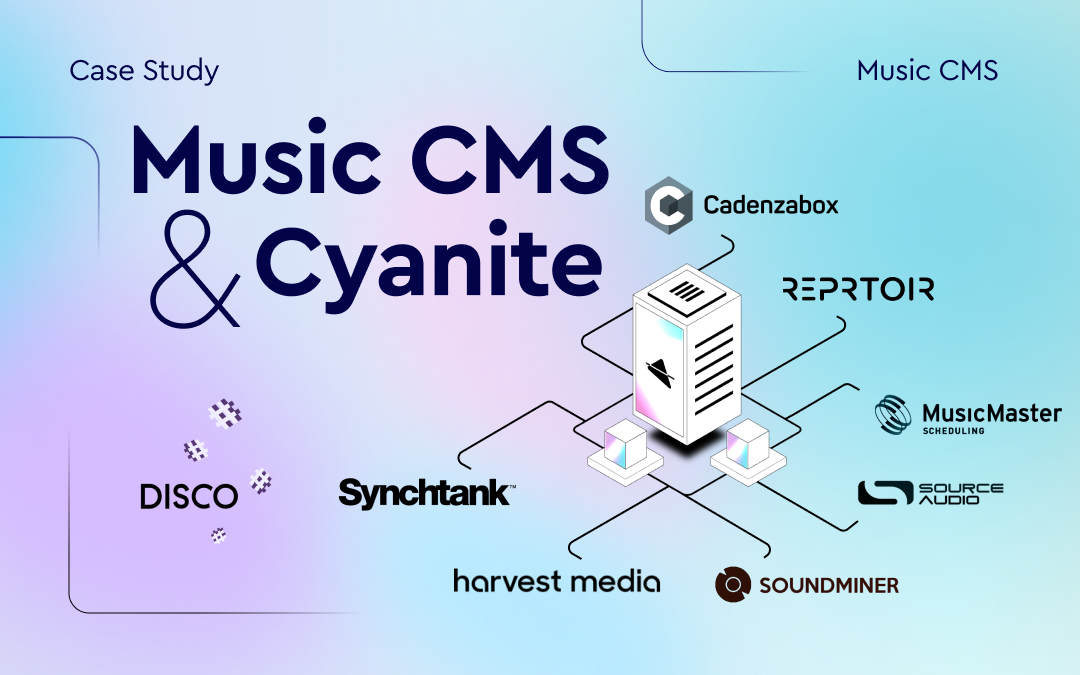
In today's digital age, efficiently managing vast amounts of content is crucial for businesses, especially in the music industry. For those who decide not to build their own library environment, music Content Management Systems (CMS) have become indispensable tools....

AI Music Discovery: How Marmoset Uses Cyanite | A Case Study

AI Music Discovery: How Marmoset Uses Cyanite | A Case Study

Founded in 2010, Marmoset is a full-service music licensing agency representing hundreds of independent artists and labels. At the heart of it, their core experience involves browsing for music. They offer music discovery for any moving visual media. From sync (movies...

AI-Powered Music Marketing feat. Chromatic Talents

AI-Powered Music Marketing feat. Chromatic Talents

Chromatic Talents acts like a music brand consultancy providing a comprehensive range of services in artist management, development, digital branding, and business development. Find out how they use AI-Powered Music Marketing powered by Cyanite. The goal of the...

Cyanite Advanced Search (API only)

Cyanite Advanced Search (API only)

Last updated on March 6th, 2025 at 02:14 pm

Unlock the Power of Advanced Search – A Glimpse into the New Cyanite

We’re excited to introduce Advanced Search, the biggest upgrade to Similarity and Free Text Search since launch. With this release, we’re offering a sneak preview into the power of the new Cyanite system.

Advanced Search brings next-level precision, scalability, and usability – all designed to supercharge your discovery workflows. From advanced filtering to more nuanced query controls, this feature is built for music teams ready to move faster and smarter.

Advanced Search Feature Overview

click to jump to each feature directly

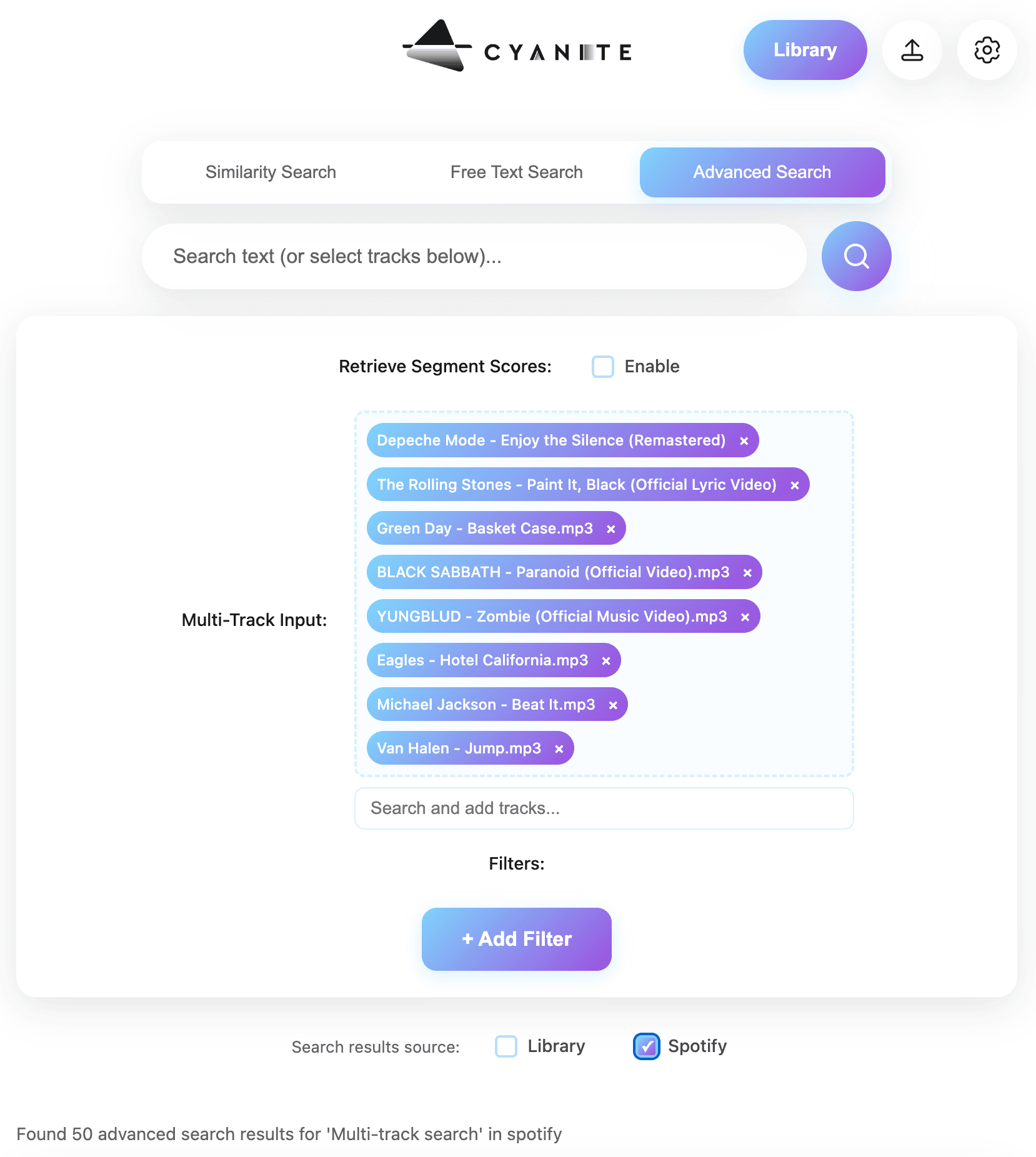
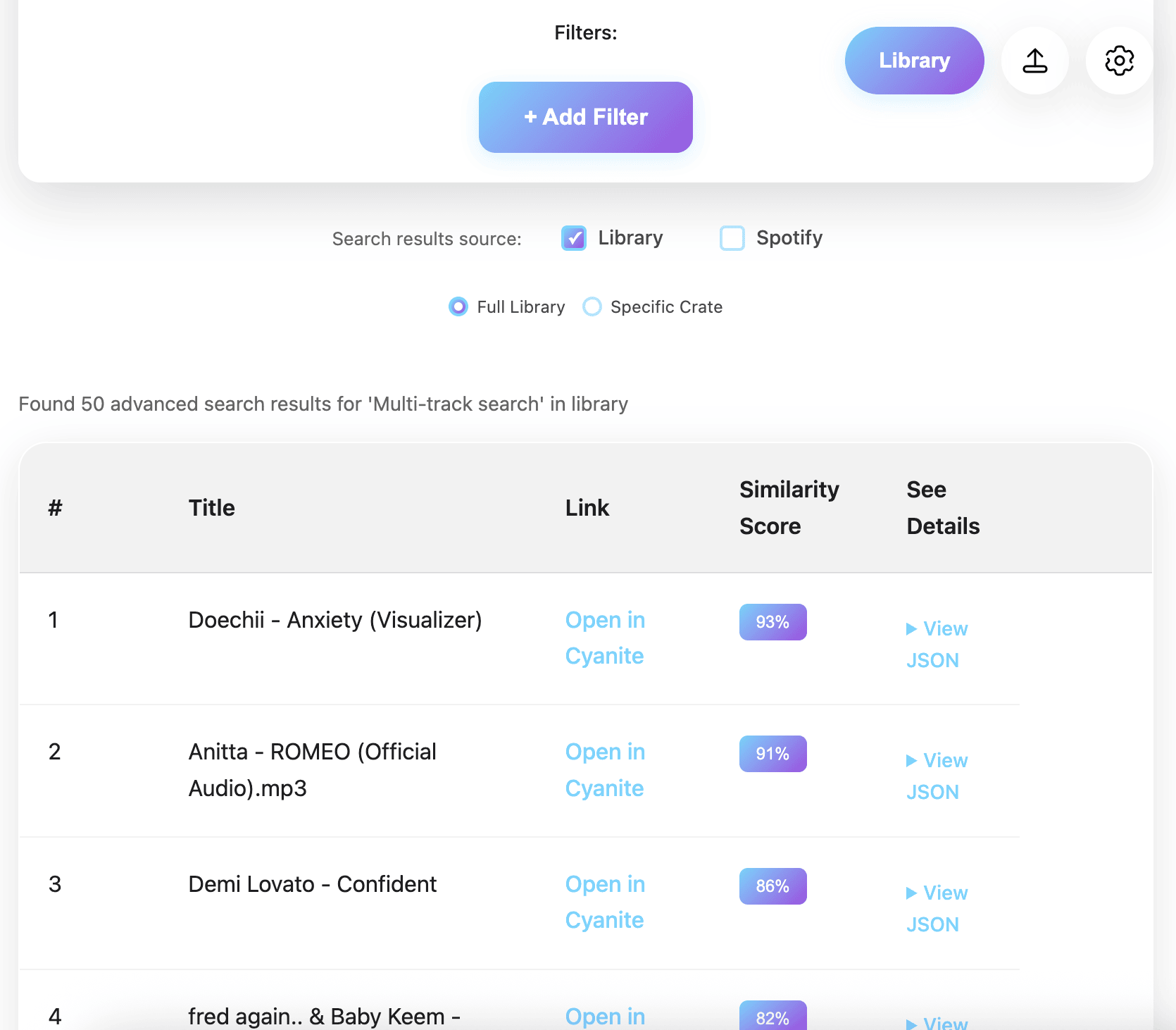
🎶 Multi-Track Search – Multiple Search Inputs for Playlist Magic

🔢 Similarity Scores: Total Clarity, Total Control

Now each result comes with a clear percentage Score, helping you quickly evaluate how close a match really is – both for the overall track and for each Top Scoring Segment. It’s a critical UX improvement that helps users better understand and trust the search results at a glance.

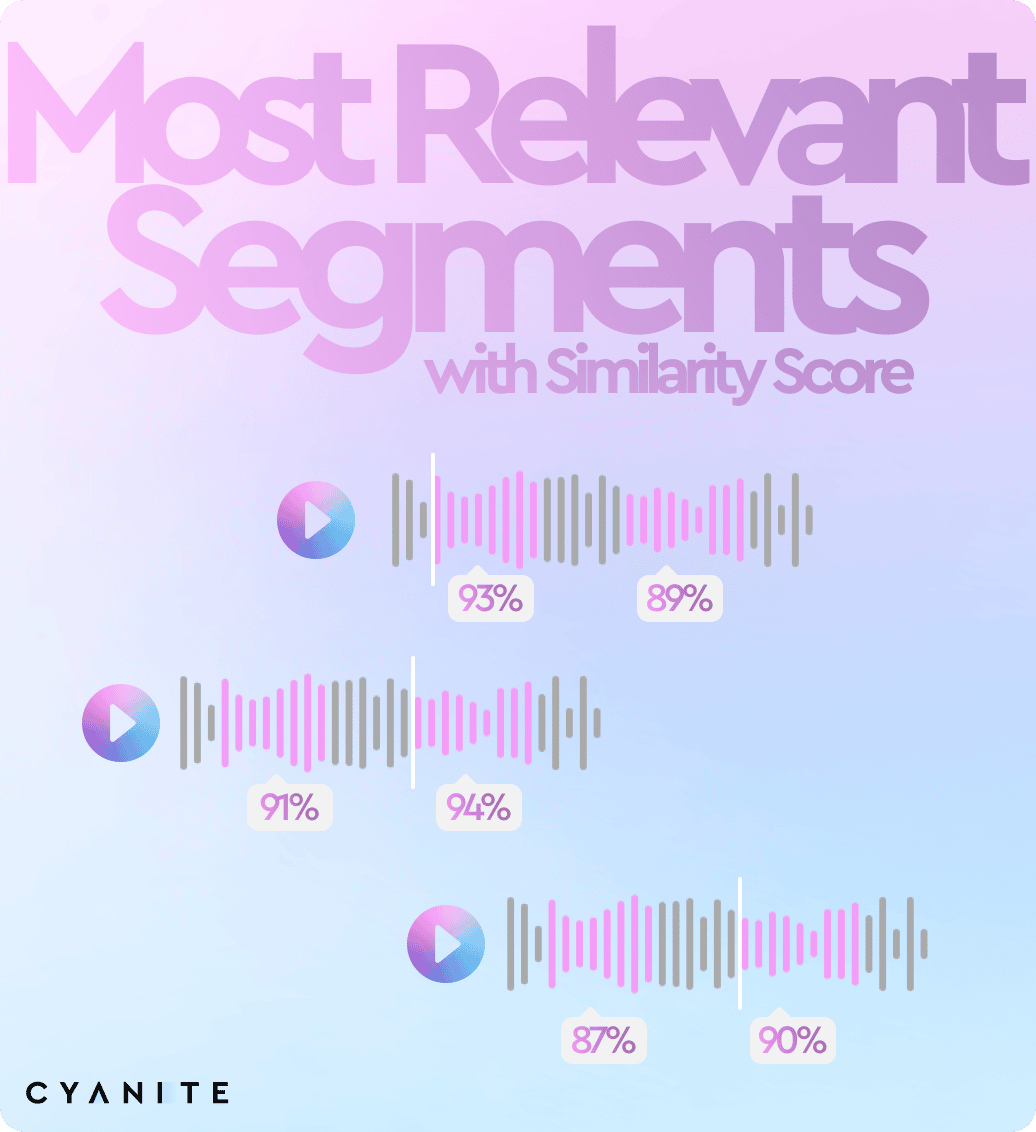
🎯 Most Relevant Segments: Zoom in on the Best Parts

We’re not just showing you results, we’re showing you their strongest moments. Each track now highlights its Most Relevant Segments for both Similarity and Free Text queries. It’s an instant way to jump to the most relevant slice of content without scrubbing through an entire track. 

🗂️ Custom Metadata Filters: Smarter Searches Start with Smarter Filters

Upload your own metadata to filter results before the search even begins. Want only pre-cleared tracks? Looking for music released after 2020? With Customer Metadata Filtering, you can target exactly what you need, making your search dramatically more efficient.

🌐 Up to 500 Search Results: Because More is More

Tired of hitting a ceiling with limited search returns? Now, Similarity Search and Free Text Search deliver up to 500 results giving you a much broader snapshot of what’s out there. Whether you’re refining a vibe or exploring diverse sonic textures, you’ll have a fuller landscape to work with.

Still on the previous version?

Advanced Search is available exclusively for v7-compliant users. Migrating now not only gives you access to this feature but unlocks the full potential of the new Cyanite architecture. It’s the perfect time to make the switch.

If you’re ready to upgrade or want to learn more about v7, click the button below – we’re here to help.

Let’s take discovery to the next level. Together.


The Evolution of Electronic Music (2022-2024) – AI Data Analysis with RA’s Top Tracks

The Evolution of Electronic Music (2022-2024) – AI Data Analysis with RA’s Top Tracks

Vincent

Vincent

Marketing Intern @ Cyanite

The landscape of electronic music is always changing due to artistic innovation, technological breakthroughs, and cultural trends. Resident Advisor’s Top Tracks of 2022, 2023, and 2024, were thoroughly evaluated by Cyanite’s AI, in an attempt to methodically examine these changes through a detailed AI Data Analysis.

Such analyses are valuable because they provide data-driven insights into listening behavior and musical trends, confirming or challenging existing assumptions. A good example for this is Cyanite’s Club Sounds Analysis, which examined trends in club music and uncovered clear patterns in tempo, energy, and emotional shifts over time. 

One of the most prominent examples of these Analysis is Spotify Wrapped – which has shown how data-backed insights about user listening habits generate interest and engagement, offering artists, labels, and listeners a deeper understanding of musical developments. Cyanite’s AI-driven approach brings the same level of clarity to the ever-evolving electronic music landscape, making implicit trends measurable and comparable over time.

Most importantly, Cyanite’s AI delivers an objective perspective on music, which opens a lot of possibilities for profound analysis. 

This data story finds notable changes in voice predominance, emotional tone, and genre diversity using Cyanite’s machine learning models that can differentiate between more than 2,500 genres and offer in-depth mood and compositional evaluations.

The findings indicate a progressive fragmentation of electronic music, an increasing integration of vocal elements, and a marked shift towards darker, more introspective moods.

1. Increasing Prominence of Vocals and the Decline of Instrumental Tracks

A notable trend observed in the analysis is the diminishing presence of instrumental compositions alongside an increase in male vocals.

  •  

Key Findings:

  • Male vocals have become increasingly prominent, suggesting a shift towards vocal-driven electronic music.

  • The overall balance between instrumental and vocal compositions has changed, with lyric-based narratives gaining a stronger foothold in the genre, while instrumental tracks have seen a significant decline between 2022 and 2024.

This trend suggests a convergence between electronic and vocal-centric musical styles, potentially influenced by developments in popular music consumption patterns and the growing demand for more emotionally direct musical expressions.

2. Mood Data Analysis: A Shift Toward Darker, More Introspective Compositions

Over the last three years, there has been a noticeable shift in the emotional terrain of electronic music. Cyanite’s AI-generated mood classifications show an increase in darker, more ambiguous emotional tones and a decline in upbeat and joyful musical elements.

Key Findings:

  • Reduction in the prevalence of “happy” and “uplifting” moods.

  • Growth in moods classified as “mysterious,” “weird,” and “strange”, reflecting an increasing tendency toward introspection and abstraction.

  • Energetic and determined moods remain stable, indicating continuity in the genre’s dynamic core.

These findings align with broader sociocultural shifts, where uncertainty, complexity, and experimentation are becoming more prominent themes in contemporary artistic expression.

3. Genre Expansion and Increased Diversification 

One of the most significant discoveries pertains to the increasing diversification of genre influences. Our AI, which is capable of differentiating between thousands of genres, has identified a 40% increase in distinct genre influences between 2023 and 2024.

This increased hybridization implies that the limits of electronic music are opening up more and more, allowing for the incorporation of non-traditional influences into the genre.

Key Findings:

  • Techno and house music are losing ground to more experimental subgenres.

  • Subgenres such as Breakbeat, IDM, and bass music have gained prominence.

  • Genres previously outside the electronic domain—such as indie pop, shoegaze, and noise pop—are increasingly integrated into electronic compositions.

This genre fragmentation suggests that electronic music is moving toward greater stylistic pluralism, potentially leading to a subcultural diversification within the broader electronic music ecosystem.

Implications for the Future of Electronic Music

These findings have significant implications for artists, producers, and industry professionals seeking to understand and anticipate the trajectory of electronic music.

Key Takeaways:

  • The integration of vocals into electronic music is increasing, signaling a shift away from purely instrumental compositions.
  • Mood expressions are evolving, with a growing emphasis on introspection, complexity, and abstraction.
  • Electronic music is becoming increasingly hybrid, incorporating elements from a diverse range of musical traditions.
  • The rate of subgenre fragmentation is increasing, which raises concerns about how electronic music communities and their consumers will develop in the future.

Future Research Directions

Given these findings, further research could explore:

  • The relationship between sociopolitical factors and musical mood shifts.
  • The extent to which AI-generated insights can predict future genre evolution.
  • How these trends correlate with streaming and consumption behaviors in digital music platforms.

Tagging Beyond Music Discovery – A Strategic Tool

Beyond pure music discovery, this data story highlights how the importance of tagging and metadata analysis is expanding into strategic decision-making. As previously discussed in the Synchblog, structured tagging not only helps with search and recommendation but also shapes business strategies.

For example, one German music publisher used Cyanite’s insights to identify a critical gap in their catalog: While epic and cinematic music remains highly relevant for sync licensing, they had almost none of it in their repertoire. By shifting from gut feeling to data-driven content acquisition, they were able to adjust their catalog strategy accordingly.

AI Data Analysis for labels, publishers, and music libraries:

Data-driven insights generally provide a competitive advantage by optimizing key business areas:

  • Strategic Content Acquisition: Identify gaps in the catalog (e.g., missing genres or moods) and align acquisitions with data-driven demand trends.


  • Licensing & Sync Optimization: Prioritize metadata tagging to improve discoverability and match content to industry needs (e.g., film, gaming, advertising).


  • Market Positioning & Trend Monitoring: Track shifts in listener preferences, adjust marketing strategies, and ensure the catalog aligns with emerging industry trends.


  • A&R & Artist Development: Use genre and mood insights to guide signings and support artists in exploring high-demand styles.

These insights help catalog owners make informed, strategic decisions, replacing gut feeling with actionable market data.


Conclusion

Cyanite’s AI data analysis of Resident Advisor’s Top Tracks (2022–2024) provides compelling evidence of a rapidly evolving electronic music landscape. With vocals becoming increasingly integral, emotional expressions growing darker, and genre boundaries dissolving, the industry is entering a phase of heightened complexity and innovation.

For artists, labels, and curators, understanding these shifts is crucial for adapting to the changing demands of audiences and staying at the forefront of musical development.

By leveraging advanced AI-driven music analysis, we can gain deeper insights into the intricate mechanisms shaping the future of sound.