





















The Problem The sync licensing industry faces a fundamental information asymmetry problem. With hundreds of production music libraries operating globally, producers struggle to identify which companies are actively placing their style of music. Jesse Josefsson,...
PR: Anghami partners with Cyanite | Music discovery with AI-powered metadata across 2.5 million songs
PRESS RELEASE
Berlin 24.03.2026 -Anghami, the leading music and entertainment streaming platform in the MENA region with over 120 million registered users, has partnered with Cyanite to enrich 2.5 million songs using AI-generated music metadata.
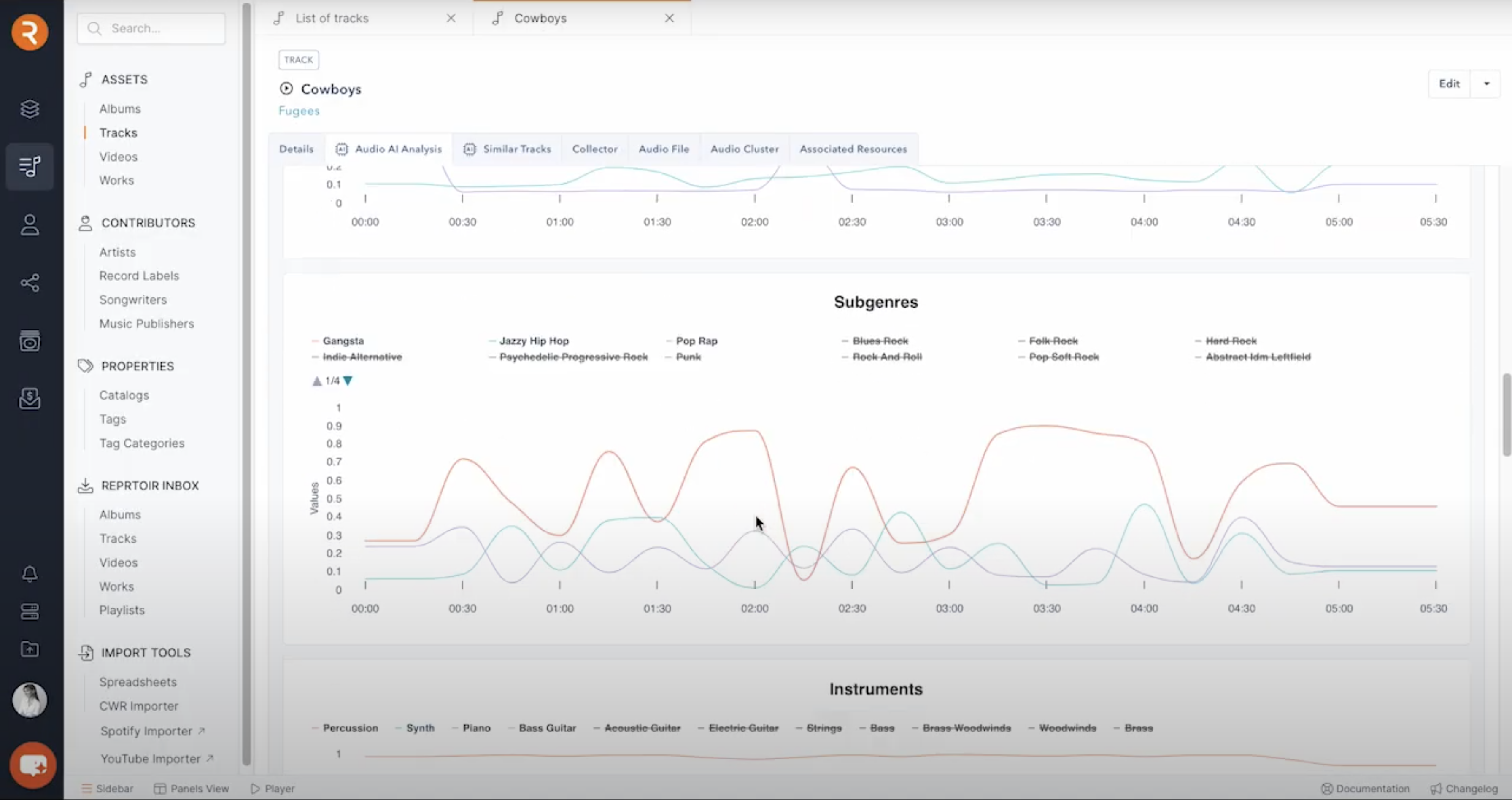
By integrating Cyanite’s auto-tagging API, Anghami has enhanced its catalog with detailed audio-based metadata across mood, genre, energy, instrumentation, and more. This structured data layer feeds directly into Anghami’s internal recommendation systems, enabling more precise and scalable music discovery.
At a catalog scale of millions of tracks, metadata quality becomes a strategic driver of personalisation. Structured and consistent tagging enables streaming platforms to better match songs with listeners, surface long-tail content, and improve personalization across diverse repertoires.
For Anghami, the partnership also underscores its commitment to accurately representing the richness of Arabic music. A significant share of its catalog consists of regional content that is often underrepresented in Western-centric AI systems.
Because Cyanite analyses audio directly, rather than relying on behavioural signals or language-based metadata, its models operate consistently across musical cultures and languages.
Anghami operates one of the most culturally diverse music catalogs in the world. Ensuring that Arabic repertoire is tagged with the same precision as Western music is not trivial. We’re proud that our audio-based AI can support music discovery at this scale and across such a rich regional landscape.
Arabic music carries immense depth, emotion and cultural nuance. Through our partnership with Cyanite, we’re ensuring that this richness is understood at a data level, allowing us to power more accurate personalisation and elevate discovery for millions of listeners.
About Anghami Inc. (NASDAQ: ANGH):
Anghami is the leading multi-media technology streaming platform in the Middle East and North Africa (“MENA”) region, offering a comprehensive ecosystem of exclusive premium video, music, podcasts, live entertainment, audio services and more. Since its launch in 2012, Anghami has led the way as the first music streaming platform to digitize MENA’s music catalog, reshaping the region’s entertainment landscape.
In a strategic move in April 2024, Anghami joined forces with OSN+, a leading video streaming platform, forming a digital entertainment powerhouse. This pivotal transaction strengthened Anghami’s position as a go-to destination, boasting an extensive library of over 18,000 hours of premium video, including exclusive HBO content, alongside 100+ million Arabic and International songs and podcasts.
With a user base exceeding 120 million registered users and 2.5 million paid subscribers, Anghami has partnered with 47 telcos across MENA, facilitating customer acquisition and subscription payment, in addition to establishing relationships with major film studios, entertainment giants, and music labels, both regional and international.
Headquartered in Abu Dhabi, UAE, Anghami operates in 16 countries across MENA, with offices in Beirut, Dubai, Cairo, and Riyadh.
To learn more about Anghami, please visit: https://anghami.com
For media inquiries, please contact:
Umar Gulamnabi – Associate, Integrated Media, Current Global
osncg@currentglobal.com
+971 56 827 1966
About Cyanite
Cyanite is an AI music intelligence platform that helps streaming services, publishers, and music platforms enrich and organize their catalogs. Its auto-tagging API analyzes audio directly to generate structured metadata across genre, mood, energy, instrumentation, and more. Cyanite has tagged over 40 million songs and is trusted by more than 200 companies worldwide, including Warner Chappell, BMG, Epidemic Sound, and APM Music.
Media contact
Jakob Höflich
CMO at Cyanite
jakob@cyanite.ai
For interview requests or additional data, please contact: jakob@cyanite.ai