How to Use AI Music Search for Your Music Catalog

How to Use AI Music Search for Your Music Catalog

Ready to level up your search workflows? Try AI-powered music search in Cyanite.

Even the most carefully organized catalog reaches a point where text metadata can no longer support effective search on its own. Genres blur, moods can overlap, and large libraries hold thousands of tracks that look similar on paper but sound different when you listen. When you’re working on a brief, your search method needs to reflect the sound itself—not just the words attached to it.

AI music search enables your catalog to reveal more. By working with audio alongside the metadata, it returns search results that match the intent behind a brief rather than the exact words used in a query. You get a shortlist faster and surface strong tracks that would otherwise stay buried.

We see this need showing up across the catalogs we serve, so we put together this guide to outline how AI music search works in Cyanite and how it supports faster, more intuitive discovery in real-world workflows.

Learn more: See how AI music tagging works in Cyanite and how it supports large catalogs.

What is AI music search?

Traditional catalog search depends heavily on how consistently tracks are described. It works well when metadata is uniform and when everyone searches in the same way. But this is rarely the case in practice. Different people use different language, and many musical qualities are easier to hear than to articulate precisely.

AI music search approaches the problem by analysing the sound itself. This allows the system to understand rhythm, harmony, instrumentation, intensity, and voice presence. These sonic attributes are then used alongside existing metadata to guide search results.

Instead of matching exact keywords, the system focuses on musical similarity and intent. That means you can start a search from a reference track or a descriptive sentence without losing nuance along the way.

AI music search does not replace structured tagging. Instead, it builds on it as an additional way to explore a catalog when sound, context, or creative intent are easier to hear than describe.

At the same time, well-structured tagging remains the baseline to navigate a catalog in many day-to-day scenarios. AI-driven search becomes most valuable when teams need to move beyond fixed labels or explore music from a different angle.

How different types of AI music search work together

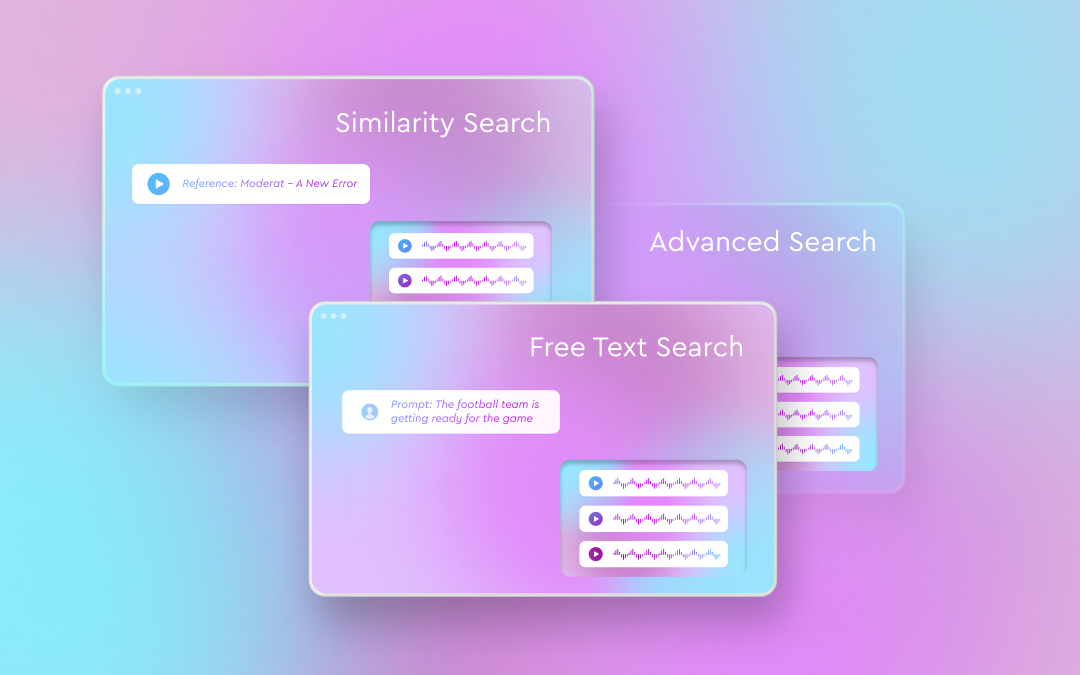
In practice, AI music search is most effective when it supports multiple ways of thinking about music. These are three ways we enable catalog music search in Cyanite:

  1. Audio-based search
  2. Prompt-based search
  3. Customizable advanced search features

These tools are designed to work together. Audio gives a clear view of how a track moves, text helps describe what you’re looking for, and advanced filters narrow the field to traits that matter for the request. Using them together keeps the catalog flexible and reduces the chance of great tracks being missed.

Exploring your catalog through Similarity Search

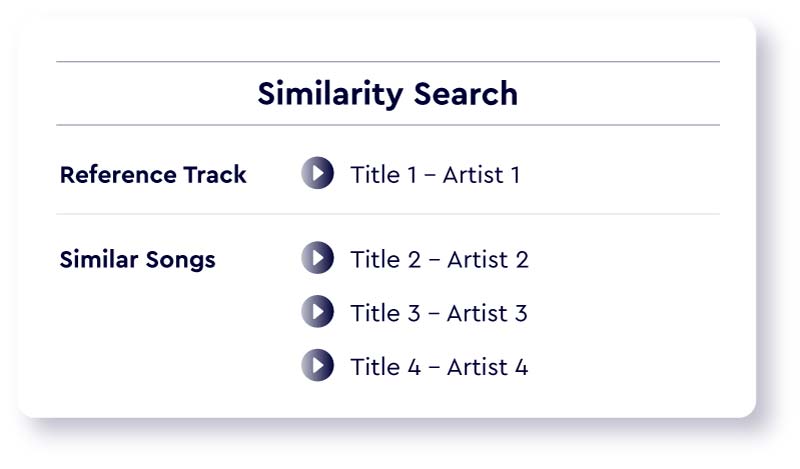
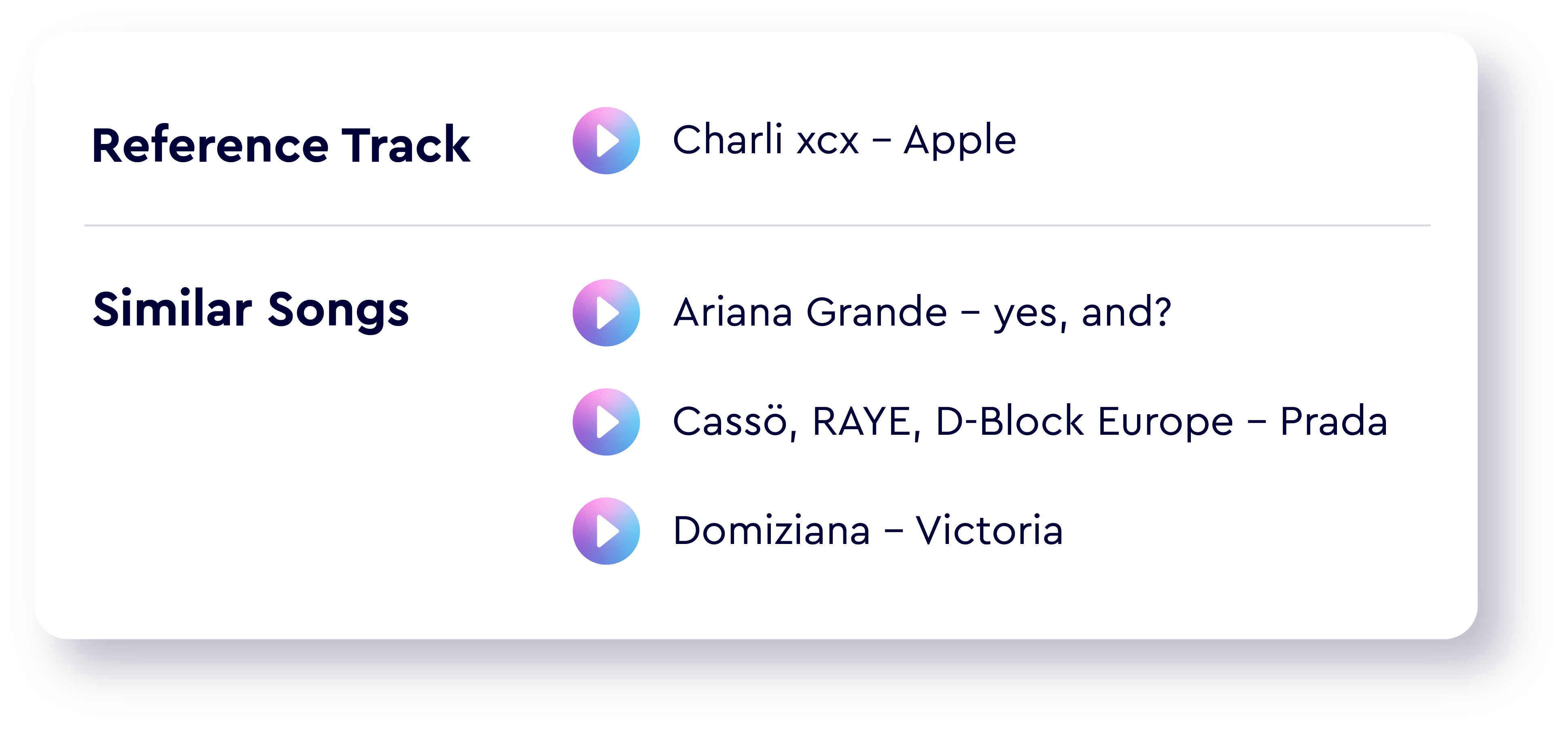
Similarity Search starts from sound. Cyanite analyzes a reference track’s audio and compares it with the rest of your catalog, returning tracks with a similar shape or mood. 

The reference can come from within your library or from an external source, such as Spotify, YouTube, or an uploaded audio file. You can also choose which part of the reference track to use, such as the chorus, the intro, or a specific section that best represents the desired direction.

This approach is especially useful when a brief comes with a musical example rather than a written description. Instead of translating sound into words and back again, you can search directly from what you hear. If you work with multiple reference tracks or an entire playlist, the Advanced Search features below are here to help.
Read more: Similar song finder AI for catalogs: Use Cyanite to search your library by sound

Searching with language using Free Text Search

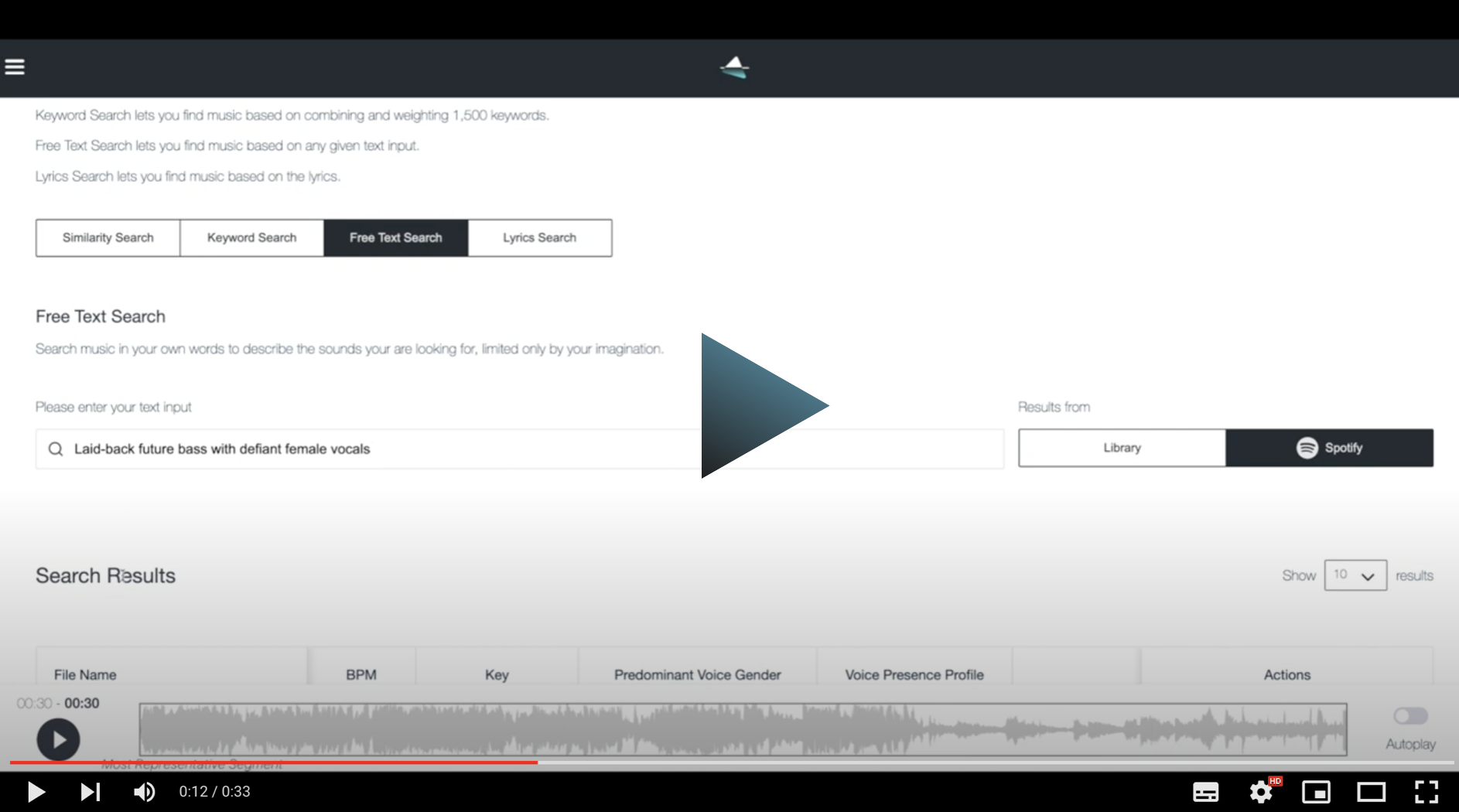
Not every search starts with a reference track. Free Text Search allows users to describe music in natural language, using full sentences rather than rigid keywords.  

Prompts can reference mood, pacing, instrumentation, scene context, or use case. They can also include cultural references and be written in different languages. The system interprets the prompt’s meaning and matches it against the audio-based understanding of the catalog, without relying on external language models.

This makes search accessible to a wider range of users, including those who may not be familiar with a catalog’s internal tagging conventions.
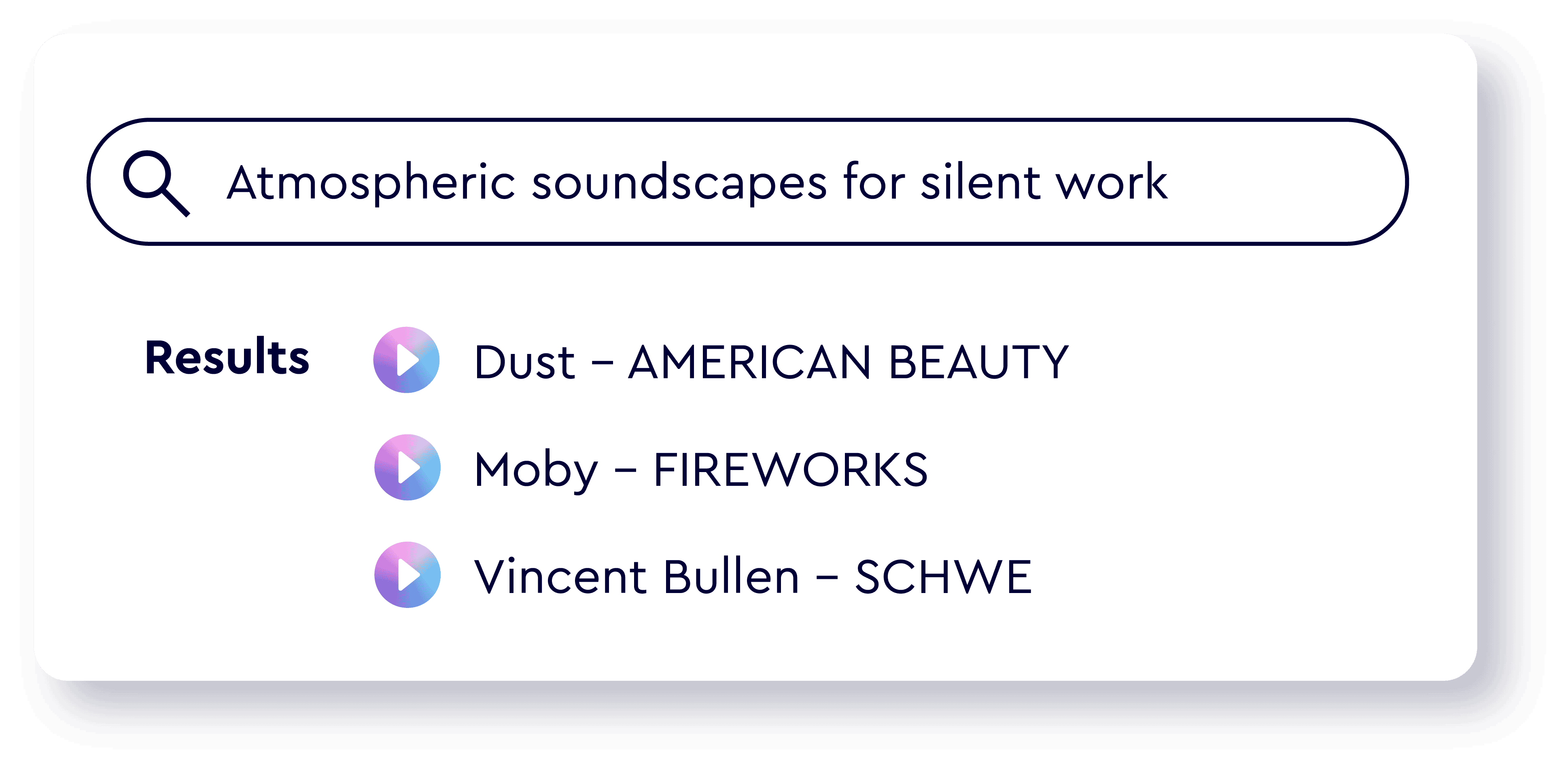
Read more: How to prompt: the guide to using Cyanite’s Free Text Search

Advanced Search

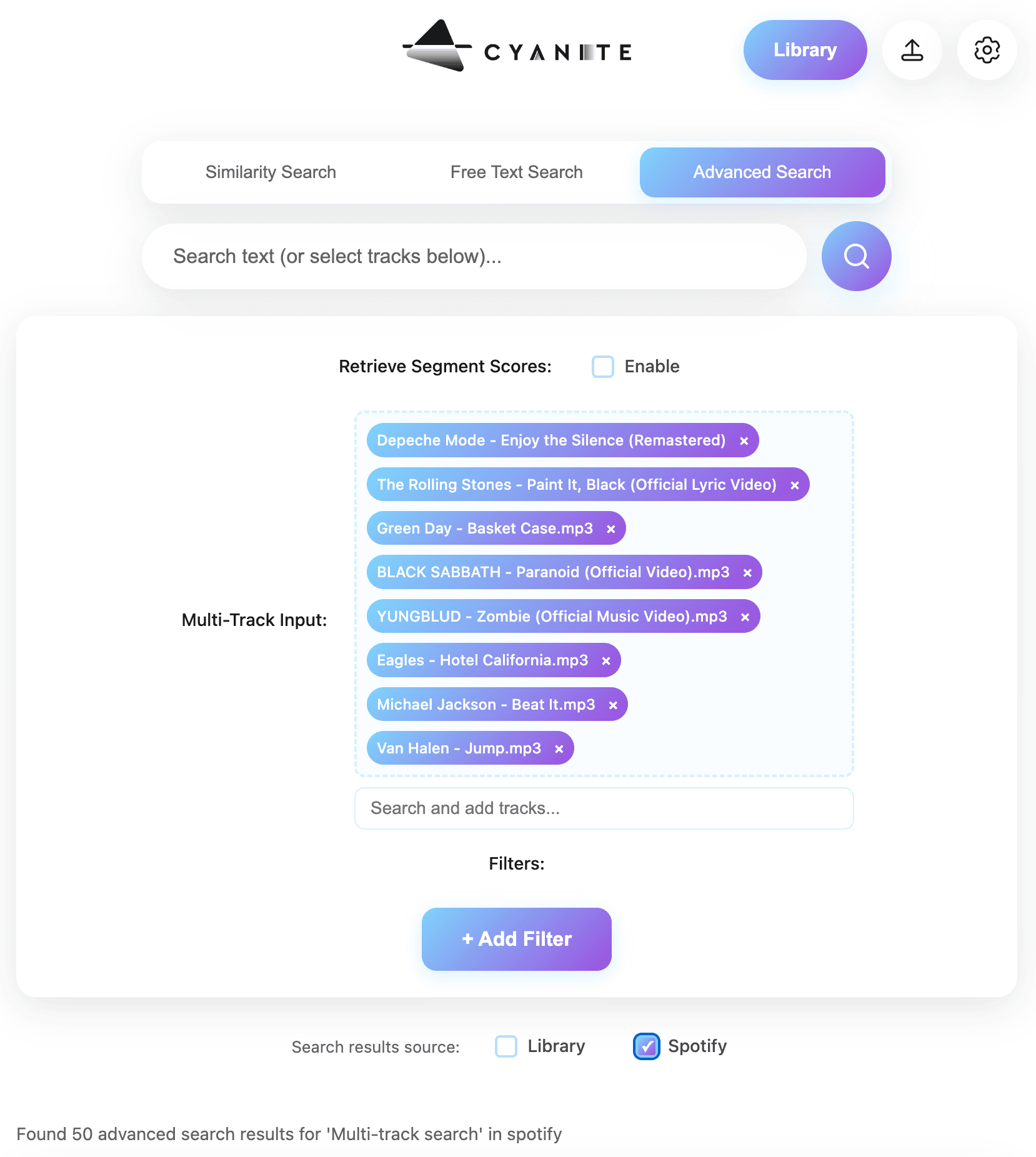
For more specific searches, you often need additional control. Advanced Search builds on Similarity and Free Text Search by adding structured filters and deeper insight into why tracks appear in the results.

This mode allows teams to:

  • View similarity scores that show how closely results align with a reference or prompt
  • Run similarity searches using up to 50 reference tracks at once
  • Upload custom metadata and use it as additional filters
  • Identify the most similar segments within each track

Testing Advanced Search free for a month gave us the confidence we needed to update our search and tagging systems. The integration was smooth, and we were able to ship several exciting features right away—but we’ve only scratched the surface of its full capabilities!” Jack Whitis, CEO at Wavmaker

Read more: How to level up your AI search with Advanced Search features
AI music search: build vs buy

Organizations considering AI search often decide based on whether they want to build internally or integrate an existing solution. It typically depends on the time, cost, and ongoing work you can take on.

Building an in-house system can make sense for teams with significant machine-learning expertise and long-term resources. It typically requires a dedicated engineering team, a large and well-structured training dataset, and ongoing investment to maintain and improve model quality as catalogs and user needs evolve.

However, for most catalogs, integrating a tested system is the more practical path. Cyanite offers AI music search through a web app, an API, and integrations with major catalog management systems. Teams can adopt advanced search capabilities without taking on the long-term cost and complexity of maintaining their own models.

Smaller teams can start with the web app and scale usage over time. Larger organizations can integrate search directly into their own platforms, with pricing that aligns more predictably with catalog size.

Cyanite’s approach to AI music search

Cyanite is built to help teams understand their catalog through sound. We bring audio, language, and filters into one place so you can move through briefs without switching tools.

Audio-first analysis

Cyanite listens to the full track from beginning to end and captures how it develops in instrumentation, energy, and mood. This audio-first approach drives Similarity Search, Free Text Search, and Advanced Search. Because the focus stays on the audio rather than popularity and text-only metadata, you reach tracks that often get overlooked.

Data security and model ownership

Your audio remains within Cyanite’s environment.

  • Audio analysis and search models are built and maintained in-house.
  • No files are sent to external AI providers.
  • All processing meets GDPR requirements.

Teams with specific copyright needs can use upload workflows specifically designed for internal and client-facing work.

Built for catalog scale

Full tracks are analysed in depth, with thousands of sonic details compared. This means large libraries can be processed quickly without search performance slowing as the catalog grows. Search performance remains steady at high volume, which makes it easier to bring new material into the library without disrupting ongoing work. 

Search that adapts to the workflow

Similarity Search, Free Text Search, and Advanced Search all draw from the same audio analysis, which makes it easy to move between a reference track, a written prompt, or a set of filters in a single workflow. Advanced Search adds scoring and segment highlights when you need more context, while the other modes help you move quickly through creative requests. Together, these tools support different working styles and keep results consistent across teams and briefs.

Try AI music recognition with your own tracks

AI music search helps catalogs stay workable as they grow. By reading the audio and supporting both reference-based and prompt-based queries, it reduces search time and brings more of the catalog into play.

Want to see how this works with your own tracks? You can test Similarity Search and Free Text Search in the web app, or explore Advanced Search through the API.

FAQs – API Integration

Q: How does AI music recognition work in a catalog?

A: AI music recognition interprets patterns in the audio and compares them across the catalog. This reduces reliance on metadata wording and supports searches that begin with a reference track or a natural-language prompt.

Q: Is Cyanite the same as an AI music finder or consumer music search engine?

A: No. Consumer-facing music search and recommendation systems are typically driven by listening behavior and user interaction data. Cyanite focuses on sound-based analysis and metadata, making it suitable for professional catalog search, editorial workflows, and internal systems.

Streaming platforms use Cyanite to complement behavioral data with objective audio understanding, especially for catalog organization, discovery, and editorial use cases.

Q: Can Cyanite be used in my CMS for music?

Cyanite is fully integrated with SourceAudio, Cadenzabox, Harvest Media, Music Master, Reprtoir, Synchtank, and TuneBud. DISCO users can also import Cyanite’s Auto-Tagging and Auto-Descriptions into their libraries. These integrations support a wide range of Cyanite use cases across catalog management systems.

Q: Who uses Cyanite?

A: Music publishers, production libraries, sync teams, audio branding agencies, and music-tech platforms use Cyanite for tagging, search, playlist building, onboarding, and catalog analysis. Artists and producers use the web app for fast tagging and discovery.

Q: Can I integrate AI search into my own platform?

A: Yes. The API supports Similarity Search, Free Text Search, Advanced Search, and audio analysis, making it possible to add AI-powered discovery directly into your product.
Find The Right Playlists for Your Music on Spotify – Free BETA

Find The Right Playlists for Your Music on Spotify – Free BETA

Playlist Matching – Free BETA

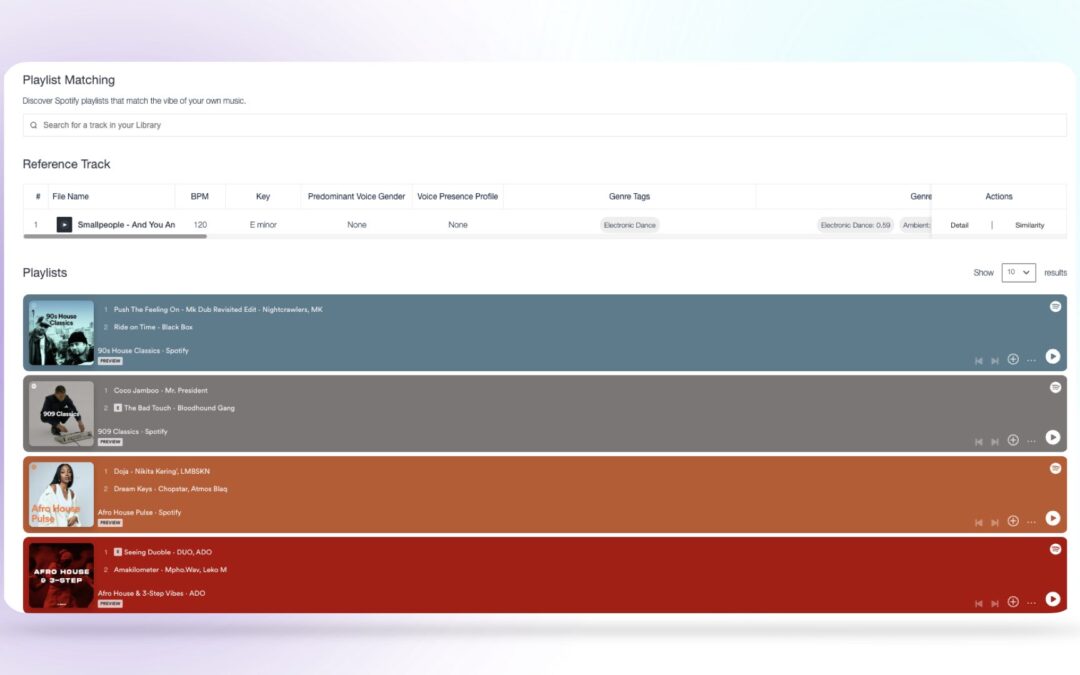
With over 4 billion Spotify playlists, finding the right playlists for your music is not easy. With our new feature we focused on promotion – more specifically on pitching songs to DSP playlists, helping you to pick the right ones.

Introducing: Playlist Matching – find the right playlists for your music in seconds.

We’re here to help.

In 2018 Spotify opened up its gates to Artists, Managers, Labels, etc. to pitch their songs directly to curated playlists. This was a huge step towards making song promotion more accessible. But as always accessibility also means competition.

If you are curious about how to write the perfect pitch for your music, check out this blog post here.

Our new Playlist Matching tool will help you narrow down your choices as well as present you with suggestions that you probably would have missed out on due to the sheer mass of playlists out there.

How does it work?

First, you upload your track to your Cyanite account. The song now gets analyzed and tagged with metadata such as genre, mood, energy, character, and many more.

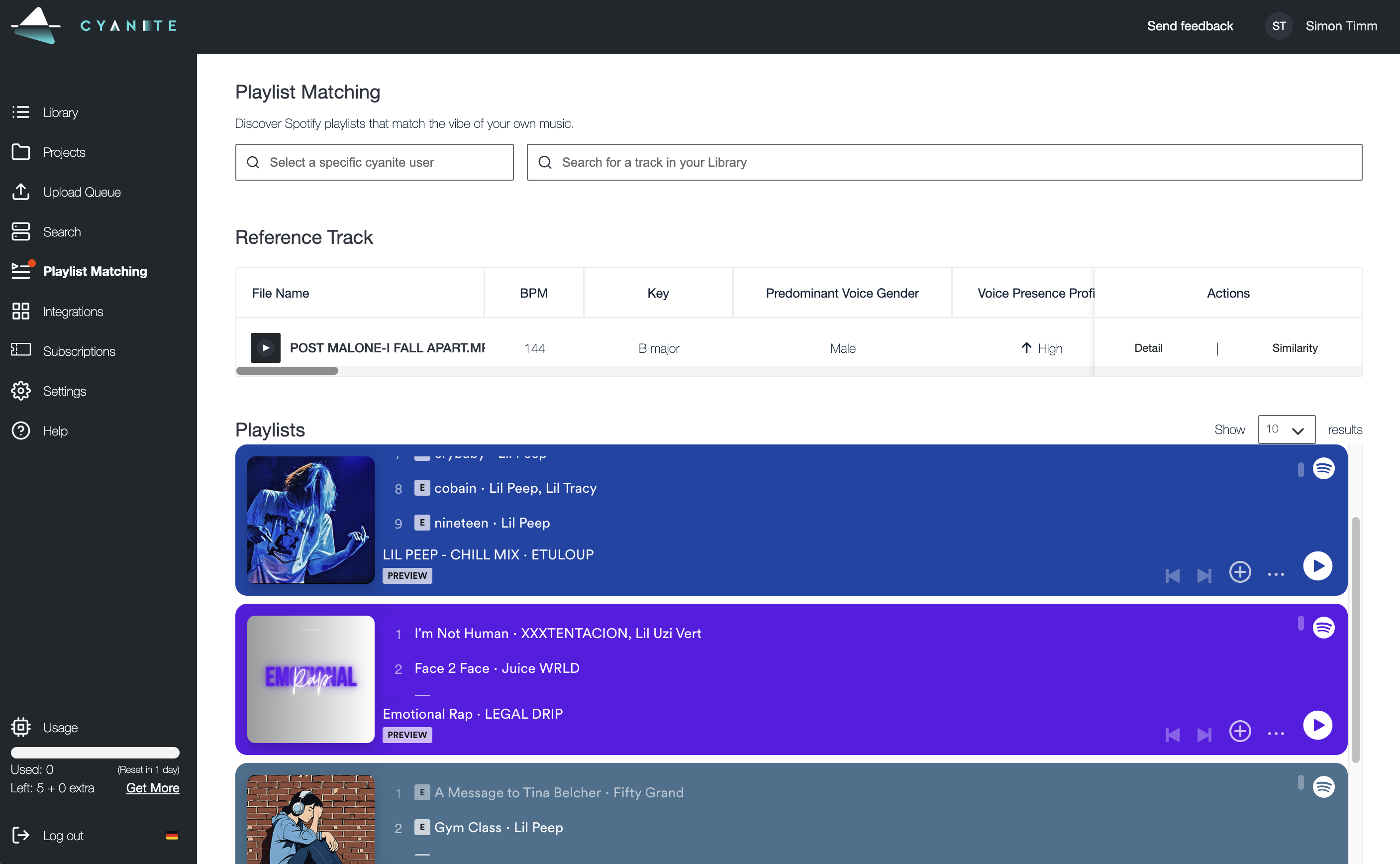
Then you head over to the Playlist Matching tab on the sidebar menu. Next, select your song, and in the blink of an eye, 10 playlists that match the essence of your song will pop up below. 

Start finding the right playlists for your music.

New technology is often gatekept and only tested by selected people until it is perfected and rolled out to a wider community. We decided to do the exact opposite.

Discover the Right Spotify Playlists Faster

Get ten playlist matches per song and use that information to pitch your music to the curators (you can find out who is behind the playlist by clicking on the name next to the playlist image on Spotify. Then get in touch via social media). 

Find Your Target Audience, Fellow Artists, and Inspiration

With Cyanite Playlist Matching you can better identify the musical bubbles your music resonates with. Great for playlist marketing, artist collaborations, or getting inspiration for your next hit. 

Explore New Music Through the World of Playlists

Use your favorite tracks and discover new music in Spotify’s treasure trove of human-curated playlists.

The free BETA is open now. 

If you do not have an account yet, sign up for free down below and start now. Our company is made by music lovers for music lovers. We want to grow with you – so as long as your feedback is constructive, we want to hear it.

Help us help you to find the right playlists for your music and improve our services for you. Become a part of the journey.

Your Cyanite Team.


AI-Powered Music Marketing feat. Chromatic Talents

AI-Powered Music Marketing feat. Chromatic Talents

Chromatic Talents acts like a music brand consultancy providing a comprehensive range of services in artist management, development, digital branding, and business development. Find out how they use AI-Powered Music Marketing powered by Cyanite.

The goal of the Germany-based consultancy is to empower artists and brands to achieve their vision, serving a diverse clientele in the music industry, including newcomers, established artists, labels, and more. 

A recent success story was a collaboration with UK label C2 to market Matt Sassari’s “Give It To Me”. The song has been streamed over 300 million times.  You can find out more about Chromatic Talents here: https://chromatictalents.com/ 

Chromatic Talents Team

Chromatic Talents’ Team

We sat together with Julia and Simon from Chromatic Talents who have been using Cyanite since the beginning of 2023 and wanted to find out more about how exactly they use Cyanite to support their daily work with AI-Powered Music Marketing.

The key areas are:

  • Automatic categorization of demos
  • Pre-selecting songs for songwriter and sync-briefs
  • Using Cyanite for TikTok pitches
  • Data-driven decision-making in product management

Read the full interview below.

Cyanite: What made you initially reach out to us and how do you use Cyanite today?

Julia: We realized the importance of streamlining our demo categorization in our publishing service, particularly for international song pitches. The extensive music catalog we had, posed a challenge in terms of manual tagging and search efforts. We came across Cyanite’s analysis and automated tagging solution after the partnership announcement with BMG and it proved to be a game-changer in efficiently pinpointing the right songs.

Simon: In addition to improving our publishing service, we use Cyanite’s AI for our product management, specifically for Spotify pitches.  We conduct in-depth song analysis and employ Cyanite’s Track-mood analysis to curate mood-based playlists. This thorough methodology has resulted in increased playlist placements, benefiting both our publishing and product management services.

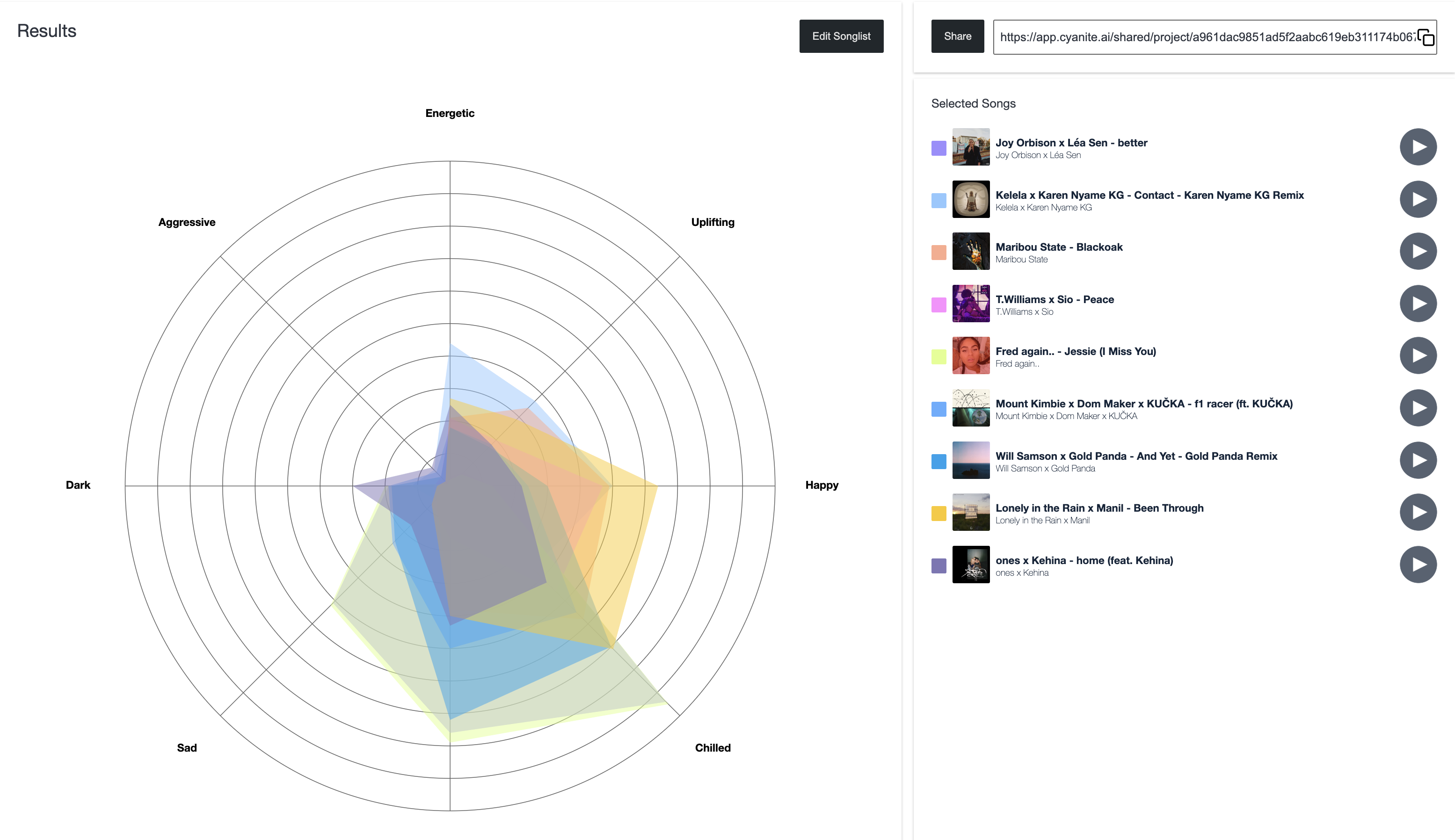
Playlist Mood Analysis Cyanite

An example of mood track analyses from the “4am” playlist on Spotify.

Similarity Search: Keeping up with pitching and sync

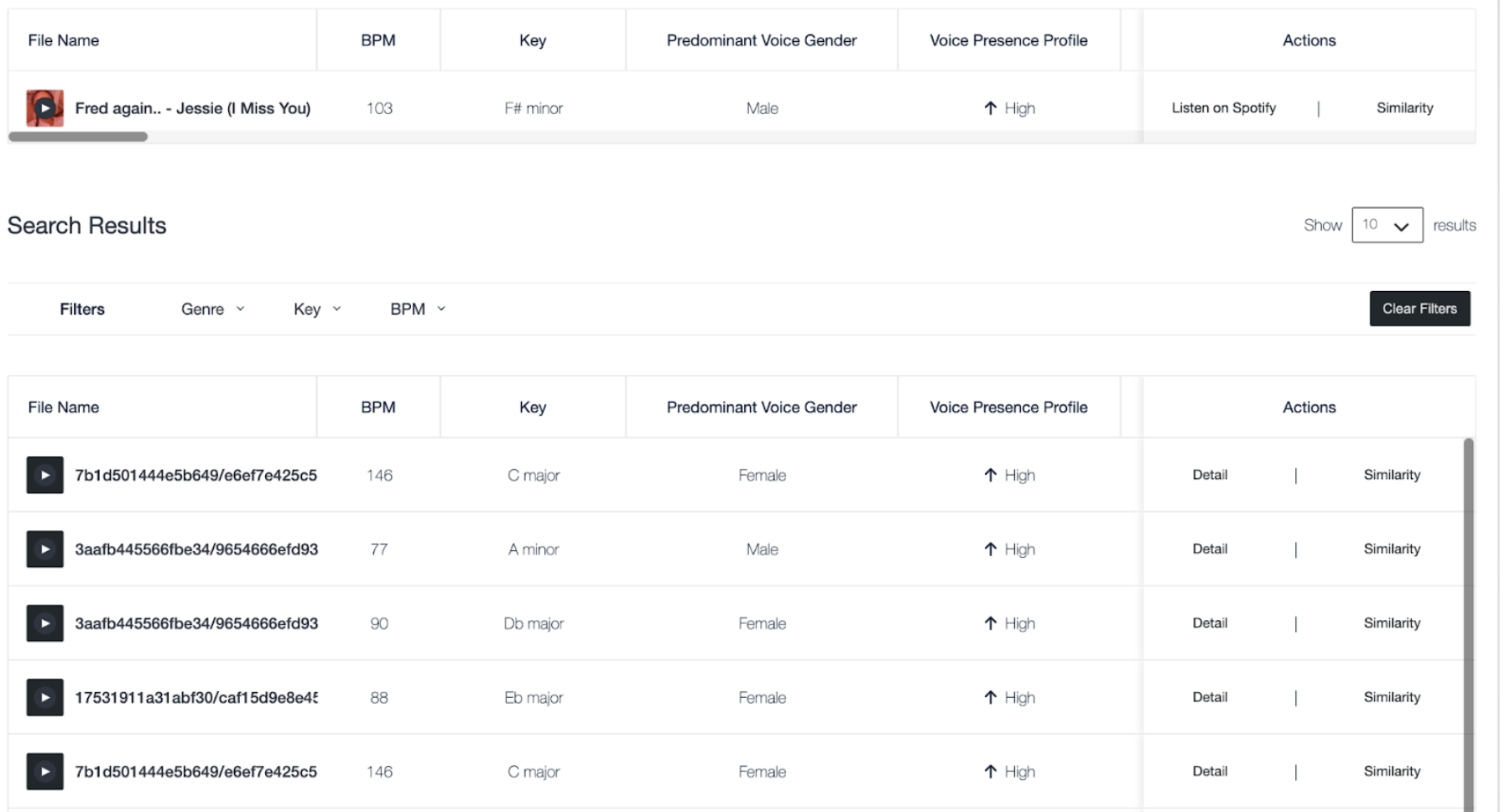
Julia: For specialized briefs like Tiesto’s, it’s essential to precisely align with the artist’s unique style for an impactful collaboration. Timely responses to briefs increase the chances of songs being heard. Speed and precision in pitching are important, especially when the brief includes specific requirements, like “uplifting,” “euphoric melodies,” or “female.”  We often use Cyanite’s Similarity-Search function for a quick pre-selection of songs for answering a brief. This method not only enhances our time management but also ensures cost-effectiveness for our clients.

A similarity search example with a Spotify reference showing similar library results.

Finding TikTok snippets with Cyanite

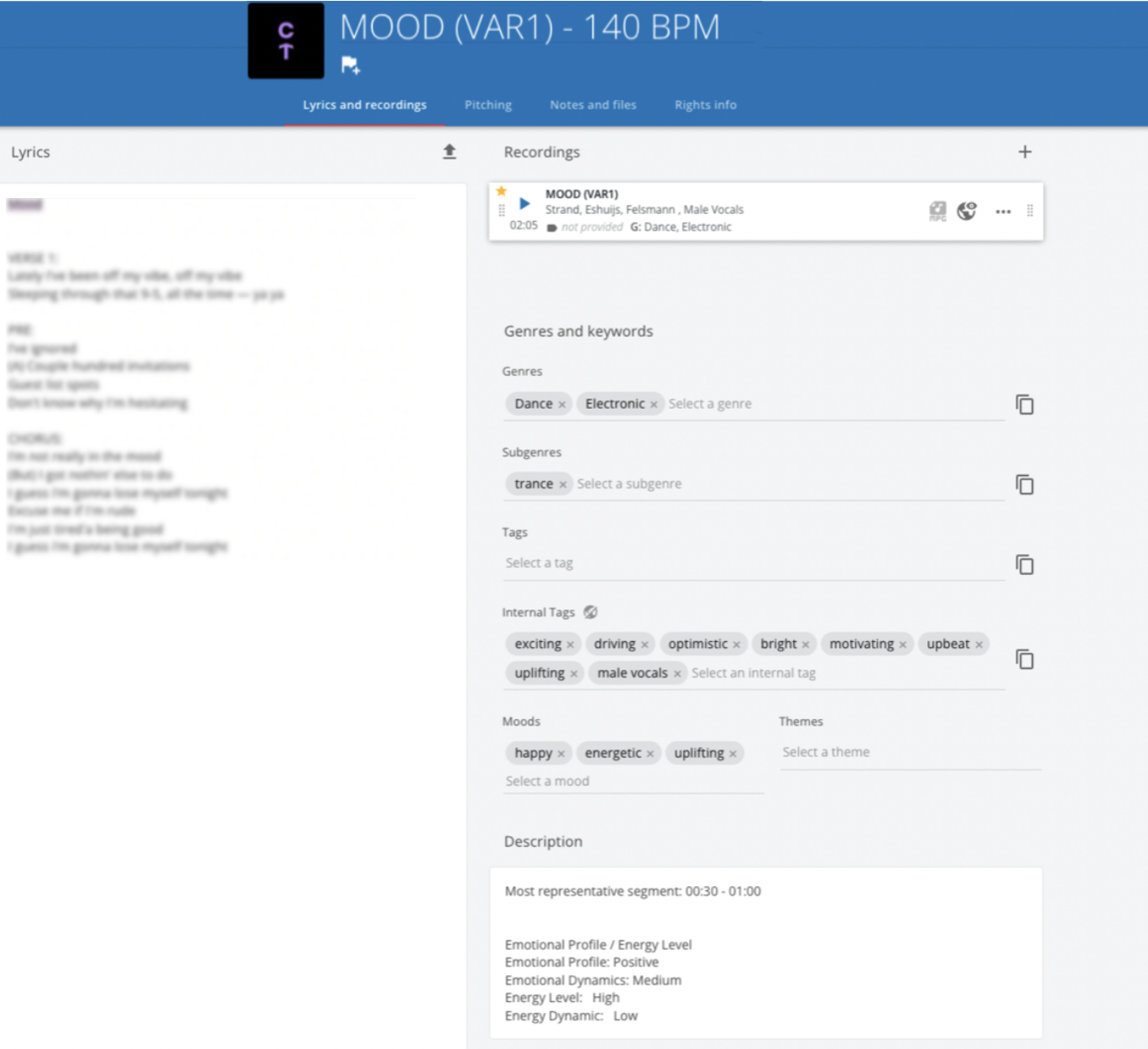
Simon: One area where Cyanite has made our lives easier is product management, especially when creating snippets for TikTok and social media platforms. We frequently discuss this aspect in our distribution talks to request social media-related content, and it has proven highly effective in helping us choose the right snippets.  This approach has enhanced the quality of our materials for distribution and song pitches, resulting in increased success rates.  While the 30-second suggestions are usually accepted as is, it ultimately depends on the artist, management, label, or distributor if they want to propose different parts for their campaigns or content ideas.

A screenshot highlighting the 30 seconds Most Representative Segment

Augmented Keywords – A Shortcut To Writing Song Bios

Julia: We actually also use the augmented keywords in combination with other AIs to help us write pitches. In this use case, one AI system generates keywords to describe songs, while another AI takes these keywords and assists in crafting engaging artist bios. This collaborative process simplifies product management and is particularly beneficial for the team. It’s a smart approach that streamlines tasks and enhances the quality of their work in the music industry. Tip: For a more detailed guide on this you can also check out How to Write a Song Bio for DSPs with Cyanite+ChatGPT

Cyanite: How long did it take to properly start working with Cyanite? 

Julia: It was really easy, and we adopted Cyanite early in our workflow. Simon’s choice to integrate Cyanite into our pitching process was a significant step.  We set up a straightforward process that starts with uploading songs and automatically tagging them before moving the data over to Songspace. Right now, uploading the songs takes up most of our time. Once we get them cataloged, we put together pitching playlists and send them out to our partners.

Songspace interface including Cyanite tags.

Case Study Wrap-Up

Chromatic Talents is at the forefront of reshaping the music industry through innovation and technology.  In collaboration with us, they have achieved remarkable results.

AI-powered Music Marketing and Pitching: Utilizing Cyanite’s Track-mood analysis for Spotify playlist pitching and placements, along with using the “most representative segment” for TikTok clips. 

Precision in Pitching and Sync-Briefs: Cyanite’s Similarity Search ensures swift pre-filtering of Chromatic Talents’ catalog and enables faster responses to artists & A&R briefs, saving time and costs for clients.

Streamlined Pitching with Augmented Keywords: Augmented keywords, in collaboration with other AI systems, accelerate the writing of song bios, simplifying product management.

Chromatic Talents’ seamless integration of Cyanite into their workflow demonstrates the transformative impact of technology on the music industry. By blending creative expertise with cutting-edge AI, they continue to define the future of music.


Interested in trying out Cyanite for your company? Get in touch with us here, or click the sign-up button below.

How To Prompt: The Guide to Using Cyanite’s Free Text Search

How To Prompt: The Guide to Using Cyanite’s Free Text Search

A New Holistic Music Search

Do you have trouble always translating your vision for music into precise keywords? If so, this guide on how to prompt using Cyanite’s Free Text Search is your answer.

It’s a revolutionary way to search your music catalogue and discover music that allows you to use complete sentences to describe soundscapes, film scenes, daily situations, activities, and environments.

NEW UPDATE: You can now input your search in several languages & use cultural references in your prompts! Find out more below.


The Key to Success: Specificity

Before we dive into the exciting possibilities of Free Text Search, it’s essential to understand that like any other prompt-based search experience, specificity is the key to success.

The more details you provide in your prompts, the better your results will be. Whether you’re a music enthusiast, filmmaker, or content creator, specificity is your friend.


1. Describing Sound

With Free Text Search, you can now add context and even cultural references to your search, making it possible to find the perfect soundtrack for your project and get the most out of your music catalog.

Here are some examples of how to describe sound:

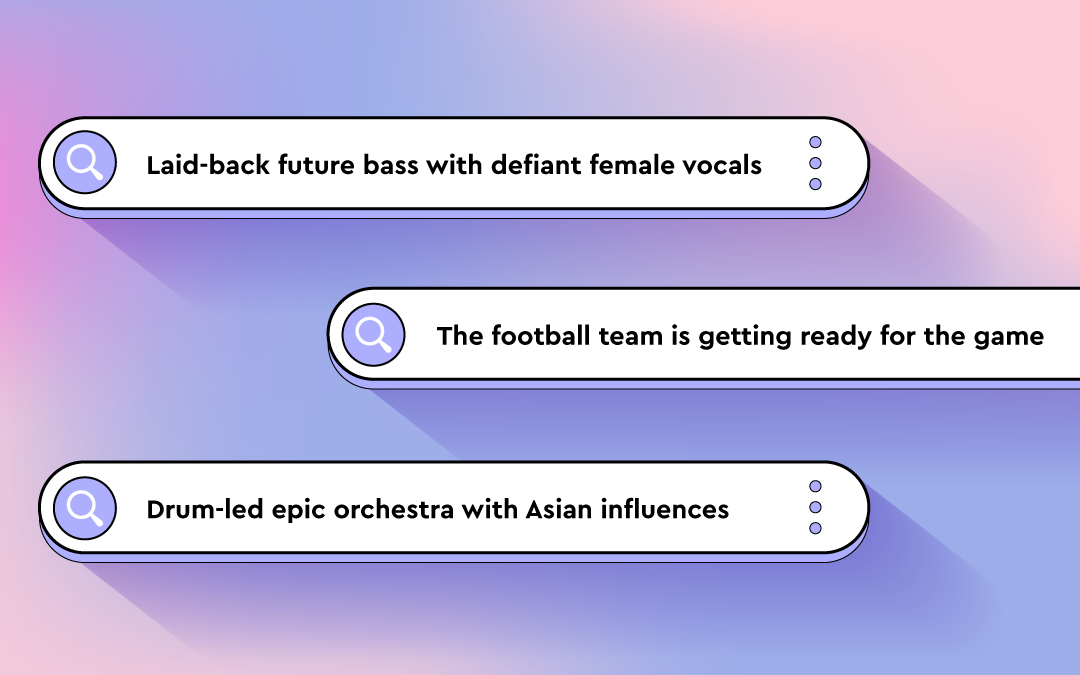
“Trailer with sparse repetitive piano and dramatic drum hits with Star Wars style orchestra themes”

“Laid-back future bass with defiant female vocal”

“Staccato strings with a piano playing only single notes”

“Solo double bass played dramatically with a bow”

These prompts go beyond keywords and provide context, allowing Free Text Search to understand the relationships between words and deliver top results.

Now, even combining words like “laid-back” and “defiant” leads to success. 


An example result for the prompt: “Laid-back future bass with defiant female vocal”.

2. Describing Film Scenes

Film scenes can evoke a wide range of emotions and visuals. When using Free Text Search for this purpose, consider whether your prompt can be objectively interpreted or if it’s your personal interpretation.

With our new update you can reference popular movies like: Pirates of the Caribbean or Stranger Things in your search prompts!

Here are some scene description examples:

“Riding a bike through Paris”

“Thriller score with Stranger Things style Synths “

“Tailing the suspect on a Middle Eastern bazaar”

“The football team is getting ready for the game”

The last example is a good one because it indicates the feeling of getting pumped up but can be interpreted in various ways.

To fine-tune your search, add different words like “orchestral,” “industrial rock,” or “hip-hop” to steer it in the direction you want.

An example result for the prompt: “Riding a bike through Paris”

3. Describing Activities, Situations, and Moods

Free Text Search empowers you to be as specific as your project demands. Whether it’s high-energy gym sessions, road trips, cleaning the house, or silent work and concentration, you can pinpoint the ideal tracks that resonate with your activities and moods.

Here are some examples:

“Latin trap for the gym.”

“Mellow California rock for the road trip.”

“Colorful pop music to listen to while cleaning the house.”

“Soundscapes for silent work and concentration.”

Of course, you can combine all of the above to create the perfect prompt.

Example result for the prompt: Mellow California rock for a road trip”

Wrap-Up: How To Prompt – Your Music Discovery Journey

With Free Text Search, the possibilities are (almost) limitless. This innovative approach allows you to search your music catalog based on detailed descriptions, making it easier to find the perfect soundtrack for any project or mood. 

Whether you’re pitching music for sync, to artists, or labels, looking to underscore a film scene, or setting the mood for an activity, Free Text Search empowers you to explore music in a whole new way.

As you craft your prompts, remember that the more specific and objective you can be, the better your results will be. Use concrete details like instruments, playing styles, and specific scenes or activities. 

You already have the resources in your library. Get more out of it with Cyanite’s Free Text Music Catalogue Search.

Curious? Request a Trial

Try Cyanite’s Free Text Search and discover the perfect soundtrack for your next project. Just send us an email to sales@cyanite.ai or fill out this typeform and we will provide you with a free trial.

Your Cyanite Team.

How to Write a Song Bio for DSPs with Cyanite+ChatGPT

How to Write a Song Bio for DSPs with Cyanite+ChatGPT

A Step-by-step guide: How to write a song bio for DSPs like Spotify, Youtube, Bandcamp, Soundcloud, Tidal, Deezer, and Pond5

In one of our latest blog posts, we showcased the best ways to utilize Cyanite as an artist or producer. With AI on the rise, you won’t be surprised that you can also make use of these tools to write a song bio.

Cyanite + ChatGPT: How to elevate your pitches for various DSPs.

Distributors and DSPs want to know as much as they can about your song to ensure they can place it in the right playlists and target the right audience – and we all know how challenging it can be to find the right words to describe our own music. Writing a good song bio is crucial to get playlisted on DSPs.

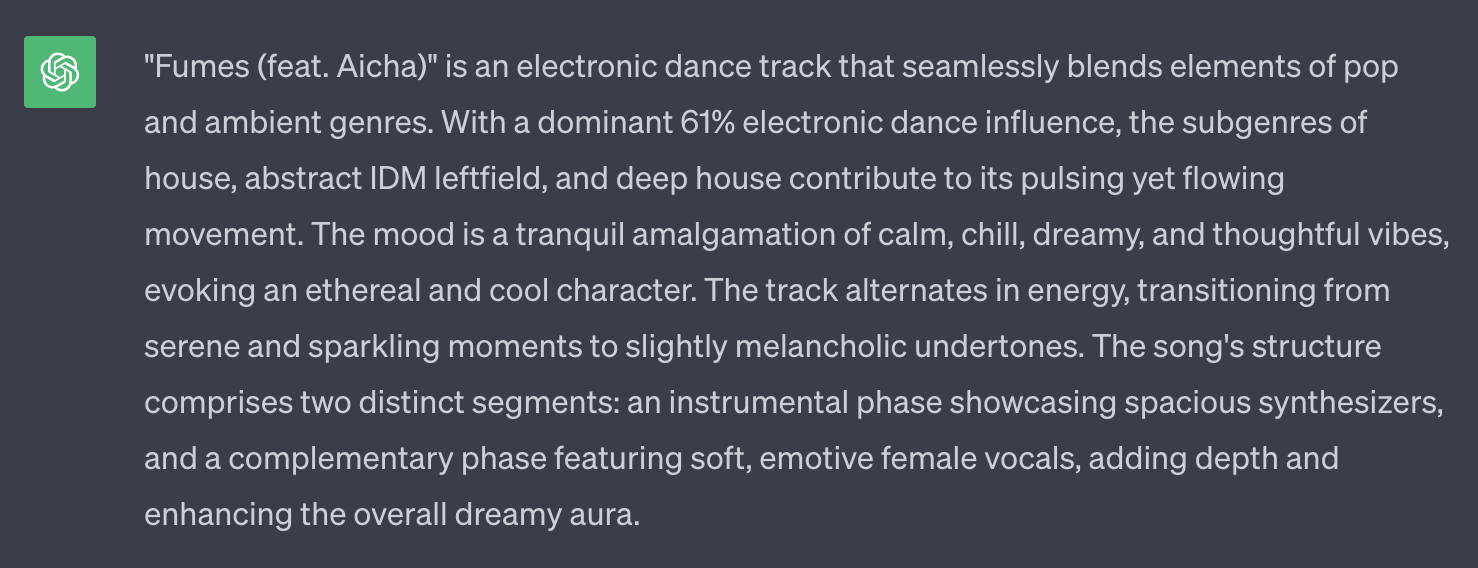
When uploading my songs to Pond5, this process used to take me around 2 hours per track and now it is just 20 minutes with Cyanite + ChatGPT.

Guillermo Pareja, Cyanite User

We are going to give you a step-by-step guide on how to streamline this process.

1. The Power of AI Tagging – Log into your Cyanite Account

First things first: If you don’t have an account yet, sign up here. Cyanite provides a ton of metadata for your song, and for up to 5 songs per month, it’s free. Need more? We’ve got you covered. Just upgrade to a subscription for an additional 15 monthly analyses, or get some extra one-time credits.

2. Upload your song to Cyanite

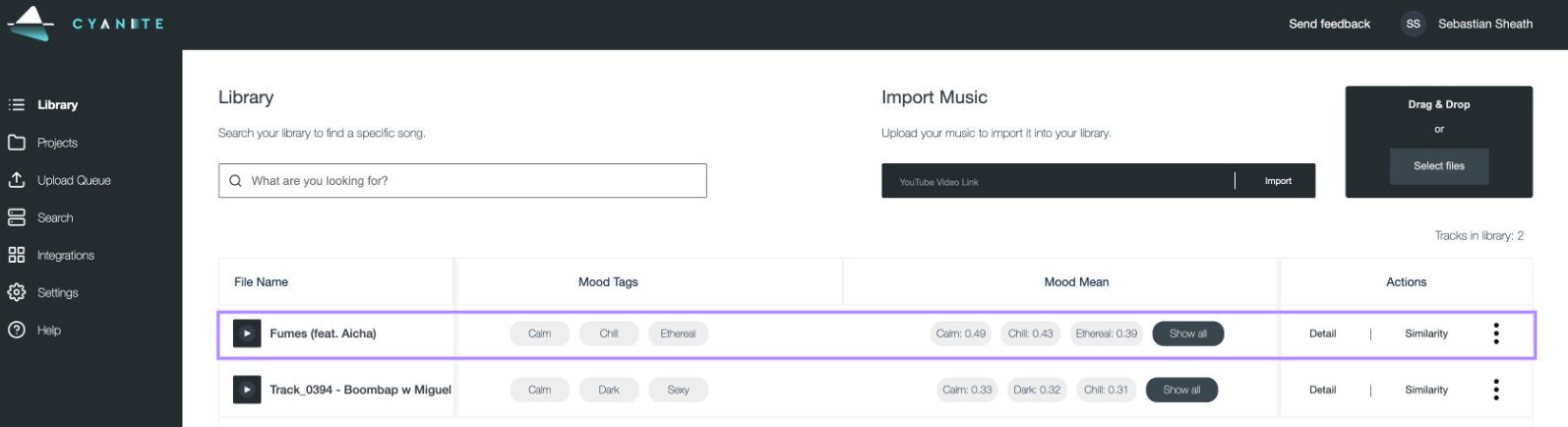
Head to “Library” and upload the song you want to use. For this use case, we need the genre, advanced moods, character, and movement tags.

To get the best results, choose the right tags from each “mean” section, offering you a percentage of every tag. Leave out the ones that you might not agree with personally, but be careful not to be too subjective!

For even better results: use Cyanite’s Augmented Keywords and AI Descriptions to enhance your prompt in the next step – only available for subscription users

3. The Almighty Chat GPT

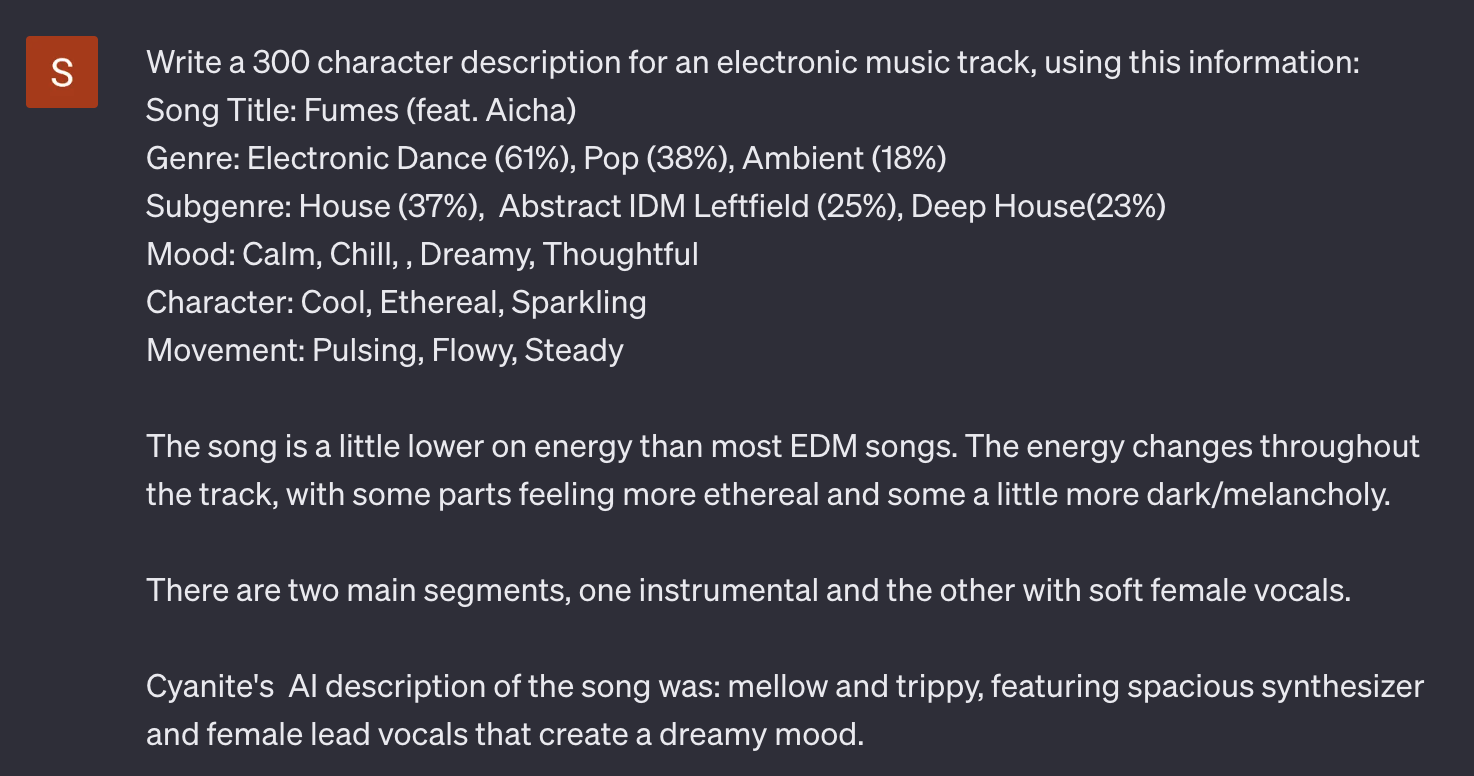
For the next step, you need to log into your ChatGPT account and start writing your prompt. Be as specific as possible about the platform you want to use the description and keywords for.

Let ChatGPT know what you are looking for – this could be anything from whole text descriptions or keywords to a brand new song title.

Then copy the genre, character, mood, and movement tags and paste them into the chatbot. 

For a better result, add Cyanites AI Description to the prompt.

4. Pimp Up Your Prompt

You might have already found what you’re looking for. But there’s potentially more. Just like with copying homework, you want to be careful not to have the same results as everyone else on Spotify.

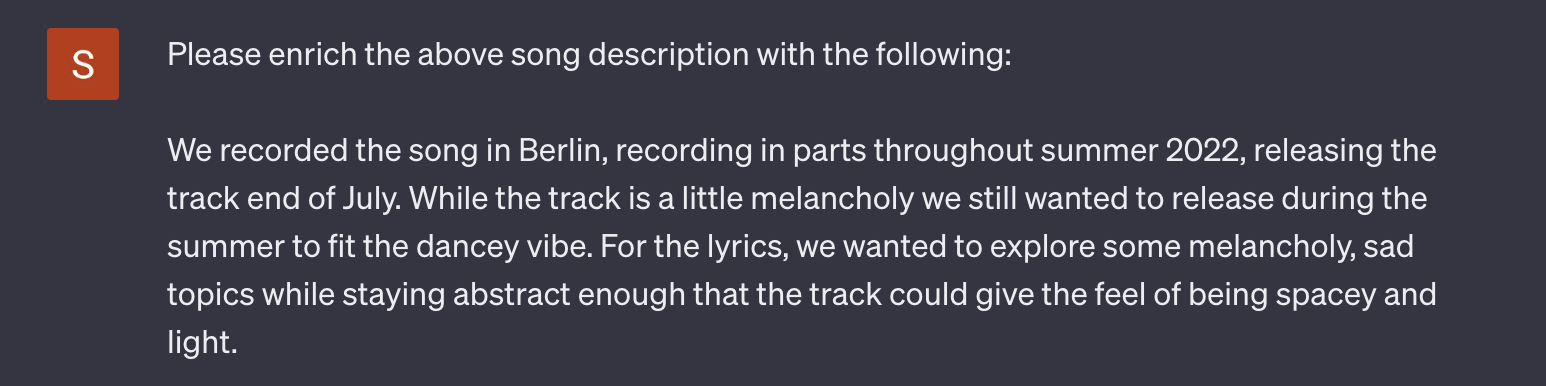
Try to enrich your ChatGPT prompt with personal details. This could range from anything like musical inspirations to the place where it’s been recorded. 

Pretty much anything you can think of.

5. Refine your Results

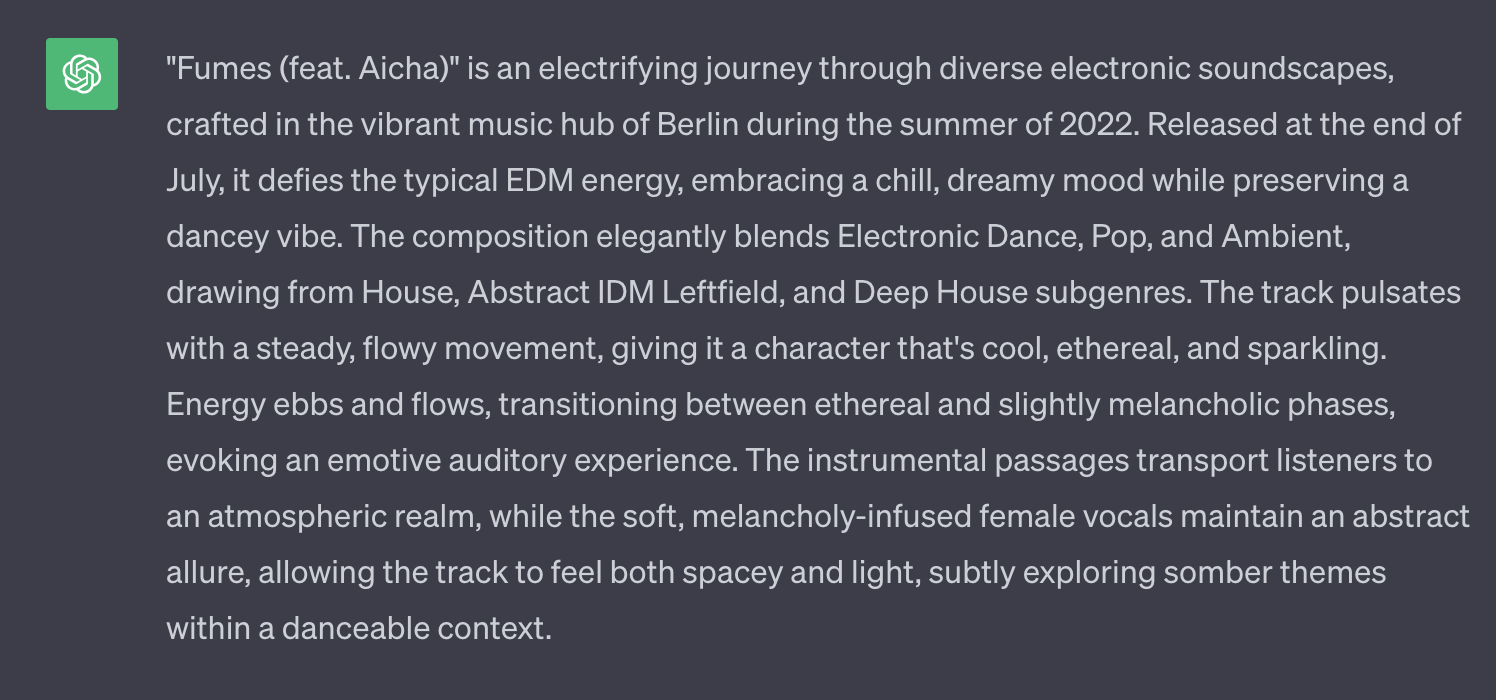
When writing your song bio, there’s no magical solution for everything, so in each case, this can be a source of inspiration rather than a finished text description or song title.

So it’s best to rewrite the text in your own words.

In any case, you’ve surely obtained results that will help you distribute your track on a variety of platforms.

Curious how the song we used sounds?

In case you discover further interesting use-cases for Cyanite, feel free to reach out to us here.

A big thank you to Guillermo Pareja for supporting us on this post. He got in touch with us to let us know about this use case and how benificial it has been to him.

Your Cyanite Team.

4 Best Ways to Use Cyanite for Artists, Producers, and DJs

4 Best Ways to Use Cyanite for Artists, Producers, and DJs

For all Late Bloomers – What is Cyanite?

Cyanite is no newcomer to the music industry. Launched in 2019, its industry-leading AI has brought a user traffic of over 40,000 users to the web app. It helps creatives and artists get the most out of their music by extracting powerful metadata, from moods to whole audio descriptions, making Cyanite an indispensable tool for musicians. We at Cyanite are proud to collaborate with industry majors like BMG, MySphera, and Pond5.

Let’s take a closer look at how artists, producers, and DJs can make the most out of the data hiding behind the audio by exploring the best use cases.

Cyanite’s Auto Tagging has been a life saver as I’ve been submitting my music to Spotify playlists and music sync libraries. It has helped me get placed and get my music massive momentum on Spotify.

Garrett Lodge, Cyanite User

1.  What Genre is my Music? – Playlist Pitching

With Spotify offering thousands of genres to choose from, defining your song’s genre(s) has become a challenging task. However, selecting the right genres is crucial, especially for newcomers to the industry, as it significantly impacts your track’s discoverability.

Thanks to DAW’s like Logic Pro X and Ableton, creating music is easier than ever before. But this also means the competition is bigger than ever.
In order to break through the mass of thousands of songs that get uploaded daily, providing metadata for your tracks is crucial.

We’ve trained our AI with datasets of thousands of songs and matching descriptions, to help it understand music and genres possibly even better than you do. Curious about how to use this for your music?

Check out this blog post: “How to Create a Spotify Pitch That Works? – Playlist Pitching Guide with Examples and Tips – Cyanite.ai”.

Or, check out this step-by-step video guide by Indie Music Producer below.

2.  Self-Promote Your Music: Create Custom Audiences

In the music industry, 40 years ago, you needed a record deal to get your music heard. Fast forward to 2023, and you have powerful marketing tools at your fingertips, such as Instagram, TikTok, and Google Ads. To maximize the effectiveness of your advertising, it’s essential to narrow down your audience as much as possible. Metal Heads are unlikely to click on an ad for your new Hyper-Pop song – or are they?

If you have your song ready for release and struggle to find the perfect match with another artist’s project, let me introduce you to Cyanite’s Similarity Search. Curious? We’ve dedicated an entire blog entry to elucidate the process: How to Create Custom Audiences for Pre-Release Music Campaigns in Facebook, Instagram, and Google – Cyanite.ai.

Illustration of an interface showing a list of similar songs to a reference track

3.  Write Press Releases with Cyanite

While promoting your tracks on Instagram and other social media platforms is an excellent starting point, music marketing is quite similar to receiving presents on Christmas – the more, the merrier.
Crafting a press release and submitting it to blogs or platforms like SubmitHub is an effective way to get more attention for your music.

Although producing your music feels natural, describing the finished product from an external perspective can be challenging. By utilizing Cyanite’s Auto-Tagging and Mood Detection algorithms, you can bypass the arduous task of finding the right words. Learn more in our blog post: “How to Write Press Releases and Music Pitches with Cyanite”.


4.  Crafting the Perfect Playlist for Every Occasion

If you’re a DJ or playlist curator, you’re undoubtedly aware of the significant time investment required to create the perfect play- or setlists. However, with Cyanite’s Similarity Search, you can drastically streamline this process. Pair it with the harmonic mixing tool, Camelot Wheel, and you’ll achieve smoother transitions than ever before. Discover our comprehensive guide on optimizing your playlists and DJ sets on our website: “How to Use Cyanite to Optimize Your Playlists and DJ Sets for Harmonic Mixing and Similarity”.

Sign Up for Free – Get Started!

Interested in trying out any of our examples for yourself?
Simply sign up here or delve deeper into Cyanite’s offerings on our newly redesigned website, Cyanite.ai, or explore our latest updates on our blogs for the latest news.

And as always, if you have questions, just send an email to support@cyanite.ai.

Your Cyanite Team.