How To Prompt: The Guide to Using Cyanite’s Free Text Search

How To Prompt: The Guide to Using Cyanite’s Free Text Search

Ready to search your catalog in natural language? Try Free Text Search.

Do you have trouble translating your vision for music into precise keywords? If so, this guide on how to prompt using Cyanite’s Free Text Search is for you.

It’s a more natural way to search your music catalog and discover tracks. You can use complete sentences to describe soundscapes, film scenes, daily situations, activities, or environments. Prompts can be written in different languages and can include cultural references, so you’re not forced to reduce your idea to a fixed set of tags.

Before you explore what Free Text Search can do, keep in mind that prompt-based search works best when your input is specific. The clearer you are, the easier it is to find what you’re looking for. 

Read more: What is music prompt search?

Why music catalogs struggle with discovery

Most large catalogs contain inconsistent metadata. Many were built before modern tagging standards, then expanded over time through different workflows. New music arrives faster than metadata teams can standardize it, especially with the volume from UGC and AI-generated releases, while older tracks remain described in ways that don’t always support how music is searched for today.

Traditional search relies on tags and keyword logic. This approach can be effective for many searches, but it has limits when ideas are already highly specific, like with a detailed creative brief or a particular scene description. Translating concrete, nuanced needs into tags often loses critical details and context.

That’s where natural language search makes a difference. Instead of defining a specific vision in terms of available tags, you can describe what you need directly or even paste a brief into the search bar. The system interprets intent, mood, and context in ways that complement tag-based discovery.

This helps sync and licensing teams work faster with detailed requests, and gives catalog teams another tool to surface relevant music, especially from underused parts of the catalog.

Read more: How to use AI music search for your music catalog

How Free Text Search amplifies music discovery

Free Text Search lets you look for music in the way you would naturally describe it. Write detailed prompts in full sentences, and Cyanite’s AI interprets the meaning behind your words to match intent with how tracks actually sound in your catalog.

This type of search is designed for situations where intent doesn’t translate cleanly into keywords. Tag-based searches work well when attributes are fixed and clearly defined, and Similarity Search is useful when you already have a reference track and want to find music that sounds close to it. Teams often get good results when they search in their own words first, then move into other search modes to refine the selection.

How to use Free Text Search effectively

In real-life workflows, searches rarely begin from the same place. Sometimes you’ll start with sound, sometimes with a scene, and sometimes with context. 

Not every idea can be reduced to tags or tied to a specific track. Choosing music is a creative process, so the way people search is often creative too. Free Text Search meets users where they are, allowing them to describe intent in natural language and shape discovery around how they think. 

1. Describing sound

With Free Text Search, you can add context and even cultural references to your search, making it possible to find the perfect soundtrack for your project and get the most out of your music catalog. 

This approach is commonly used when responding to sync briefs that describe musical detail and tone.

Sound-focused prompts should name what musical elements are present, then add how those elements are played or arranged. An extra cue about character or attitude can be included when it helps clarify intent.

[Instruments or sound sources] + [how they are played or arranged] + [optional: character or stylistic cue]

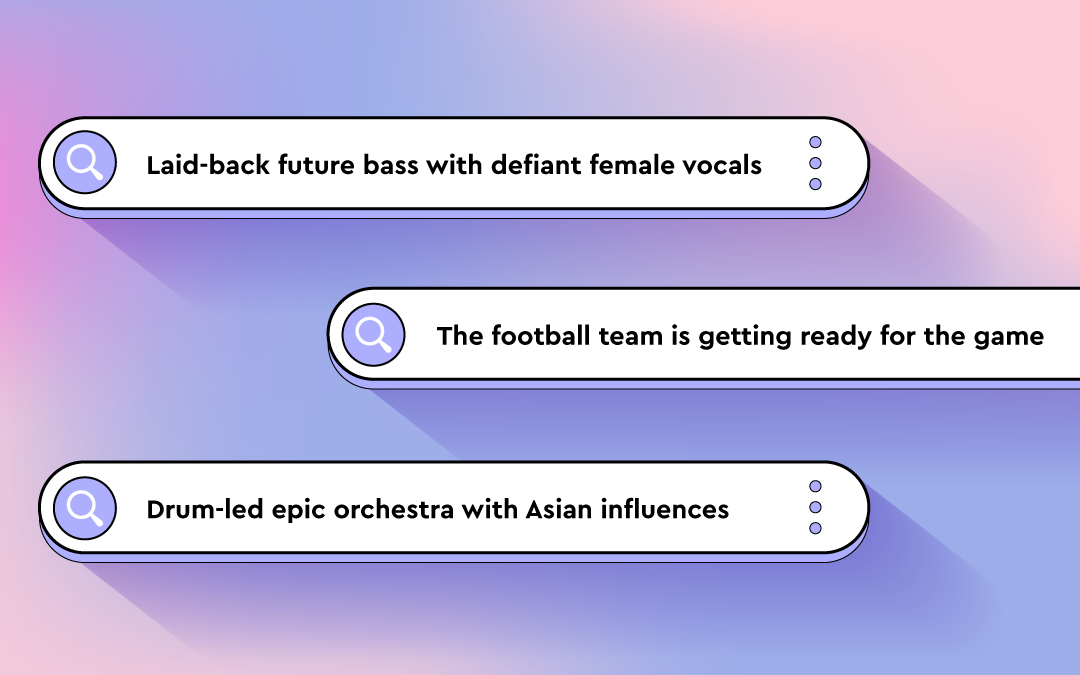
  • “Trailer with sparse repetitive piano and dramatic drum hits with Star-Wars-style orchestra themes”
  • “Laid-back future bass with defiant female vocal”
  • “Staccato strings with a piano playing only single notes”
  • “Solo double bass played dramatically with a bow”
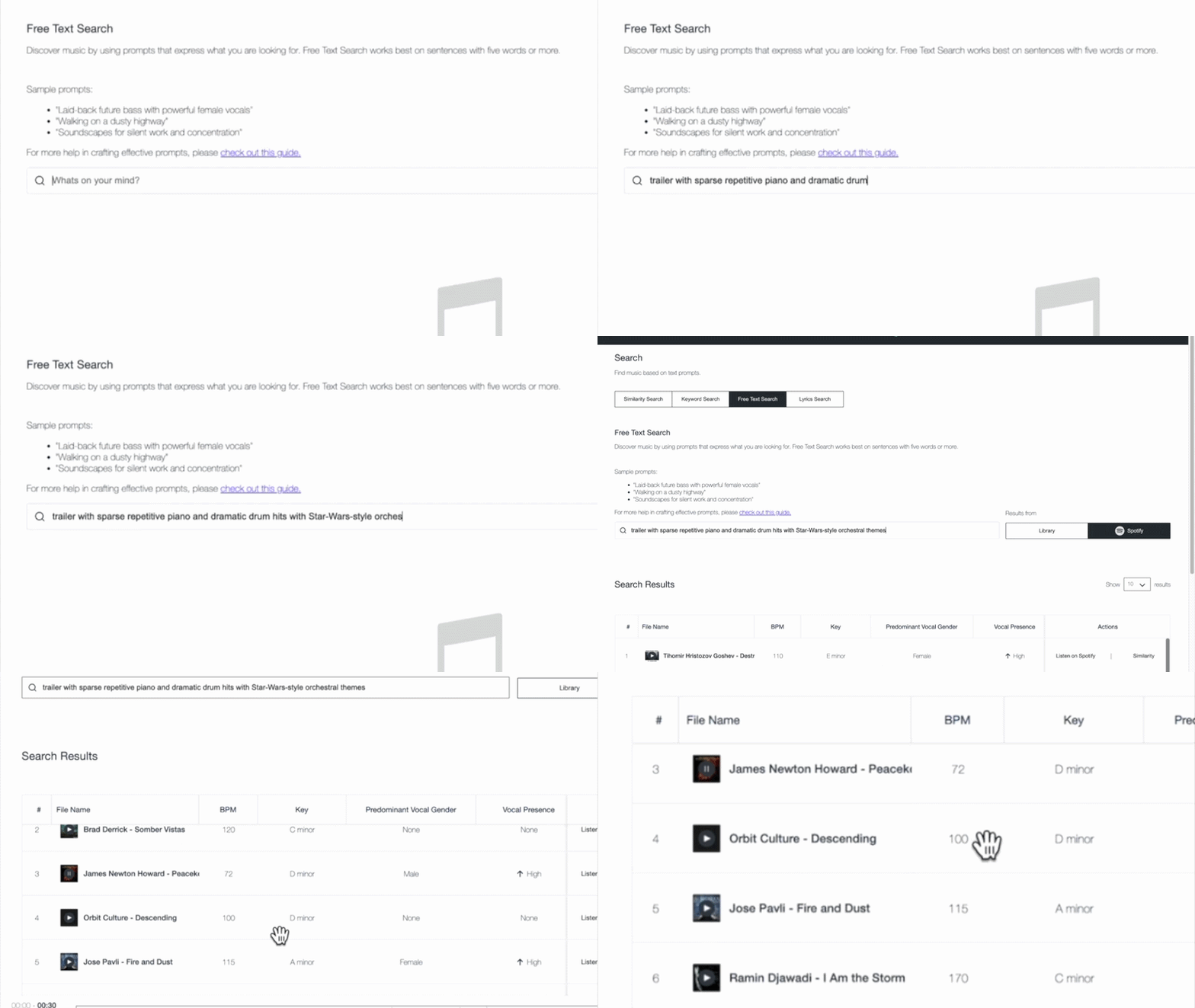
These prompts work because they are specific, but not rigid. That level of detail helps surface relevant tracks faster and reduces reliance on perfectly maintained tags, which is especially valuable in large or uneven catalogs.

Common mistakes to avoid

  • Staying too abstract: Words like “cinematic” or “emotional” on their own don’t give enough information to form a clear sound.
  • Listing elements without context: Naming instruments or genres without describing how they are played or arranged often leads to broad results.
  • Overloading the prompt: Packing too many ideas into one sentence can blur intent and pull results in different directions.
  • Writing like a tag list: Free Text Search works best when the prompt reads like a description, not a stack of keywords.

Read more: AI search tool for music publishing: best 3 ways

2. Describing film scenes

Film scenes can evoke a wide range of emotions and visuals. When using Free Text Search for this purpose, consider whether your prompt captures objective elements of the scene or your own interpretation of it.

Publishers often use scene-based prompts to explore deeper parts of their catalog and surface music suited to narrative use cases beyond obvious genre labels.

You can reference popular movies or shows like Pirates of the Caribbean or Stranger Things in your search prompts.

It helps to think like a director. Focus on the action or moment in the scene and what the viewer is experiencing. The clearer the image you describe, the easier it is for the search to interpret what kind of music belongs there, without needing a list of musical traits.

[Action or moment] + [optional: setting or situation] + [optional: stylistic cue]

  • “Riding a bike through Paris”
  • “Thriller score with Stranger-Things-style synths “
  • “Tailing the suspect through a Middle Eastern bazaar”
  • “The football team is getting ready for the game”

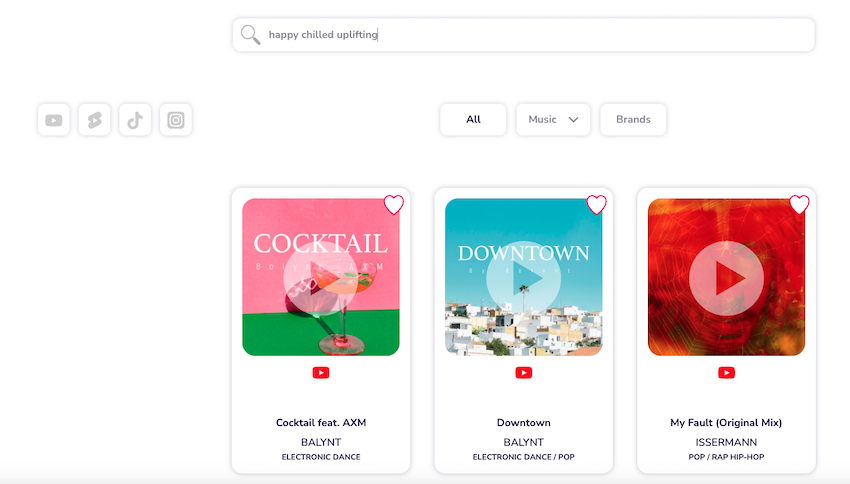
An example result for the prompt: “Riding a bike through Paris”

These prompts work because they describe a cinematic moment rather than a list of musical characteristics. A scene like “riding a bike through Paris” suggests a certain musical style and progression, which helps frame how the music should unfold. That context gives Free Text Search a clearer sense of what the track needs to communicate.

To fine-tune your search, add different keywords, like “orchestral,” “industrial rock,” or “hip-hop,” to steer it in the direction you want.

Common mistakes to avoid

  • Writing scenes that only make sense to you personally: Prompts should be interpretable without extra explanation.
  • Dropping the visual context: Turning a scene into a genre description removes what makes this approach effective.
  • Using obscure references: If the reference is not widely known, it may not clarify the scene.

3. Describing activities, situations, and moods

Free Text Search empowers you to be as specific as your project demands. You can describe when and where music will be heard, and what it should communicate. Combining activity, situation, and mood helps direct discovery toward abstract or niche ideas that don’t translate cleanly into tags, making it easier to surface music that fits its intended use.

When writing the prompts, focus on how the music will be used and what it needs to communicate in that situation. Providing clear usage context helps the search narrow results without requiring detailed musical instruction.

[Style or sound] + [intended use or context] + [optional: tone or functional role]

  • “Latin trap for fitness streaming catalog”
  • “Mellow California rock for sports highlight content”
  • “Colorful pop music for lifestyle brand campaign”
  • “Subtle ambient textures for background use”

Example result for the prompt: Mellow California rock for a road trip”

Common mistakes to avoid

  • Leaving out the use case: Mood alone often leads to broad results without direction.
  • Mixing conflicting contexts: Background use and high-impact language can work against each other.
  • Lack of clarity: When the prompt doesn’t include enough context, results stay generic.

Free Text Search is available in the Cyanite web app. You can test prompts, explore results, and refine searches in minutes.

Using prompts to improve discovery

With Free Text Search, you can explore your music catalog using detailed descriptions. This lets you search based on how music is described in real projects, making it easier to find tracks that fit a specific brief, scene, or use case.

Whether you’re pitching music for sync, artists, or labels, looking to underscore a film scene, or setting the mood for an activity, Free Text Search empowers you to explore music in a whole new way.

As you craft your prompts, try to be specific and objective, as this will return better results. Use concrete details like instruments, playing styles, and specific scenes or activities. 

You already have the resources in your catalog. Free Text Search helps you access them more effectively.

How to Write a Song Bio for DSPs with Cyanite+ChatGPT

How to Write a Song Bio for DSPs with Cyanite+ChatGPT

A Step-by-step guide: How to write a song bio for DSPs like Spotify, Youtube, Bandcamp, Soundcloud, Tidal, Deezer, and Pond5

In one of our latest blog posts, we showcased the best ways to utilize Cyanite as an artist or producer. With AI on the rise, you won’t be surprised that you can also make use of these tools to write a song bio.

Cyanite + ChatGPT: How to elevate your pitches for various DSPs.

Distributors and DSPs want to know as much as they can about your song to ensure they can place it in the right playlists and target the right audience – and we all know how challenging it can be to find the right words to describe our own music. Writing a good song bio is crucial to get playlisted on DSPs.

When uploading my songs to Pond5, this process used to take me around 2 hours per track and now it is just 20 minutes with Cyanite + ChatGPT.

Guillermo Pareja, Cyanite User

We are going to give you a step-by-step guide on how to streamline this process.

1. The Power of AI Tagging – Log into your Cyanite Account

First things first: If you don’t have an account yet, sign up here. Cyanite provides a ton of metadata for your song, and for up to 5 songs per month, it’s free. Need more? We’ve got you covered. Just upgrade to a subscription for an additional 15 monthly analyses, or get some extra one-time credits.

2. Upload your song to Cyanite

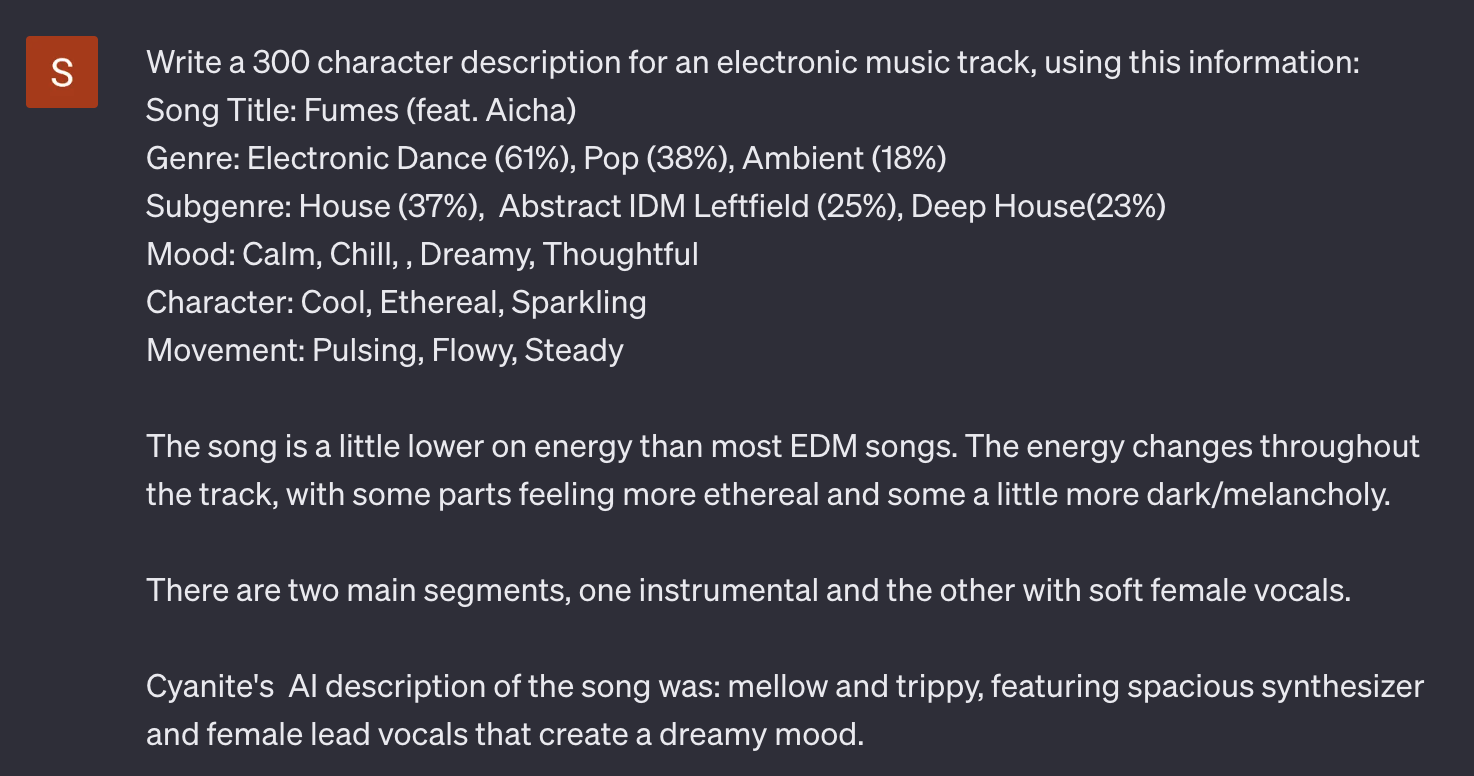
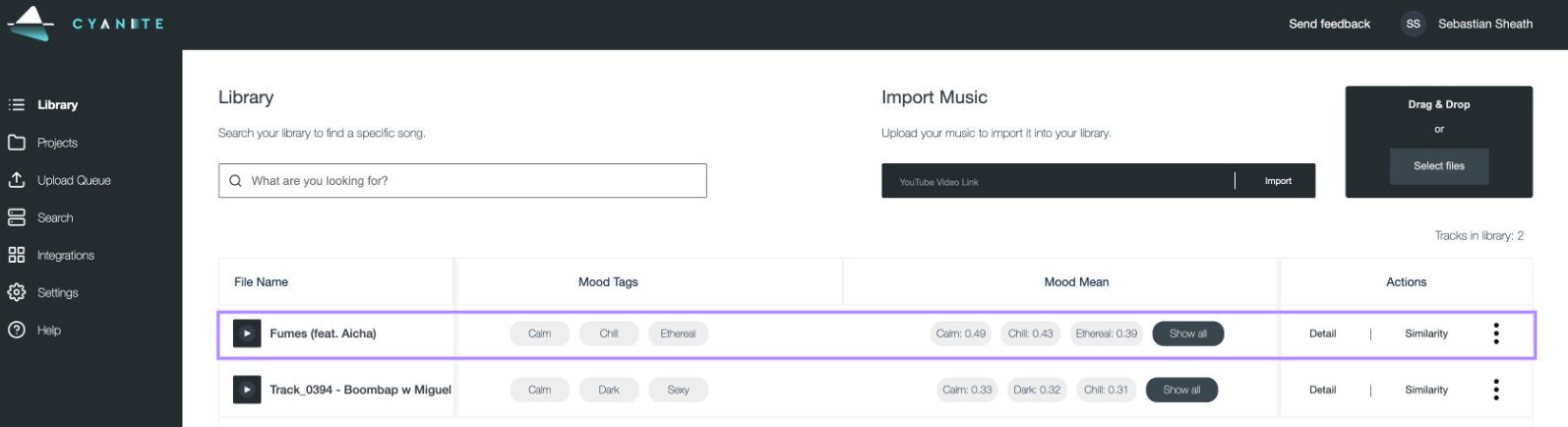
Head to “Library” and upload the song you want to use. For this use case, we need the genre, advanced moods, character, and movement tags.

To get the best results, choose the right tags from each “mean” section, offering you a percentage of every tag. Leave out the ones that you might not agree with personally, but be careful not to be too subjective!

For even better results: use Cyanite’s Augmented Keywords and AI Descriptions to enhance your prompt in the next step – only available for subscription users

3. The Almighty Chat GPT

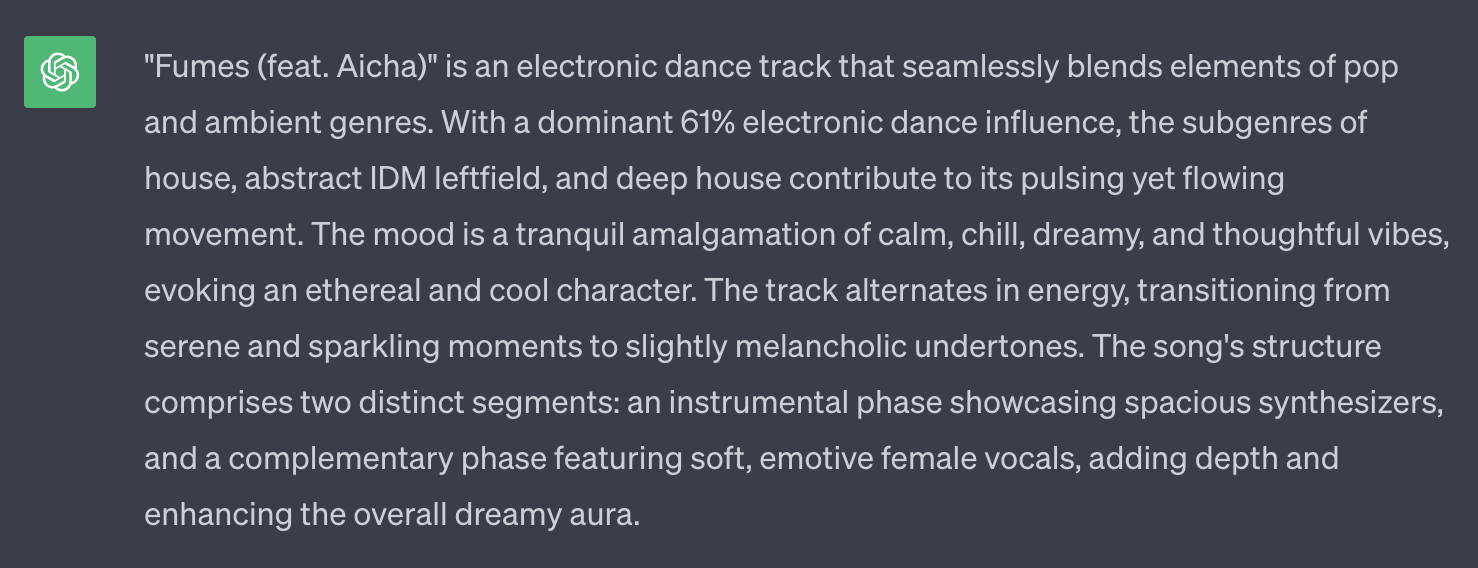
For the next step, you need to log into your ChatGPT account and start writing your prompt. Be as specific as possible about the platform you want to use the description and keywords for.

Let ChatGPT know what you are looking for – this could be anything from whole text descriptions or keywords to a brand new song title.

Then copy the genre, character, mood, and movement tags and paste them into the chatbot. 

For a better result, add Cyanites AI Description to the prompt.

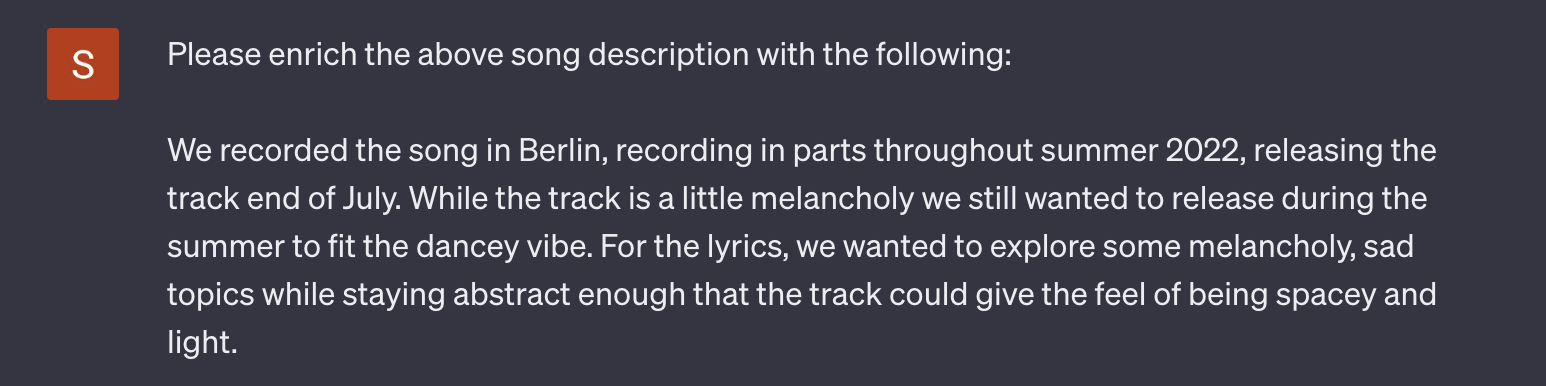
4. Pimp Up Your Prompt

You might have already found what you’re looking for. But there’s potentially more. Just like with copying homework, you want to be careful not to have the same results as everyone else on Spotify.

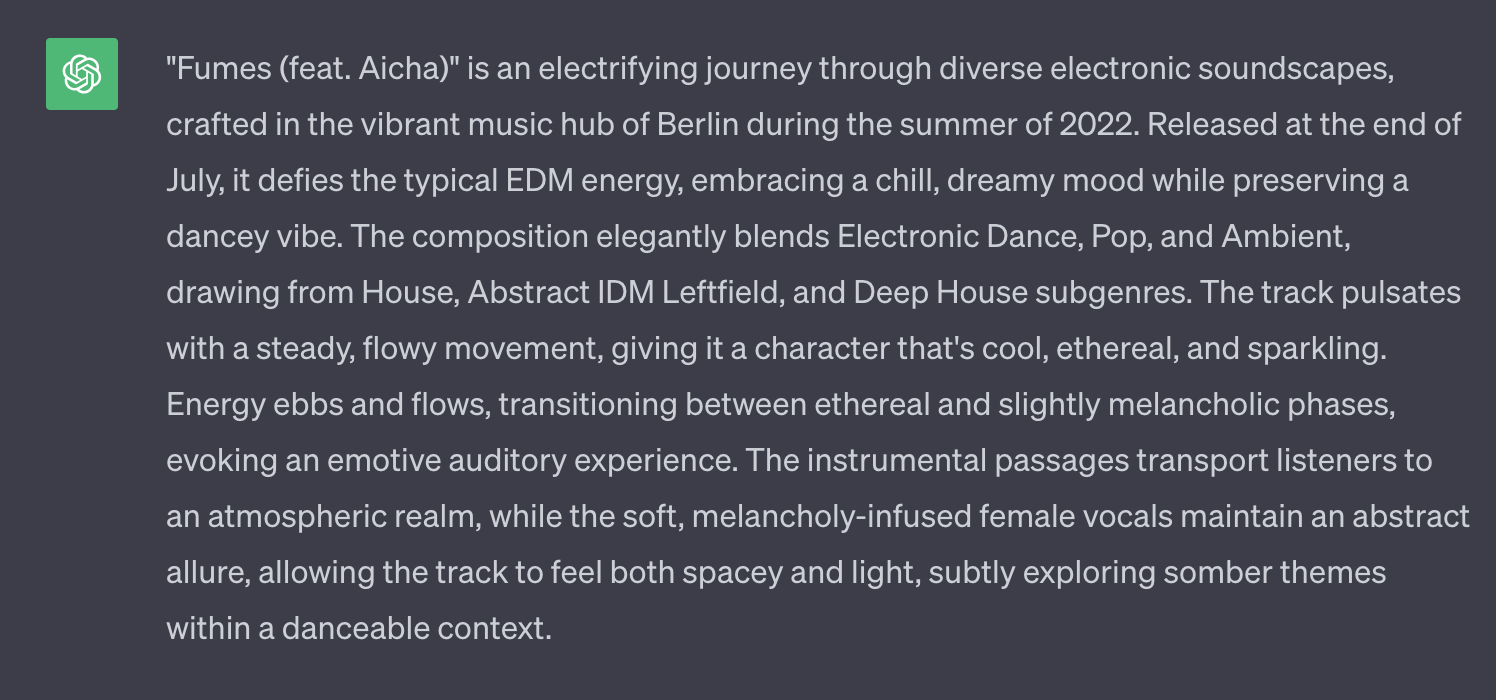
Try to enrich your ChatGPT prompt with personal details. This could range from anything like musical inspirations to the place where it’s been recorded. 

Pretty much anything you can think of.

5. Refine your Results

When writing your song bio, there’s no magical solution for everything, so in each case, this can be a source of inspiration rather than a finished text description or song title.

So it’s best to rewrite the text in your own words.

In any case, you’ve surely obtained results that will help you distribute your track on a variety of platforms.

Curious how the song we used sounds?

In case you discover further interesting use-cases for Cyanite, feel free to reach out to us here.

A big thank you to Guillermo Pareja for supporting us on this post. He got in touch with us to let us know about this use case and how benificial it has been to him.

Your Cyanite Team.

4 Best Ways to Use Cyanite for Artists, Producers, and DJs

4 Best Ways to Use Cyanite for Artists, Producers, and DJs

For all Late Bloomers – What is Cyanite?

Cyanite is no newcomer to the music industry. Launched in 2019, its industry-leading AI has brought a user traffic of over 40,000 users to the web app. It helps creatives and artists get the most out of their music by extracting powerful metadata, from moods to whole audio descriptions, making Cyanite an indispensable tool for musicians. We at Cyanite are proud to collaborate with industry majors like BMG, MySphera, and Pond5.

Let’s take a closer look at how artists, producers, and DJs can make the most out of the data hiding behind the audio by exploring the best use cases.

Cyanite’s Auto Tagging has been a life saver as I’ve been submitting my music to Spotify playlists and music sync libraries. It has helped me get placed and get my music massive momentum on Spotify.

Garrett Lodge, Cyanite User

1.  What Genre is my Music? – Playlist Pitching

With Spotify offering thousands of genres to choose from, defining your song’s genre(s) has become a challenging task. However, selecting the right genres is crucial, especially for newcomers to the industry, as it significantly impacts your track’s discoverability.

Thanks to DAW’s like Logic Pro X and Ableton, creating music is easier than ever before. But this also means the competition is bigger than ever.
In order to break through the mass of thousands of songs that get uploaded daily, providing metadata for your tracks is crucial.

We’ve trained our AI with datasets of thousands of songs and matching descriptions, to help it understand music and genres possibly even better than you do. Curious about how to use this for your music?

Check out this blog post: “How to Create a Spotify Pitch That Works? – Playlist Pitching Guide with Examples and Tips – Cyanite.ai”.

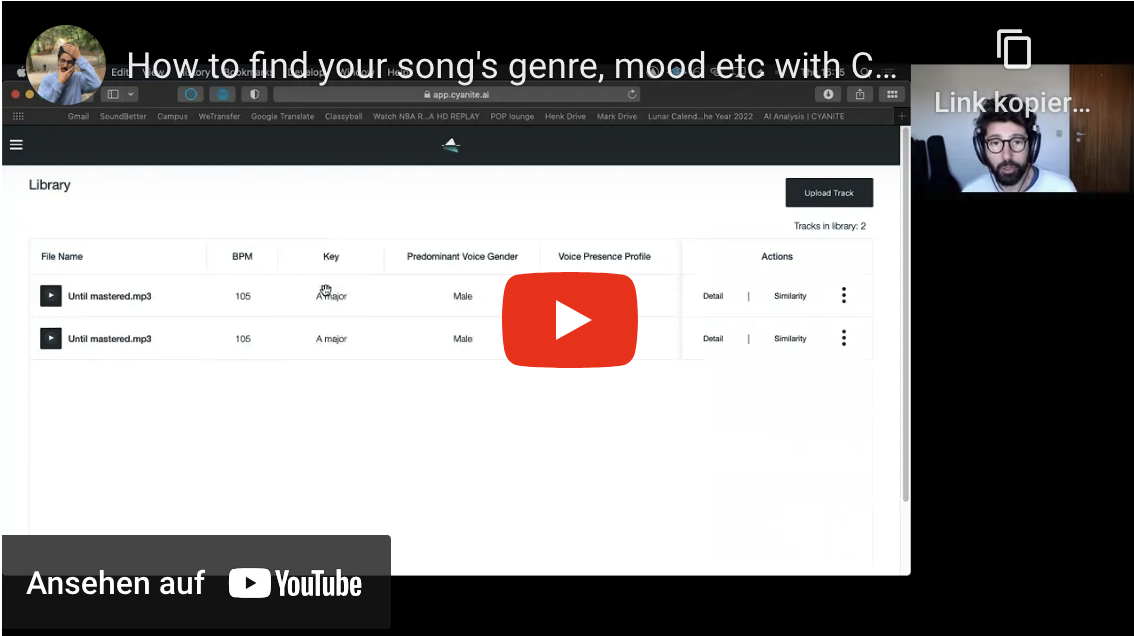
Or, check out this step-by-step video guide by Indie Music Producer below.

2.  Self-Promote Your Music: Create Custom Audiences

In the music industry, 40 years ago, you needed a record deal to get your music heard. Fast forward to 2023, and you have powerful marketing tools at your fingertips, such as Instagram, TikTok, and Google Ads. To maximize the effectiveness of your advertising, it’s essential to narrow down your audience as much as possible. Metal Heads are unlikely to click on an ad for your new Hyper-Pop song – or are they?

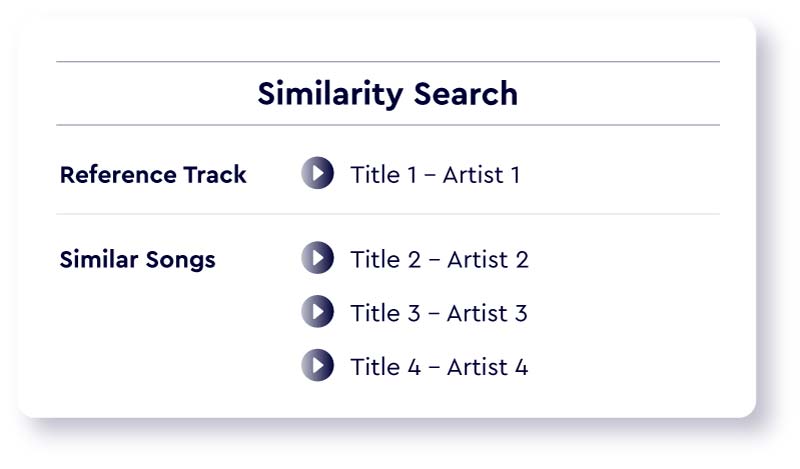
If you have your song ready for release and struggle to find the perfect match with another artist’s project, let me introduce you to Cyanite’s Similarity Search. Curious? We’ve dedicated an entire blog entry to elucidate the process: How to Create Custom Audiences for Pre-Release Music Campaigns in Facebook, Instagram, and Google – Cyanite.ai.

Illustration of an interface showing a list of similar songs to a reference track

3.  Write Press Releases with Cyanite

While promoting your tracks on Instagram and other social media platforms is an excellent starting point, music marketing is quite similar to receiving presents on Christmas – the more, the merrier.
Crafting a press release and submitting it to blogs or platforms like SubmitHub is an effective way to get more attention for your music.

Although producing your music feels natural, describing the finished product from an external perspective can be challenging. By utilizing Cyanite’s Auto-Tagging and Mood Detection algorithms, you can bypass the arduous task of finding the right words. Learn more in our blog post: “How to Write Press Releases and Music Pitches with Cyanite”.


4.  Crafting the Perfect Playlist for Every Occasion

If you’re a DJ or playlist curator, you’re undoubtedly aware of the significant time investment required to create the perfect play- or setlists. However, with Cyanite’s Similarity Search, you can drastically streamline this process. Pair it with the harmonic mixing tool, Camelot Wheel, and you’ll achieve smoother transitions than ever before. Discover our comprehensive guide on optimizing your playlists and DJ sets on our website: “How to Use Cyanite to Optimize Your Playlists and DJ Sets for Harmonic Mixing and Similarity”.

Sign Up for Free – Get Started!

Interested in trying out any of our examples for yourself?
Simply sign up here or delve deeper into Cyanite’s offerings on our newly redesigned website, Cyanite.ai, or explore our latest updates on our blogs for the latest news.

And as always, if you have questions, just send an email to support@cyanite.ai.

Your Cyanite Team.

A Look Behind the Curtain: Podcast Interview with Roman Gebhardt

A Look Behind the Curtain: Podcast Interview with Roman Gebhardt

A.I. Podcast featuring CAIO Roman Gebhardt

Our Chief Artificial Intelligence Officer, Roman Gebhardt, was a guest in this week’s podcast episode of The Illiac Suite – Music and Artificial Intelligence by Dennis Kastrup. The podcast features an A.I.-generated version of “Bohemian Rhapsody,” not sung by Freddie Mercury, but by Whitney Houston. This shows how far A.I.-generated music has already come. It has become fairly easy to train an A.I. model on a single vocalist, but what about entire songs? How do we make A.I. understand music to a degree where it would feel like you’re asking a professional musician to find you the perfect song for any scenario, and it never misses?


Metadata

At the core of A.I.’s grasp of music is metadata—categories like moods, genres, instruments, and styles help an A.I. understand songs like we do. We at Cyanite automatically tag these features using our A.I. once our customers, such as Slip.stream or BMG, upload songs into our system. The text-to-music search is not translated into tags but is directly mapped from text to music. So, unlike tag-based music search, Cyanite offers Free Text Search. How do we do that? We use sets of music and text descriptions to let our systems understand everything that comes to your mind, as long as you are able to put it into words.


We are not searching for certain keywords that appear in a search. We directly map text to music. We make the system understand which text description fits a song. This is what we call Free Text Search.

Roman Gebhardt, CAIO at Cyanite

The Problem

Music is art. You can’t unanimously define art, or else it probably wouldn’t be art in the first place. That’s the beauty of it all: subjectivity. While we love that about music, it’s one of the biggest challenges for our A.I. model. Just as Dennis Kastrup beautifully said in the podcast: while some people listen to sad music and find solace, others might get even sadder. Images, for example, are much easier to analyze than music. Imagine a picture with a yellow wall and a TV standing in front of it. While all people see color slightly differently, no one would identify the TV as a record player. Now think of “Bohemian Rhapsody” by Queen. Good luck unanimously agreeing on the genre or even the mood of this song.

Never-Ending Solutions

The key to successfully training a model like ours is to provide meaningful audio descriptions with the songs that we feed into our system. From there, we do a lot of reverse engineering. We analyze our models and get feedback from our customers to see where our models lack understanding. Then, we search for meaningful metadata to make up for that. So, it’s a never-ending cycle in which we build and refine, just to build again and refine from there. On and on and on.

Unleashing What We’ve Built

At the end of all of this, we work together with numerous companies that integrate our search technology into their systems and websites. A good example showcased in the podcast is Slip.stream. With Slip.stream, you can browse a massive royalty-free catalog, and with the power of Cyanite, you can find the perfect song for any situation using the Free Text Search. For example, “music to enjoy the moment.” Listen to what Cyanite came up with here. We at Cyanite are building the tools necessary for you to shape tomorrow’s music industry. Feel free to check out the Podcast above.

Your Cyanite Team.


Case Study: How Syncvault uses Cyanite’s AI Tagging To Unlock the Power of Music Promotion

Case Study: How Syncvault uses Cyanite’s AI Tagging To Unlock the Power of Music Promotion

Introduction

In the vast landscape of music tools for artists, London-based company SyncVault stands out as a reliable platform, empowering artists and brands to promote their music, products, and services. 

With an engaged community of social media influencers and content creators, SyncVault opens doors to new opportunities in the world of music promotion. 

To amplify their impact, SyncVault sought a state-of-the-art solution to unlock the full potential of their curated music catalog. This is where Cyanite entered the picture, offering AI-powered music analysis and tagging technology.


Defining the Challenge: Enhancing Music Metadata Insight

SyncVault aimed to extract deeper insights and data from their diverse repertoire of songs. 

Unlike conventional licensing providers with extensive libraries, SyncVault has a small and highly curated selection of tracks for which it required a solution capable of accurately generating multi-genre metadata and assigning appropriate weightage to each genre to improve music search and data insight.


Discovering the Suitable Partner: Cyanite

SyncVault found an ideal partner in Cyanite, which was recommended by their own network and whose product offering aligned seamlessly with SyncVault’s objectives. 

First, Cyanite’s comprehensive and accurate music analysis and tagging technology met their specific requirements. Cyanite’s taxonomy, which offers various tags in over 25 different classes, won over the team after a free tagging trial of 100 songs.

Second, SyncVault was impressed by Cyanite’s transparent, scalable, and competitive pricing model.


The Transformation: Streamlined Efficiency and Accuracy

After signing an agreement and booking a 1-year subscription, SyncVault seamlessly integrated Cyanite’s solutions into their workflow in just a few weeks. 

Picture 1: Mood-based keywords and search results on SyncVault platform

Additionally, Cyanite’s AI technology enhanced SyncVault’s music analytics, providing valuable insights into song structure, tempo, genre, key, mood, and more.

Empowering Team and Users: Elevating the SyncVault Experience

Cyanite’s auto-tagging capabilities significantly improved SyncVault’s efficiency and productivity, enabling its small team to categorize their repertoire faster and more consistently.

Furthermore, users experienced an enhanced music search, allowing them to filter and find the perfect soundtrack for their creative needsmore quickly. The partnership with Cyanite transformed SyncVault’s platform, fostering a thriving community where music resonates with listeners.

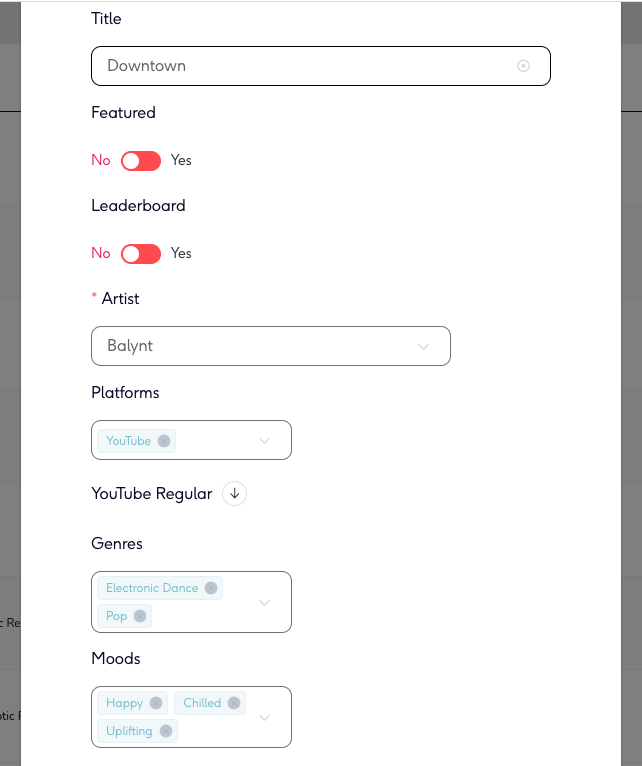
Picture 2: A look at how Syncvault’s curation team uses Cyanite tags in the backend.

Additionally, Cyanite’s AI technology enhanced SyncVault’s music analytics, providing valuable insights into song structure, tempo, genre, key, mood, and more.

A Promising Future: Expanding Horizons

SyncVault is experiencing a steady expansion of its service as it adds more tracks to the Content ID management system. Its catalogue is growing month on month creating more opportunities for licensing tracks for its brand partners.

SyncVault envisions extending its music promotion services to Content ID clients, creating more opportunities for brands to discover the ideal songs for their creative campaigns.

As SyncVault continues its expansion, Cyanite’s AI search and recommendation tools such as Similarity Search or Free Text Search would work seamlessly with their catalogue further enhancing the customer experience and forging new frontiers in music promotion. Integrating auto-tagging was just the first step towards an even deeper partnership between two music-enthusiastic companies.

If you want to learn more about SyncVault, you can check out their platform here: https://syncvault.com/

If you want to learn more about our API services, check out our docs here: https://api-docs.cyanite.ai/